


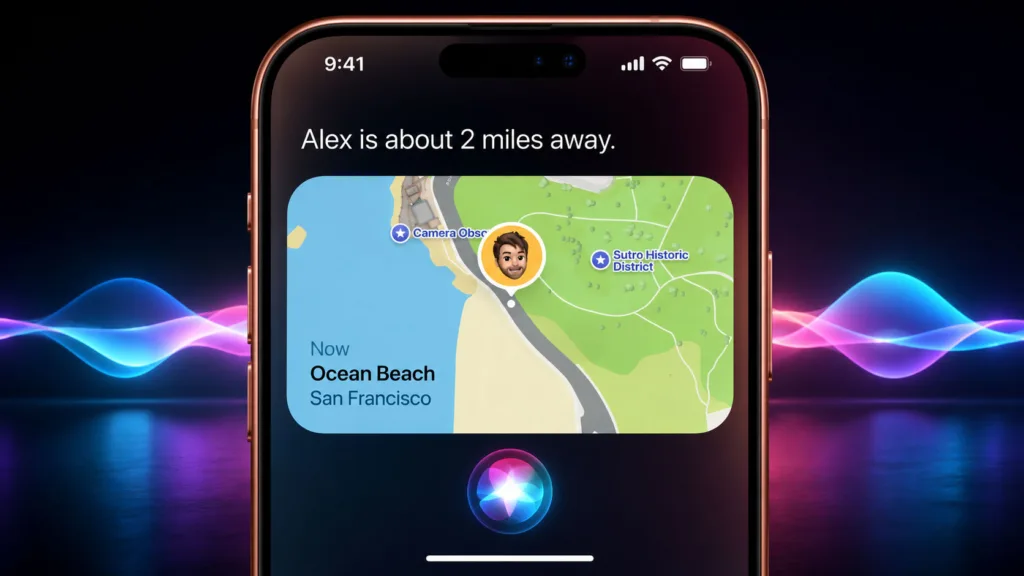
You know Siri. You’ve probably asked it for the weather, to set a timer, or maybe even for a joke. It’s become a ubiquitous part of your Apple ecosystem. But have you ever considered what makes Siri good? Beyond its ability to understand your commands and deliver information, there’s a subtle, yet crucial, aspect to its design: knowing when to stay silent. In a world saturated with constant notifications and unsolicited advice, Siri’s discretion is a feature you might not have explicitly appreciated, but it significantly shapes your user experience. This article delves into the art of Siri’s silence, exploring why and how it chooses not to speak when it might seem logical, and why this restraint is a critical part of its success.
You live in a digital age where information bombards you from every angle. Your smartphone buzzes with emails, social media alerts, news headlines, and app notifications. It’s a constant stream, and frankly, it can be overwhelming. This is precisely where the concept of “knowing when to stay silent” becomes paramount, not just for AI assistants like Siri, but for any technology aiming to be helpful rather than intrusive.
Sensory Overload and Cognitive Load
Think about your own brain. It’s a powerful processing unit, but it has its limits. When you’re constantly bombarded with new information, your cognitive load increases. This means it takes more mental energy to process everything, leading to fatigue, reduced focus, and an increased likelihood of making mistakes. Imagine if Siri, in an attempt to be helpful, chimed in with every minor piece of information it could find related to your current activity. You’d be drowning in data, making it harder to concentrate on what you’re actually trying to do.
The Paradox of Choice
The more options you have, theoretically the better you can make a decision. However, too many options can lead to paralysis. This applies to information as well. If Siri were to present you with an overwhelming amount of data every time you asked a question, you might struggle to sift through it all and find what you’re looking for. The ability to filter and present only the most relevant information, or to remain silent when no further clarification is needed, is a crucial part of user experience.
The Value of Silence in Communication
In human interaction, silence is not always empty. It can convey understanding, empathy, or simply a recognition that speaking isn’t necessary at that moment. A well-timed pause in a conversation can be more impactful than a rushed response. For an AI assistant, replicating this understanding of contextual silence is vital for fostering a feeling of natural and intuitive interaction.
When Siri Chooses Not to Respond: Intent and Context
You might have experienced instances where you expect Siri to say something, but it simply doesn’t. This isn’t a glitch; it’s often a deliberate design choice rooted in understanding your intent and the immediate context of your interaction. Siri is not programmed to be a chatterbox; it’s designed to be a tool, and effective tools know when their intervention is most beneficial.
Understanding Implicit Commands
Sometimes, your actions with your Apple devices imply your intent without you explicitly stating it. For example, if you’re in the Photos app and zoom in on a specific picture, you’re not asking Siri to do anything. You’re engaging with the content directly. In such cases, Siri remains silent because your intention is clear and no verbal command is required. It recognizes that your current activity is self-contained.
Minimizing Distractions During Screen Time
When you are actively engaged with the screen of your iPhone, iPad, or Mac, Siri’s primary goal is to avoid disrupting your flow. If you’re reading an article, replying to an email, or playing a game, Siri’s audio output could be a significant distraction. By remaining silent, it allows you to concentrate on the task at hand, demonstrating a sophisticated understanding of user focus.
Recognizing Self-Sufficiency
There are many built-in functions on your Apple devices that don’t require AI intervention. For instance, if you tap the Wi-Fi icon to toggle it on or off, your device handles that action directly. Siri doesn’t need to confirm the activation or deactivation of Wi-Fi unless you specifically ask it to. This self-sufficiency in operating system functions means Siri remains in the background, ready for when you do need its assistance.
The Nuances of App Permissions
Consider situations where an app might be requesting permissions, like access to your location or microphone. While this is an important system function, Siri doesn’t typically interject with commentary unless prompted. It allows the native system alerts to handle these interactions, maintaining a clean and focused user interface.
The Science of Contextual Awareness


Siri’s ability to know when to stay silent is underpinned by a complex system of contextual awareness. It’s not just about recognizing words; it’s about understanding the broader environment in which those words are spoken or implied.
Visual Input Analysis
Your Apple devices have screens. Siri can, in certain circumstances, process visual information on your screen to understand what you are doing. If you’re looking at a specific app or a particular element on the screen, Siri can infer your focus and avoid interrupting. For example, if you’re in the Maps app navigating, Siri wouldn’t announce “It’s raining” unless you explicitly asked about the weather, as your primary focus is on directions.
Device State and Activity Monitoring
Siri is aware of the state of your device – is it locked or unlocked? Is an app running? Is it actively being used? This awareness of your device’s current activity plays a crucial role. If your device is locked and you haven’t activated Siri, it remains dormant. If you’re actively typing a message, Siri likely won’t interject with a notification unless it’s marked as extremely urgent and configured to do so.
Prioritization of User Interaction
Apple’s design philosophy emphasizes putting the user at the center. Siri’s silence is a manifestation of this. It prioritizes your current interaction and avoids unnecessary interruptions. This is about creating a seamless and unintrusive experience, allowing you to control the flow of information and interaction.
Recognizing Passive Information Consumption
You often consume information passively. For example, you might have a news widget on your home screen displaying headlines. Siri doesn’t need to read those headlines to you unless you ask it to. Its silence in such cases acknowledges that you are capable of processing that information yourself at your own pace.
The Ethics of Digital Presence
Beyond mere functionality, Siri’s judicious use of silence touches upon ethical considerations in AI. In a world where technology can be deeply ingrained in our lives, its presence should be respectful and empowering, not overbearing.
Avoiding Information Overwhelm and Anxiety
As discussed earlier, constant digital noise can contribute to anxiety and stress. By choosing to remain silent when not explicitly needed, Siri helps reduce this digital overwhelm. It demonstrates an awareness that too much of a good thing can be detrimental.
Respecting Personal Space and Focus
Your device is a personal tool, and your attention is a valuable resource. Siri’s silence is a form of respect for your personal space and your ability to focus. It doesn’t demand your attention when it’s not invited, fostering a sense of control and autonomy.
Building Trust Through Non-Intrusiveness
When an AI assistant is consistently helpful without being annoying, it builds trust. Siri’s ability to discern when to speak and when to remain silent is a key factor in establishing this trust. You learn to rely on it because you know it won’t constantly interrupt your workflow or personal moments.
The Principle of Least Intervention
In many areas of user interface design, the principle of least intervention is followed. This means that technology should only intervene when necessary. Siri’s silence aligns perfectly with this principle, ensuring that it is a helpful assistant rather than an intrusive entity.
The Future of Conversational AI and Strategic Silence
| Metrics | Data |
|---|---|
| Article Title | Apple’s new Siri AI knows when to shut up |
| AI Name | Siri |
| Feature | Knowing when to stop talking |
| Technology | Artificial Intelligence |
| Company | Apple |
As conversational AI continues to evolve, the ability to understand and employ strategic silence will become even more critical. The future of assistants like Siri lies not just in their intelligence, but in their wisdom – the wisdom to know when less is more.
Advanced Emotion and Tone Detection
Future iterations of Siri may become even more adept at understanding your emotional state and the tone of your voice. This could lead to more nuanced decisions about when to speak. For example, if you sound frustrated, Siri might offer a helpful suggestion proactively, but if you sound content, it might remain silent.
Proactive vs. Reactive Assistance Refinement
The balance between proactive and reactive assistance is delicate. While AI can offer valuable proactive suggestions, there’s a fine line before it becomes intrusive. Siri’s ongoing development will likely focus on refining this balance, ensuring its proactive nudges are always welcome and timely, and that its reactive responses are delivered with appropriate discretion.
Anticipating Needs Without Constant Prompts
The ultimate goal of AI, in many ways, is to anticipate your needs before you even articulate them. However, this anticipation must be paired with a sensitivity to not constantly be bombarding you with unsolicited predictions or suggestions. Siri might learn to infer your needs from your ongoing tasks and quietly prepare potential solutions without needing to announce them.
The Evolution of “Good Enough” Interaction
Not every interaction requires a verbose response or an immediate follow-up. Sometimes, simply acknowledging a task is complete, or confirming a setting has been changed, is sufficient. Siri’s quiet confirmation, or even the absence of any spoken word when the action is visually clear, contributes to a sense of “good enough” interaction that prioritizes efficiency and user experience over unnecessary verbosity. This is a sophisticated understanding that goes beyond just processing commands. It’s about understanding the subtle cues of human interaction and respecting the user’s space and intent.
FAQs
What is Apple’s new Siri AI?
Apple’s new Siri AI is an updated version of the virtual assistant software that is designed to be more contextually aware and responsive to user needs.
How does the new Siri AI know when to shut up?
The new Siri AI uses on-device processing to analyze user interactions and determine when it is appropriate to stop speaking, allowing for more natural and seamless conversations.
What are the benefits of the new Siri AI’s ability to know when to be silent?
The ability for Siri to know when to be silent allows for more efficient and effective communication, reducing interruptions and providing a more user-friendly experience.
Is the new Siri AI available on all Apple devices?
The new Siri AI is available on select Apple devices with the A12 Bionic chip or later, including the iPhone 11, iPad Pro, and HomePod.
Can users customize the new Siri AI’s behavior for when to be silent?
Users have the ability to customize Siri’s behavior through settings and preferences, allowing for personalized control over when Siri speaks and when it remains silent.