


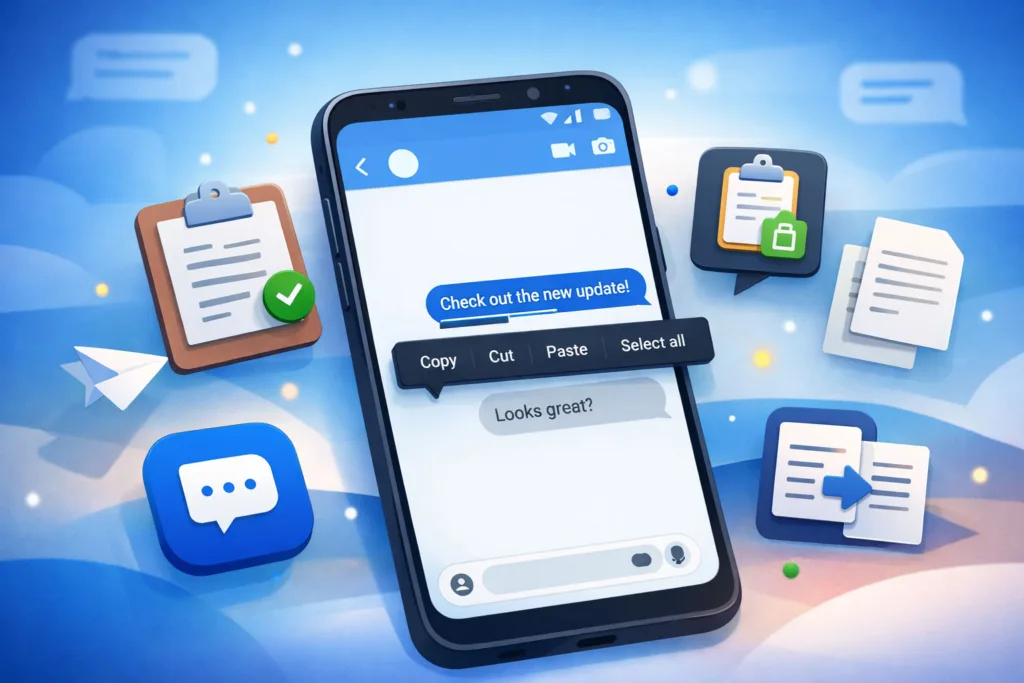
You’ve likely grown accustomed to the routine of copying and pasting within your digital life. Whether it’s a snippet of text from a website, contact information from an email, or a meme from a social media feed, the process is largely muscle memory. Google Messages, as a core communication tool for many Android users, is now evolving this fundamental interaction. This article will delve into the recent updates to the copy-paste functionality within Google Messages, examining the practical implications and how they might alter your daily messaging habits.
One of the most immediate changes you’ll observe regards the way you select and extract text from conversations. Previously, the process was straightforward but often required meticulous finger placement, especially with dense messages or links. The updated interface aims to make this less cumbersome, reducing the chance of inadvertently selecting the wrong portion of a message.
Enhanced Contextual Selection
The system now demonstrates a greater understanding of what you’re trying to select. If you long-press on a message that contains a phone number, an address, or a date, Google Messages will attempt to intelligently highlight that specific data point. This isn’t just a visual cue; it often presents you with direct actions related to that data. For instance, selecting a phone number might immediately offer “Call” or “Add to Contacts.” An address could prompt “Open in Maps” or “Share Location.” This anticipation of your needs minimizes the number of taps required to perform common tasks.
Simplified Link Handling
Links within messages are a frequent target for copy-paste. The updated system streamlines this. Instead of having to meticulously drag selection handles around a URL, a long-press on a link (or near it) will now more readily select the entire URL. Furthermore, you might see quick actions appear next to the selected link, such as “Open in Browser,” “Copy Link,” or “Share Link.” This reduces the friction involved in navigating to external content or sharing it with others, moving beyond a simple copy and paste.
Improved Multi-Segmented Selection
For longer messages, particularly those with multiple paragraphs or distinct pieces of information, selecting only a portion used to be a delicate operation. The new update provides more responsive selection handles, allowing for finer control over the start and end points of your selection. This is particularly useful when you only need a sentence or two from a much larger block of text, preventing the unnecessary copying of irrelevant content that you would then have to manually edit out elsewhere.
The recent update to Google Messages, which enhances the copy-paste functionality, has garnered significant attention for its potential to streamline communication. This improvement aligns with the broader trend of leveraging technology to simplify user experiences. For a deeper understanding of how automation is transforming workflows in various domains, including design and coding, you can explore a related article that discusses the role of AI in automating the design-to-code process. Check it out here: From Figma to Frontend: How AI is Automating the Design-to-Code Workflow.
Intelligent Data Recognition and Action Suggestions
Beyond merely making selection easier, the updated copy-paste feature in Google Messages introduces a layer of intelligence that anticipates your next move based on the type of data you’ve copied. This proactive approach aims to reduce the mental overhead and physical taps required to perform common actions.
Contextual Quick Actions
Upon copying specific types of data, Google Messages now presents a small, ephemeral menu of relevant actions directly above or below the selection. For example, if you copy a flight number, you might see an option to “Track Flight” directly within Google Flights (if installed) or to perform a quick Google search for the flight status. This goes beyond the basic “Search Web” option that was previously a more generic default. The system attempts to interpret the copied data and offer genuinely useful shortcuts.
Calendar Event Creation
Copying a date, time, and potentially a location from a message can now trigger a suggestion to “Create Calendar Event.” Clicking this suggestion will pre-populate a new calendar event with the extracted details, sometimes even inferring the event title from the surrounding text. This is a significant time-saver for scheduling and coordinating, eliminating the manual entry of event specifics. You no longer need to switch between apps, copy each piece of information individually, and then paste it into your calendar.
Contact Card Generation
When you copy a name, phone number, and perhaps an email address from a message, you might now see a suggestion to “Add to Contacts” or “Create New Contact.” This action will attempt to intelligently parse the copied text and populate the appropriate fields in a new contact entry, or suggest updating an existing one if the system recognizes the name. This streamlines the process of saving new contacts encountered through messaging.
Address Auto-Fill and Navigation
Copying an address will frequently prompt an option to “Open in Maps” or “Get Directions.” This direct integration with spatial data is incredibly practical for meeting coordination or simply finding your way to a new location. Furthermore, if you’re composing a new message and paste an address, the system might offer to format it correctly or even suggest sharing your current location relative to that address.
Enhanced Media Sharing and Interaction

The updates aren’t solely focused on text. Media – photos, videos, and even GIFs – are fundamental to modern messaging. The new copy-paste features extend to how you interact with visual content, making sharing and referencing media more fluid.
Direct Media Pasting
Previously, if you copied an image from a website or another application, pasting it into a Google Messages conversation would sometimes result in a link or, at best, a small thumbnail that required further taps to view the full image. The updated functionality supports direct pasting of images and GIFs. This means if you copy an image from your browser, you can paste it directly into your message composition window as a fully embedded image, ready to send. This reduces the steps required for impromptu visual communication.
Copying Media with Context
When you copy an image or video from a Google Messages conversation, the system now retains more context. While a basic copy will still give you just the media file, you might also be presented with options to “Copy Message with Media” or “Share Message.” This facilitates forwarding conversations where a specific image is central to the discussion, rather than just sharing the image in isolation.
Improved Rich Content Previews
While not strictly a copy-paste feature, the ability to more easily paste rich content (like links with embedded previews or directly pasted images) ties into how conversations appear. The system is better at generating coherent and informative previews for pasted URLs, making the context of shared links clearer to the recipient without them needing to click away. This subtly enhances the readability and understanding of your messages.
Clipboard Management and History Integration

Behind the scenes, the updates to copy-paste are often coupled with improvements to clipboard management, making it easier to access and utilize previously copied items. This moves beyond the simple “last item copied” paradigm.
Expanded Clipboard History
Depending on your Android version and device manufacturer, some of these features might be partially managed by your system-level clipboard. However, Google Messages itself is now better integrated with this expanded clipboard history. When you long-press to paste, you might see options to paste the most recent item or to access a history of recently copied items. This is particularly useful when you need to paste multiple pieces of information that you copied in quick succession, preventing the need to jump back and forth between different sources.
Persistent Clipboard Items (within Messages)
For frequently used information, such as your address or a common phrase, some implementations of this update allow you to “pin” items to your clipboard history within the Google Messages context. This means these pinned items remain readily accessible without being pushed out by newer copied content. This is a niche but powerful feature for those who regularly share specific pieces of information.
Searchable Clipboard Content
As clipboard histories grow, finding a specific item can become challenging. Some iterations of this update, or features introduced by device manufacturers in conjunction with Google, allow for basic searching within your clipboard history. If you’ve copied a unique keyword or phrase, you can quickly locate it within your recent clipboard items, rather than endlessly scrolling.
The recent update to Google Messages, which enhances the copy and paste functionality, has sparked considerable interest among users looking for improved messaging experiences. This update aligns with ongoing discussions about data privacy and user rights, particularly in light of legal challenges facing tech giants. For a deeper understanding of these issues, you can read more about the implications of such lawsuits in this insightful article on California’s data laws and their impact on Android users. Check it out here.
Future Implications and User Adaptation
| Date | Update Description | Impact |
|---|---|---|
| June 2021 | Google introduces copy paste feature in Messages app | Allows users to easily copy and paste text within the app |
| July 2021 | Enhancement of copy paste feature with improved performance | Users experience faster and more reliable copy paste functionality |
These copy-paste updates are not isolated features but represent a broader trend towards more intelligent and context-aware communication platforms. As you adapt to these new functionalities, you may find your messaging habits subtly shifting to leverage these efficiencies.
Reduced App Switching
The most significant implication is a reduction in the need to switch between applications. By consolidating actions like opening maps, creating calendar events, or adding contacts directly within Google Messages, the user flow becomes smoother and less interrupted. This contributes to a heightened sense of productivity within the messaging environment itself.
Enhanced Information Exchange

The ability to more accurately select and intelligently paste various types of data means that information exchange becomes more precise. There’s less opportunity for errors in transcription when the system is actively assisting with recognition and formatting. This can be particularly important in professional or time-sensitive communications.
Learning Curve and Customization
While these features aim for intuitiveness, there will naturally be a slight learning curve as you discover the new contextual options that appear. Google, and by extension its messaging app, often prioritize broad usability over deep customization. However, as these features mature, you might see options to enable or disable certain intelligent suggestions based on your preferences. For now, it’s a matter of exploring what appears when you long-press or copy different types of content.
In conclusion, the Google Messages copy-paste update moves beyond a simple text transfer mechanism. It integrates intelligence, anticipation, and contextual actions to transform a fundamental interaction into a more efficient and versatile tool. By streamlining text selection, recognizing data types, and offering immediate relevant actions, you’re provided with a more robust and less fragmented messaging experience. It’s a pragmatic evolution that aims to save you time and taps, making your digital conversations smoother and more productive.
FAQs
What is the Google Messages copy paste update?
The Google Messages copy paste update is a new feature that allows users to easily copy and paste text within the Google Messages app on Android devices.
How does the Google Messages copy paste update work?
With the update, users can now long-press on a message to select and copy text, and then paste it into another message or app. This makes it easier to share information and communicate within the app.
Is the Google Messages copy paste update available to all users?
Yes, the Google Messages copy paste update is available to all users of the Google Messages app on Android devices. Users can update the app through the Google Play Store to access this feature.
Are there any limitations to the Google Messages copy paste update?
Currently, the copy paste update in Google Messages only allows users to copy and paste text within the app. It does not support copying and pasting images or other media.
Where can I find more information about the Google Messages copy paste update?
Users can find more information about the Google Messages copy paste update by visiting the Google Messages support page or by checking for updates within the app.