


Understanding the Nuisance: Why Spam Calls Persist
You’ve likely experienced the relentless assault of spam calls. Your phone rings, you glance at the caller ID, and a sense of dread washes over you as you see an unknown number or a suspicious-looking label. Perhaps it’s a recorded message about an extended car warranty, a feigned plea from the IRS, or an enticing offer that sounds too good to be true. These calls aren’t just annoying; they’re a significant privacy and security risk. Scammers use them to phish for personal information, commit identity theft, or even trick you into handing over money. Understanding why these calls persist is the first step toward effective mitigation.
The Profitability of Spam
The primary driver behind the sheer volume of spam calls is simple: profit. Even a tiny success rate translates into significant gains for scammers. They operate on a massive scale, employing automated dialing systems (robocallers) that can call thousands of numbers per minute at virtually no cost. If just a fraction of one percent of these calls results in a successful scam, it’s a lucrative operation. The low barrier to entry, coupled with the potential for substantial illicit income, ensures that new scam operations constantly emerge, adapting their tactics to bypass existing defenses.
The Anonymity of the Internet and VOIP
The internet has revolutionized communication, but it has also provided a powerful tool for spammers. Voice over Internet Protocol (VOIP) services allow callers to make calls from anywhere in the world, often masking their true location and identity. This anonymity makes it incredibly difficult for law enforcement agencies to trace and prosecute perpetrators, especially when they operate across international borders. Scammers frequently use spoofed numbers, making it appear as though they are calling from a local area code or a legitimate company, further eroding your trust and making it harder to identify a spam call before you answer.
Data Breaches and Targeted Lists
Unfortunately, your phone number and other personal information aren’t as private as you might think. Data breaches are a common occurrence, exposing vast quantities of personal data, including phone numbers, email addresses, and even financial details. Scammers purchase these compromised datasets on the dark web, using them to create targeted call lists. This means that some spam calls you receive aren’t random; they’re specifically aimed at you because your information has been exposed. Furthermore, interacting with spam calls, even briefly, can signal to scammers that your number is active, leading to an increase in unwanted calls.
If you’re looking for effective strategies to enhance your communication and engagement with customers while also tackling the nuisance of spam calls on your iPhone and Android devices, you might find it helpful to explore the article on drip campaigns. Drip campaigns can significantly improve your outreach efforts and ensure that your messages reach the right audience without getting lost in the clutter of unwanted calls. For more insights on this topic, check out the article here: Maximizing Engagement: The Power of Drip Campaigns.
Leveraging Built-in Device Features for Call Blocking


Both iPhone and Android devices come equipped with powerful built-in features designed to help you manage and block unwanted calls. Familiarizing yourself with these tools is crucial for creating your first line of defense against spam. These options don’t require any third-party apps or subscriptions, making them accessible to everyone.
iPhone’s Silence Unknown Callers Feature
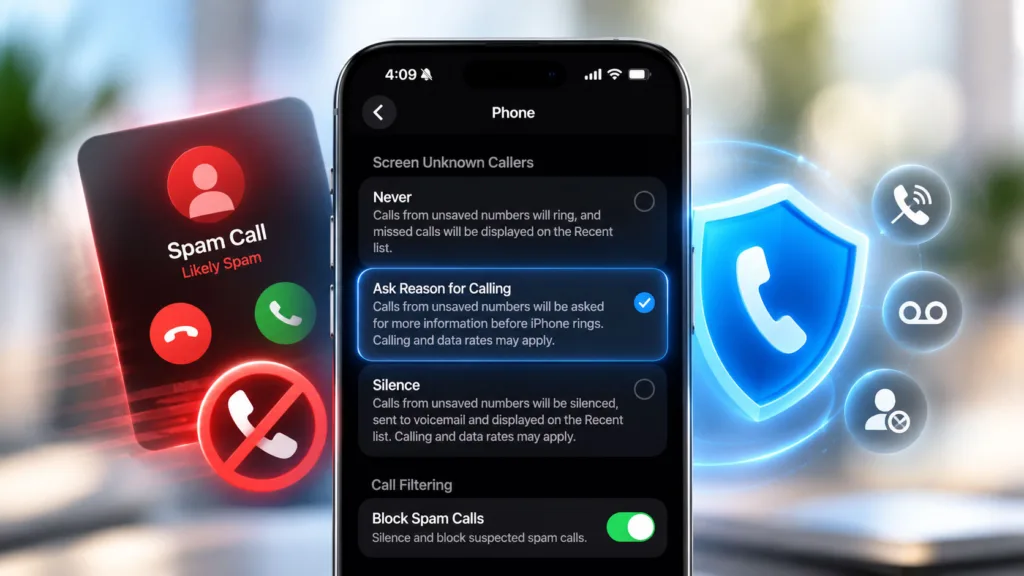
For iPhone users, one of the most effective built-in tools is “Silence Unknown Callers.” This feature automatically sends calls from numbers not in your contacts list, recent outgoing calls, or Siri Suggestions to voicemail. You won’t receive a notification for these calls, but they will still appear in your Recents list, and you can retrieve voicemails. This is particularly useful if you frequently receive calls from numbers you don’t recognize and prefer to screen them.
To enable this feature:
- Open the “Settings” app.
- Scroll down and tap on “Phone.”
- Scroll down to the “Call Silencing and Blocked Contacts” section.
- Tap on “Silence Unknown Callers.”
- Toggle the switch to the “On” position (it will turn green).
While highly effective, be mindful that enabling “Silence Unknown Callers” might cause you to miss important calls from legitimate businesses or individuals who aren’t in your contacts. If you’re expecting a call from a new doctor’s office, a delivery service, or a job interviewer, you might want to temporarily disable this feature or ensure you’ve added their number to your contacts.
Android’s Call Screening and Block Number Options
Android offers a robust suite of call management features, though their exact location and naming can vary slightly depending on your phone’s manufacturer and Android version (e.g., Samsung One UI, Google Pixel’s stock Android, OnePlus OxygenOS). The core functionalities, however, remain consistent.
Google Phone App’s Call Screen
If your Android device uses the Google Phone app (common on Pixel phones and increasingly on other Android devices), you have access to “Call Screen.” This innovative feature uses Google Assistant to answer calls from unknown numbers on your behalf, asking the caller for the purpose of their call and transcribing their response in real-time. You can then choose to answer, hang up, or mark it as spam.
To enable Call Screen (availability may vary by region and device):
- Open the “Phone” app.
- Tap the three-dot menu icon (usually in the top right corner) and select “Settings.”
- Tap on “Spam and Call Screen.”
- Ensure “See caller & spam ID” is toggled on.
- Tap on “Call Screen.”
- Choose how you want Google Assistant to handle suspected spam calls (e.g., “Automatically screen. Decline declined calls.”). You can also customize how calls from first-time callers are handled.
Blocking Individual Numbers on Android
Regardless of your Android version or manufacturer, you can manually block individual numbers directly from your call history. This is useful for numbers that repeatedly call you or are clearly identified as spam.
To block a number:
- Open the “Phone” app.
- Go to your “Recents” or “Call History” tab.
- Tap on the number you wish to block.
- Look for an option like “Block,” “Block/report spam,” or a three-dot menu icon next to the number that reveals a “Block number” option.
- Confirm your decision. You might also have an option to report the number as spam, which helps your carrier and Google improve their spam identification systems.
Contacting Your Carrier for Blocking Services
Beyond what your device offers, your mobile carrier (e.g., AT&T, Verizon, T-Mobile) often provides their own call-blocking services, sometimes for an additional fee. These services can identify and block known spam or robocall numbers at the network level before they even reach your phone. It’s worth checking with your carrier to see what options they offer.
For example:
- AT&T: Offers “Call Protect” (free) and “Call Protect Plus” (paid) apps that identify and block spam and fraud calls.
- Verizon: Provides “Call Filter” (free for basic features, paid for advanced).
- T-Mobile: Has “Scam Shield” (free) with features like Scam ID, Scam Block, and Caller ID.
These carrier-specific apps often integrate with their network infrastructure, giving them a broader scope for identifying and blocking threats. You usually download these apps from your device’s app store (App Store for iPhone, Google Play Store for Android) and activate them using your carrier credentials.
Utilizing Third-Party Call Blocking Applications


While built-in features are a solid starting point, third-party applications often provide more advanced and aggressive call blocking capabilities. These apps typically maintain extensive databases of known spam numbers, use sophisticated algorithms to identify suspicious call patterns, and offer a greater degree of customization.
Popular Third-Party Apps for iPhone
The App Store offers several highly-rated call blocking apps for iPhone. When choosing one, consider its features, privacy policy, and whether it requires a subscription.
Truecaller
Truecaller is one of the most widely recognized call identification and blocking apps. It leverages a massive community-driven database to identify unknown callers, warn you about spam, and automatically block unwanted calls.
Key features include:
- Caller ID: Identifies names and locations of unknown numbers in real-time.
- Spam Blocking: Automatically blocks known spam, robocalls, and telemarketers.
- Smart SMS: Identifies and blocks spam SMS messages.
- Call Recording: (Availability may vary by region and legal restrictions)
- Reverse Phone Lookup: Allows you to search for numbers.
While Truecaller is very effective, it does rely on sharing contact information (anonymously) to build its database, which some users might find concerning from a privacy perspective. You can use the app without contributing your contacts, but its effectiveness might be slightly reduced. There’s a free version with ads and premium subscriptions for ad-free experience and advanced features.
Nomorobo
Nomorobo focuses specifically on robocall blocking. It boasts an impressive track record and has even won a Federal Trade Commission (FTC) prize for its innovative approach.
Key features include:
- Robocall Blocking: Identifies and blocks illegal robocalls, telemarketers, and known scams.
- Spam Text Filtering: Filters out unwanted text messages.
- Real-time Protection: Blocks calls before they even ring your phone.
Nomorobo operates on a subscription model after a free trial, indicating a commitment to privacy by not relying on ad revenue or data sharing in the same way some other apps might. It’s highly effective for its specific purpose.
Hiya
Hiya is another strong contender, offering a comprehensive suite of features for call identification and blocking. It partners with carriers and device manufacturers to provide its services.
Key features include:
- Caller ID: Identifies calls from known businesses and individuals.
- Spam & Scam Protection: Automatically blocks or warns about unwanted calls.
- Reverse Phone Lookup: Look up unknown numbers.
- Personalized Blocking: Create custom block lists.
Hiya often comes pre-installed on some Android devices (like Samsung) and is available as a standalone app for both Android and iPhone. It offers a free tier with basic features and a premium subscription for advanced functionalities.
Popular Third-Party Apps for Android
The Google Play Store also hosts numerous call-blocking apps for Android, often with even deeper integration possibilities due to Android’s open nature.
Truecaller (Android)
Truecaller’s Android version is arguably even more powerful than its iPhone counterpart due to Android’s permissions model. It can replace your default dialer, offering a more seamless experience for call identification and blocking.
Call Blocker – Spam Call Blocker
This app focuses purely on blocking unwanted calls with a straightforward interface. It uses a community-maintained database of spam numbers and allows for personalized blocking rules.
Key features include:
- Block List: Easily add numbers to your block list.
- Spam Database: Blocks calls from known spam numbers.
- Call Blocking Modes: Options to block all unknown numbers, specific prefixes, or private numbers.
- History of Blocked Calls: Keeps a log of calls that were blocked.
This app is generally free with ads, and some offer a premium version for an ad-free experience and additional features.
Should I Answer?
This app takes a slightly different approach, focusing on providing information about unknown callers rather than aggressively blocking them. When an unknown number calls, it displays a rating (green for safe, red for dangerous) based on community feedback. You then decide whether to answer.
Key features include:
- Community Ratings: Displays color-coded ratings for incoming calls.
- Offline Database: Works even without an internet connection.
- User Feedback: Allows you to report numbers and contribute to the community database.
- Custom Blocking: Option to block specific number ranges or whole countries.
This app is great for those who want to be informed but still have control over answering calls. It’s typically free, relying on donations or a one-time purchase for ad removal.
When selecting a third-party app, always review its privacy policy. Some apps collect more data than others, and it’s essential to understand what you’re agreeing to. Also, consider the impact on battery life, as some continuously running background services can consume more power.
Proactive Strategies and Best Practices
Beyond technical solutions, adopting certain habits and practices can significantly reduce your exposure to spam calls and protect yourself from scams. These are ongoing efforts that complement any blocking software you employ.
Never Answer Unknown Numbers
This is arguably the simplest yet most effective proactive strategy. If you don’t recognize the number, let it go to voicemail. Legitimate callers will leave a message. Spammers and robocallers rarely do, or if they do, the message will immediately signal its fraudulent nature. Answering unknown numbers confirms to spammers that your number is active, potentially leading to more calls. If you’re expecting an important call from an unknown number (e.g., a doctor, a delivery service), consider adding their number to your contacts temporarily or inform them you’ll be screening calls.
Be Wary of Caller ID Spoofing
Don’t trust caller ID blindly. Scammers frequently “spoof” numbers to make it appear as though they’re calling from a local number, a legitimate government agency (like the IRS or Social Security Administration), or a well-known company (like your bank). This tactic is designed to trick you into answering. If a caller claims to be from an organization you deal with, and you suspect it might be a scam, hang up and call the organization back directly using a known, official phone number (from their website or a bill, not from the number the caller provided).
Avoid Interacting with Spam Calls
If you accidentally answer a spam call, the best course of action is to hang up immediately. Do not press any buttons, do not say “yes,” and do not engage with the caller.
- Don’t press buttons: Pressing a number (e.g., “press 1 to be removed from our list”) often confirms that your number is active and you’re willing to interact, leading to more calls.
- Don’t say “yes”: Scammers sometimes record your “yes” and use it to authorize fraudulent charges or agreements.
- Don’t provide personal information: Never give out sensitive information like your Social Security number, bank account details, credit card numbers, or passwords over the phone unless you initiated the call to a trusted, verified number.
Add Your Number to the Do Not Call Registry
In many countries, government agencies maintain “Do Not Call” registries. While these registries primarily target legitimate telemarketing companies, adding your number can still help reduce some unwanted calls. It won’t stop illegal robocallers or scammers, as they don’t abide by these regulations, but it can cut down on calls from legitimate businesses that adhere to the rules.
- United States: Visit
donotcall.govor call1-888-382-1222(TTY:1-866-290-4236). - United Kingdom: Visit
tps.uk/registeror call0345 070 0707. - Canada: Visit
lnnte-dncl.gc.caor call1-866-580-3625.
Remember that it can take up to 31 days for your number to be fully registered, and some organizations (like charities or political campaigns) may still be allowed to call you.
Report Spam Calls
Reporting spam calls, even if it feels like a drop in the ocean, is crucial. These reports help government agencies and carriers identify patterns, track down perpetrators, and improve their call-blocking algorithms.
- Your Mobile Carrier: Most carriers allow you to report spam numbers directly. For example, you can often forward suspicious texts to
7726(SPAM) to report them to your carrier. - Federal Communications Commission (FCC) in the US: You can file a complaint online at
consumercomplaints.fcc.govor call1-888-CALL-FCC. - Federal Trade Commission (FTC) in the US: Report scams to
reportfraud.ftc.gov. - Other Countries: Look for similar consumer protection agencies or telecommunications regulators in your country and their specific reporting mechanisms.
Providing details like the caller ID, the time of the call, and a brief description of the message or interaction can be very helpful.
If you’re looking for effective strategies to reduce unwanted spam calls on your iPhone or Android device, you might find it helpful to explore related topics that discuss technology’s role in enhancing communication. One such article delves into the impact of AI writing assistants on journalism, which can also shed light on how technology is evolving to improve our daily interactions. You can read more about it in this insightful piece on AI writing assistants.
What to Do if You Fall Victim to a Scam
| Method | Platform | Description | Effectiveness | Ease of Use |
|---|---|---|---|---|
| Enable Built-in Call Blocking | iPhone & Android | Use native settings to block unknown or spam numbers automatically. | High | Easy |
| Use Third-Party Spam Blocking Apps | iPhone & Android | Install apps like Truecaller or Hiya to identify and block spam calls. | Very High | Moderate |
| Register on Do Not Call List | iPhone & Android | Sign up with national Do Not Call registries to reduce telemarketing calls. | Moderate | Easy |
| Silence Unknown Callers | iPhone | Automatically silence calls from numbers not in contacts. | High | Easy |
| Use Carrier Spam Protection | iPhone & Android | Enable spam protection services provided by mobile carriers. | High | Easy |
| Manually Block Numbers | iPhone & Android | Block specific spam numbers as they come in. | Low to Moderate | Moderate |
Despite your best efforts, you might occasionally fall victim to a phone scam. It’s important to know what steps to take immediately to mitigate the damage and protect yourself further. Don’t feel ashamed; scammers are incredibly sophisticated and manipulative.
Act Quickly and Limit Exposure
The moment you realize you’ve been scammed, time is of the essence.
- Discontinue contact: Stop all communication with the scammer immediately. Block their number and any email addresses they might have used.
- Change passwords: If you provided any passwords or security questions, change them for all affected accounts (email, banking, social media, etc.).
- Notify your bank/credit card company: If you provided financial information (bank account numbers, credit card details) or sent money, contact your bank or credit card company immediately. They can help you freeze accounts, dispute fraudulent charges, and take steps to protect your funds.
- Freeze credit: Consider freezing your credit with the major credit bureaus (Equifax, Experian, TransUnion in the US). This prevents new credit accounts from being opened in your name, which is a common tactic for identity thieves.
Gather Information and Document Everything
The more information you have, the easier it will be for authorities to investigate and for you to recover.
- Collect details: Write down everything you remember about the scam: the date and time of the call, the number that called you, what the scammer said, what information you provided, how much money you lost (if any), and how you paid (wire transfer, gift cards, cryptocurrency, etc.).
- Save evidence: Keep any voicemails, text messages, or emails related to the scam. Take screenshots if necessary.
Report the Incident to Authorities
Reporting is crucial for helping law enforcement track scammers and prevent others from falling victim.
- Local Police: File a police report. While local police might not always be able to directly investigate international phone scams, a police report is often necessary for insurance claims or disputing charges with your bank.
- Federal Agencies (US):
- FTC (Federal Trade Commission): Report fraud at
reportfraud.ftc.gov. This is the central repository for scam complaints in the US and helps identify trends. - FBI (Federal Bureau of Investigation): If you lost a significant amount of money or believe you’re a victim of identity theft, file a complaint with the FBI’s Internet Crime Complaint Center (IC3) at
ic3.gov. - SSA (Social Security Administration) Office of the Inspector General: If the scam involved someone impersonating the SSA, report it at
oig.ssa.gov. - IRS (Internal Revenue Service) Treasury Inspector General for Tax Administration (TIGTA): If the scam involved someone impersonating the IRS, report it to TIGTA at
tigta.govor call1-800-366-4484. - National or International Anti-Fraud Centers: Many countries have dedicated organizations for reporting fraud. For example, in Canada, you can report to the Canadian Anti-Fraud Centre. In the UK, Action Fraud is the national reporting center for fraud and cyber crime.
Monitor Your Accounts and Credit
After a scam, especially if personal information was compromised, it’s vital to remain vigilant.
- Review bank and credit card statements: Regularly check your statements for any suspicious or unauthorized activity.
- Monitor credit reports: Utilize free annual credit reports (e.g.,
annualcreditreport.comin the US) to check for any new accounts opened in your name. Consider a credit monitoring service. - Be wary of follow-up scams: Scammers sometimes target victims again, pretending to be law enforcement or recovery services offering to help you get your money back for a fee. This is a secondary scam. Never pay anyone to “recover” your lost funds.
Remember, recovery from a scam can take time and effort, but by acting quickly and systematically, you can minimize the damage and protect your future.
Staying Ahead of Evolving Spam Tactics
The battle against spam calls is an ongoing one. Scammers are constantly refining their techniques, which means you need to stay informed and adapt your defense strategies. Relying solely on one method will eventually prove insufficient.
Understanding New Scam Trends
Scammers frequently capitalize on current events, seasonal themes, and public anxieties. For example:
- COVID-19 Scams: Calls offering fake vaccines, testing kits, or relief funds.
- Utility Scams: Threatening to disconnect your power or water if immediate payment isn’t made.
- Grandparent Scams: Pretending to be a grandchild in distress needing money quickly.
- Tech Support Scams: Claiming to be from a major tech company and stating your computer has a virus.
- Package Delivery Scams: Texts or calls about a missed package, often with a malicious link.
Stay updated on common scam types by regularly checking reliable sources like your government’s consumer protection websites (FTC, FCC, etc.) and reputable news outlets. Being aware of current scam trends makes you less susceptible to their psychological manipulation.
Regularly Update Your Devices and Apps
Software updates aren’t just for new features; they often include critical security patches. Keeping your phone’s operating system (iOS or Android) and your call-blocking apps updated ensures you have the latest protections against new vulnerabilities and spam tactics. Developers constantly work to counter evolving threats, and these updates deliver those improvements directly to your device.
Review and Adjust Your Blocking Settings
Periodically review the blocking settings on your device and within any third-party apps you use.
- Too aggressive? If you find you’re missing important legitimate calls, you might need to slightly ease up on certain settings (e.g., add more important contacts to your address book if using “Silence Unknown Callers”).
- Not aggressive enough? If you’re still being bombarded with spam, explore more aggressive blocking options within your apps or consider adding another layer of defense (like a carrier service).
- Check block lists: Ensure that numbers you want blocked remain blocked, and review any numbers that were accidentally added.
Your call-blocking strategy should be dynamic, adapting to the level of spam you receive and your personal needs.
Cultivate a Skeptical Mindset
Perhaps the most powerful tool you possess is your own skepticism. Always approach unsolicited calls with a healthy dose of suspicion, especially if they involve:
- Urgency: Scammers often try to rush you into making decisions.
- Threats: Impersonating government agencies and threatening arrest or fines is a common tactic.
- Requests for unusual payment methods: Gift cards, wire transfers, cryptocurrency, or peer-to-peer payment apps are preferred by scammers because they are often untraceable.
- Requests for personal information: Legitimate organizations rarely ask for sensitive information over an unsolicited call.
- Offers that are too good to be true: Free vacations, lottery winnings, or lucrative investments are almost always scams.
By developing a strong awareness and a skeptical mindset, you can quickly identify the red flags of a scam call, even if it manages to bypass your technical defenses. Your vigilance is the ultimate safeguard against the persistent and ever-evolving threat of spam calls.
FAQs
1. How can I block spam calls on my iPhone?
To block spam calls on your iPhone, you can go to the Phone app, select the spam call number, scroll down, and tap on “Block this Caller.” You can also enable the “Silence Unknown Callers” feature in Settings > Phone to automatically silence calls from unknown numbers.
2. Is there a way to report spam calls on my Android device?
Yes, you can report spam calls on your Android device by going to the Phone app, selecting the spam call number, tapping on the three-dot menu, and choosing “Report as spam.” This helps improve call blocking and spam detection on Android devices.
3. Can I use third-party apps to help stop spam calls?
Yes, you can use third-party apps like Truecaller, Hiya, or RoboKiller to help stop spam calls on both iPhone and Android devices. These apps can identify and block spam calls, as well as provide additional features like call blocking and caller ID.
4. What should I do if I receive a spam call on my iPhone or Android?
If you receive a spam call on your iPhone or Android, do not engage with the caller or provide any personal information. You can block the number, report it as spam, and consider adding your number to the National Do Not Call Registry to reduce unwanted calls.
5. Are there any settings I can adjust to reduce spam calls on my iPhone and Android?
Yes, you can adjust settings on both iPhone and Android devices to reduce spam calls. Enable features like “Silence Unknown Callers” on iPhone and “Block numbers” on Android. You can also explore call blocking options in the settings of your device to customize your spam call prevention preferences.