


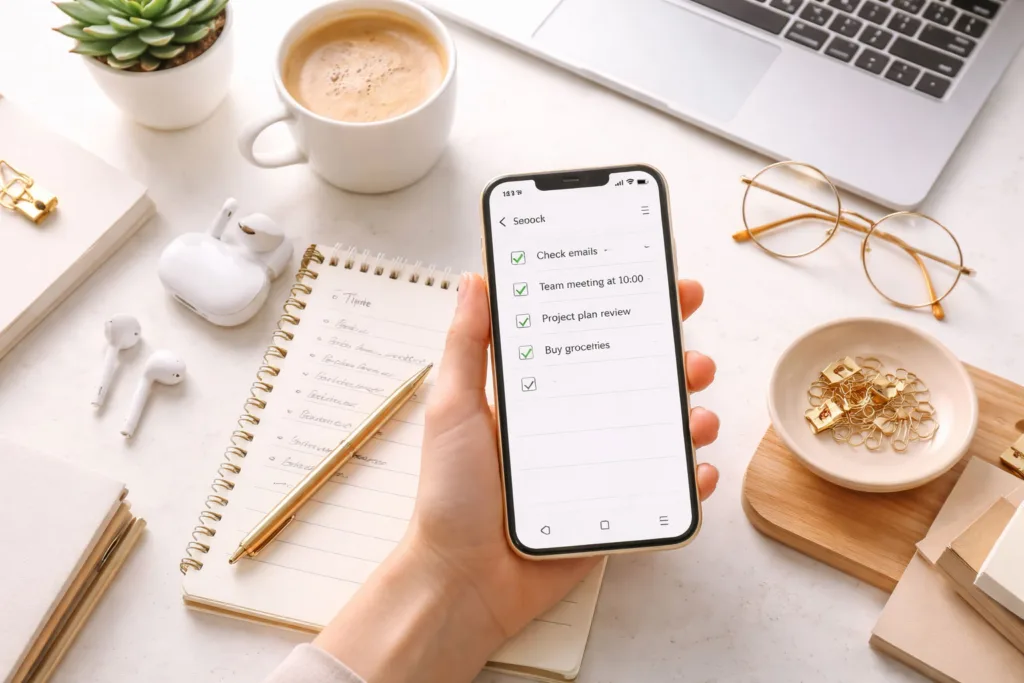
You likely hold it in your hand more than any other object you own. Your smartphone. It’s a portal to the world, a communication hub, a source of endless entertainment, and too often, a relentless drain on your most precious resource: time. But it doesn’t have to be that way. Your smartphone, when wielded with intention, can be your most powerful productivity ally. This guide will help you transform that pocket-sized marvel from a potential distractor into a finely tuned instrument for achieving your goals.
Before diving into specific strategies, it’s crucial to shift your perspective. Your smartphone isn’t inherently a productivity killer; it’s a tool. Like any tool, its effectiveness depends entirely on how you use it. For years, its design has been geared towards engagement: notifications, endless scrolling, and a constant stream of new, often trivial, information. Recognizing this inherent design is the first step to overcoming it. You need to actively steer its capabilities towards your own objectives, rather than letting its default settings dictate your focus.
The Illusion of Multitasking
One of the biggest productivity myths perpetuated by modern technology is the efficacy of multitasking. Your smartphone, with its ability to switch between apps in an instant, often encourages this behavior. However, research consistently shows that humans are not true multitaskers. What we perceive as multitasking is actually rapid task-switching, a process that incurs a cognitive cost. Each time you flit from email to a social media feed and back to a document, you lose momentum, require time to reorient yourself, and increase the likelihood of errors. Understanding this deficit is key to prioritizing deep work.
The Power of Focused Attention
Conversely, the smartphone can be a powerful enabler of focused attention when used correctly. By curating your digital environment and strategically employing its features, you can create pockets of unbroken concentration. This involves recognizing that sustained attention is a skill that can be cultivated, and your smartphone, through careful management, can either degrade this skill or actively enhance it. The goal isn’t to eliminate technology but to integrate it in a way that supports, rather than hinders, your ability to concentrate on demanding tasks.
Recognizing Your Personal Distraction Triggers
Every individual has unique triggers that pull them away from productive work. For some, it’s the ping of a social media notification. For others, it’s the allure of an endlessly updated news feed or the temptation to quickly check personal messages. Your smartphone’s interface and app ecosystem are rife with these potential diversions. The first step in reclaiming your focus is to identify what specifically derails your concentration. This self-awareness is fundamental to implementing effective countermeasures. Without knowing your personal pitfalls, any productivity strategy will be incomplete. Take time to observe your phone usage patterns. When do you most frequently pick up your phone? What are you typically doing on it when you lose track of time? Jotting down these observations can be incredibly illuminating.
In the ever-evolving landscape of technology, smartphones have become integral to our daily lives, serving not only as communication devices but also as platforms for various applications and services. A related article that delves into the intricacies of modern technology is about event-driven architecture, which plays a crucial role in building real-time and resilient systems through asynchronous messaging. You can read more about this fascinating topic in the article available at Event-Driven Architecture: Real-Time Resilient Systems with Asynchronous Messaging.
Strategic App Management and Configuration
The sheer volume of applications available for smartphones can be overwhelming. Many of these apps, while offering potential utility, also carry the baggage of constant notifications and an inherent pull towards engagement. Therefore, a deliberate and strategic approach to app management is essential for maximizing productivity. This isn’t about deleting every app that isn’t directly work-related; it’s about organizing, configuring, and prioritizing your digital tools.
Decluttering Your Digital Workspace
Your phone’s home screen should function as a streamlined workspace, not a digital candy store. Start by removing unnecessary apps from your primary view. Group similar apps into folders, and keep only the most frequently used and critical applications on your main screens. Consider creating a dedicated “Productivity” folder for your work-related tools. Anything that isn’t consistently used or actively detracts from your focus should be archived or uninstalled. This physical decluttering of your digital interface creates a less visually distracting environment, making it easier to find what you need and reducing the temptation to open unrelated apps.
Notification Zero: Reclaiming Your Attention Flow
Notifications are arguably the most significant drain on smartphone productivity. Each buzz, ping, or banner alert interrupts your thought process, demanding immediate attention. Aiming for “Notification Zero” might seem extreme, but it’s a powerful philosophy. Scrutinize every app’s notification settings. For most applications, disable all but the most critical alerts. This includes social media, news apps, and even many email notifications. Reserve notifications for truly time-sensitive matters or essential communication. You can always check your preferred apps at designated times, rather than being dictated by their alerts.
Fine-Tuning Essential App Notifications
Even for apps that require notifications, you can often fine-tune their behavior. For example, with email, you might disable all notifications except for emails from specific VIP contacts or those containing keywords related to urgent projects. Similarly, for messaging apps, consider enabling notifications only for direct messages from trusted individuals and disabling them for group chats that can become conversation black holes. Many apps offer granular control over the types of notifications they send, allowing you to receive important updates without being bombarded by less critical alerts.
Scheduled Do Not Disturb Modes
Most smartphones offer a “Do Not Disturb” (DND) mode that can be customized to allow specific contacts or apps to break through. Beyond manual activation, leverage the scheduling features of DND. Set specific times for your phone to enter complete silence, such as during your most focused work hours, your commute, or your personal downtime in the evening. This proactive approach ensures that your concentration remains uninterrupted without you having to remember to manually enable it each time your focus is threatened.
Utilizing Productivity-Focused Applications
Beyond managing existing apps, actively seek out and implement applications specifically designed to enhance productivity. These tools can help you organize tasks, manage your time effectively, and maintain focus.
Task Management and To-Do Lists
Applications like Todoist, TickTick, or Microsoft To Do can be invaluable for breaking down your workload. They allow you to create detailed task lists, set deadlines, prioritize items, and track your progress. The act of writing down your tasks, and then seeing them visually organized, provides a sense of clarity and control. Use these apps to capture every task, no matter how small, so your mind is free to concentrate on execution rather than trying to remember what needs to be done next.
Note-Taking and Idea Capture
Your smartphone is an excellent device for capturing fleeting thoughts and ideas. Applications such as Evernote, OneNote, or even Apple’s built-in Notes app can serve as your digital notepad. Develop a habit of immediately jotting down any idea, insight, or to-do item that comes to mind. This prevents the loss of potentially valuable inspiration and frees up mental bandwidth. Organize your notes with tags and folders so you can easily retrieve them later, turning spontaneous bursts of creativity into actionable plans.
Time Blocking and Focus Apps
To combat the constant interruptions, consider using apps that promote focused work sessions. Pomodoro timers (e.g., Forest, Focus@Will) can guide you through periods of intense work followed by short breaks, creating a structured approach to deep work. Other apps offer ambient soundscapes designed to enhance concentration. Experiment with different tools to find what best supports your individual work style and helps you maintain focus during critical tasks.
Optimizing Your Device for Deep Work


Beyond the applications you use, the fundamental settings and configuration of your smartphone can significantly impact your ability to engage in deep work. These are the underlying systems that govern your device’s behavior and your interaction with it.
Screen Time Management and Usage Limits
Most modern operating systems include built-in screen time management tools. These allow you to set daily limits for specific apps or categories of apps. While they can be used as a punitive measure, they are more effectively employed as a proactive strategy. Set reasonable limits on time-wasting apps, and use the insights they provide to understand your actual usage patterns. This data can be a powerful motivator for change and help you identify areas where you are unconsciously bleeding time.
Setting App-Specific Limits
Instead of a blanket limit for all social media, you might set a 30-minute daily limit for Instagram and a 15-minute limit for Twitter. This allows for controlled engagement with platforms that are part of your social or professional life, while still preventing excessive consumption. Be realistic with your initial limits, and gradually reduce them as you build better habits. The goal is not to eliminate usage entirely, but to make it intentional and time-bound.
Downtime Scheduling
Utilize the “Downtime” feature on your smartphone to schedule periods when only certain apps are available. This is particularly useful for evenings and weekends, creating a digital boundary that protects your personal time and encourages you to disconnect from work-related digital devices. You can configure your Downtime to allow communication apps essential for emergencies but block access to everything else, promoting a healthier work-life balance.
Simplifying Your Home Screen and Navigation
The arrangement of your smartphone’s home screen is a critical factor in its usability and your susceptibility to distraction. A cluttered home screen, filled with icons for every app imaginable, creates visual noise and makes it harder to find what you need.
The Power of a Minimalist Home Screen
Consider a minimalist approach: a clean background, a single dock with your most essential communication and productivity apps, and perhaps one or two neatly organized folders. The less information and fewer choices presented to you at a glance, the less likely you are to be drawn into aimless browsing. Swipe-based navigation, rather than endless scrolling through pages of apps, can also streamline your interaction with your device.
Customizing Gesture Navigation
Modern smartphones offer increasingly sophisticated gesture navigation. Instead of traditional on-screen buttons, you can swipe and tap to navigate. Learning and customizing these gestures can make your interaction with the phone more fluid and efficient. For a productivity-focused user, this means quicker access to the apps you need and less accidental activation of unintended functions. Experiment with different gesture settings to find a rhythm that feels natural and efficient.
Leveraging Offline Functionality
While your smartphone is a gateway to the online world, its offline capabilities are often overlooked for productivity. When you’re in an area with unreliable internet, or simply want to eliminate the temptation of online distractions, leveraging offline functionality is crucial.
Offline Access to Documents and Notes
Ensure that your critical documents and notes are accessible offline. Cloud storage services like Google Drive, Dropbox, or OneDrive offer offline syncing options. Familiarize yourself with how to set content to be available offline within these applications. This allows you to review and edit documents even when you have no internet connection, ensuring that workflow continuity is maintained.
Downloaded Content for Focused Learning
If you engage in learning or professional development, download relevant podcasts, articles, or course materials in advance. This allows you to consume this content without the distraction of active internet browsing. Treat these downloaded resources as you would a physical book or set of notes, dedicated solely to the learning process.
Building Productive Habits and Routines


Technology is only as effective as the habits you build around it. Your smartphone can be a powerful productivity tool, but only if you integrate it into a consistent set of productive habits and routines. This involves a conscious effort to design your day in a way that leverages your phone’s capabilities for focused work and minimizes its potential for distraction.
Daily Planning and Review Rituals
Start and end your day with intentional planning and review. In the morning, use your smartphone’s calendar and task management apps to outline your priorities for the day. Identify your most important tasks and schedule dedicated blocks of time for them. At the end of the day, use your phone to review your accomplishments, note any tasks that need to be carried over, and schedule follow-ups. This consistent cycle ensures that your smartphone is an active participant in your planning process, not a passive recipient of your attention.
Morning Prioritization
When you first pick up your phone in the morning, resist the urge to immediately dive into emails or social media. Instead, open your task list and calendar. Review your scheduled appointments and your prioritized to-do list for the day. This sets a clear intention for your day and ensures that your initial interaction with your device is productive.
Evening Reflection and Preparation
Before you put your phone away for the night, take a few minutes to reflect on what you accomplished. Did you meet your goals? What obstacles did you encounter? Use your note-taking app to jot down key insights or tasks for the next day. This evening ritual helps you to mentally close out your workday and prepare for the next one, reducing the lingering thoughts that can disrupt sleep.
Managing Email and Communication Effectively
Email and messaging apps are often the primary conduits for communication, but they can easily become black holes of lost time. Implement strategies to manage them efficiently, rather than being controlled by them.
Scheduled Email Checking
Avoid the habit of constantly checking your inbox. Instead, designate specific times during the day to process emails. For example, you might check emails at 10 AM, 1 PM, and 4 PM. During these dedicated blocks, focus solely on responding to messages, archiving what you can, and flagging items that require further action. Outside of these times, turn off email notifications entirely.
Batching Communication Tasks
Group similar communication tasks together. This might include responding to messages, making phone calls, or participating in project-related discussions. Instead of switching between different communication channels throughout the day, dedicate specific blocks of time for each. This reduces the cognitive load associated with context switching and allows for more efficient communication.
The “Two-Minute Rule” for Task Completion
When faced with a small task that can be completed in two minutes or less, do it immediately. This applies to responding to a quick email, filing a document, or confirming an appointment. Applying the “Two-Minute Rule” to these small, often digital, tasks prevents them from accumulating and becoming a source of mental clutter. Your smartphone can be an excellent tool for quickly addressing these micro-tasks.
In today’s fast-paced digital world, smartphones have become an integral part of our daily lives, offering a multitude of functionalities that go beyond just communication. For those interested in enhancing their programming skills to develop mobile applications, a great resource is available in the form of a comprehensive guide on Ruby on Rails. This guide can provide valuable insights into building robust web applications that can complement smartphone functionalities. You can explore more about this topic in the article on mastering Ruby on Rails by visiting this link.
Maintaining Focus and Avoiding Digital Burnout
| Brand | Model | Screen Size (inches) | RAM (GB) | Storage (GB) |
|---|---|---|---|---|
| Apple | iPhone 12 | 6.1 | 4 | 64 |
| Samsung | Galaxy S21 | 6.2 | 8 | 128 |
| Pixel 5 | 6.0 | 8 | 128 |
Even with the best strategies in place, the constant connectivity offered by your smartphone can lead to digital burnout if not managed carefully. It’s crucial to establish boundaries and take proactive steps to protect your mental energy.
Implementing Digital Detox Periods
Regularly scheduled digital detoxes are essential for long-term productivity and well-being. This doesn’t mean abandoning technology entirely, but rather taking intentional breaks from your smartphone and other digital devices. This could be one evening a week, a full weekend day, or even shorter periods throughout the day. During these detox periods, engage in activities that don’t involve screens, such as spending time in nature, reading a physical book, or connecting with people face-to-face.
Weekend Digital Resets
Consider designating your weekends as a time for digital rejuvenation. While you might need to check in on critical work matters, aim to significantly reduce your smartphone usage. Use this time to pursue hobbies, spend time with loved ones, and simply disconnect from the constant influx of digital information. The refreshed perspective you gain will likely boost your productivity when you return to your devices.
Mini-Detoxes Throughout the Day
Beyond longer breaks, incorporate short, intentional “screen-free” moments into your workday. This could be a five-minute walk without your phone, a mindful breathing exercise, or simply gazing out a window. These mini-detoxes help to reset your focus, reduce mental fatigue, and prevent the build-up of stress that can lead to burnout.
Prioritizing Sleep and Physical Well-being
Your smartphone can be a significant antagonist to good sleep hygiene. The blue light emitted from screens can disrupt your body’s natural melatonin production, making it harder to fall asleep. Furthermore, the temptation to scroll through social media or engage with stimulating content before bed can keep your mind racing.
Establishing a “No-Phone Zone” Before Bed
Create a clear boundary for your smartphone usage in the hour or two before you plan to sleep. Ideally, your bedroom should become a “no-phone zone.” Charge your device outside of your bedroom and invest in an old-fashioned alarm clock if you rely on your phone to wake you up. This simple act can dramatically improve the quality of your sleep.
Physical Activity as a Productivity Booster
While not directly related to smartphone use, prioritizing physical activity is a critical component of sustained productivity. Regular exercise improves cognitive function, reduces stress, and boosts energy levels, all of which contribute to your ability to focus and avoid digital burnout. Use your smartphone to track your workouts, find fitness classes, or listen to motivating podcasts, but ensure that physical activity takes priority over screen time.
Setting Clear Boundaries with Others
In our hyper-connected world, it’s easy for work and personal life to bleed into each other, often facilitated by our smartphones. Establishing clear boundaries with colleagues, friends, and family regarding your availability is crucial for maintaining your productivity and preventing digital burnout.
Communicating Your Availability
Communicate your working hours and your preferred methods of contact to relevant parties. If you are working on a project that requires deep focus, let your colleagues know that you will be largely unavailable for non-urgent matters during specific times. This manages expectations and reduces the likelihood of interruptions.
The Power of Saying “No”
One of the most important skills for both productivity and avoiding burnout is the ability to say “no.” Don’t overcommit yourself, and don’t feel obligated to respond to every request immediately. Learn to assess requests based on their alignment with your priorities and your capacity. Your smartphone can be used to quickly communicate your decision, but the decision itself should be driven by your own assessment, not by a sense of immediate obligation.
By intentionally managing your smartphone, you can transform it from a potential source of distraction into a powerful engine for productivity. It requires a conscious effort, a willingness to experiment, and a commitment to building better digital habits. The rewards, in terms of increased efficiency, reduced stress, and a greater sense of accomplishment, are well worth the investment.
FAQs
What is a smartphone?
A smartphone is a mobile device that combines the functionality of a cell phone with the features of a computer. It typically includes a touchscreen interface, internet access, and the ability to run various applications.
What are the key features of a smartphone?
Key features of a smartphone include calling and texting capabilities, internet access, email, camera, GPS navigation, and the ability to download and use various apps.
How do smartphones differ from regular cell phones?
Smartphones differ from regular cell phones in that they offer advanced computing capabilities, internet access, and the ability to run various applications. They also typically have larger screens and more advanced cameras.
What operating systems do smartphones use?
The most common operating systems for smartphones are Android, iOS (used by Apple iPhones), and Windows. Each operating system has its own unique features and app ecosystems.
What are some common uses for smartphones?
Common uses for smartphones include making calls, sending texts, browsing the internet, using social media, taking photos and videos, playing games, accessing email, and using various productivity apps.