


The landscape of text formats has undergone a remarkable transformation over the past few decades, driven by technological advancements and the ever-evolving needs of users. From the early days of plain text files, which offered little more than basic character representation, to the rich, multimedia-laden documents we encounter today, the evolution of text formats reflects broader changes in how we communicate and share information. The advent of the internet catalyzed this evolution, introducing new standards and protocols that allowed for more complex formatting and interactivity.
As we navigate this digital age, understanding the various text formats available—each with its unique advantages and limitations—becomes essential for effective communication. In this context, two prominent formats have emerged as key players: plain text and HTML. Plain text, characterized by its simplicity and universality, remains a staple for many applications, particularly in programming and data storage.
On the other hand, HTML (HyperText Markup Language) has become the backbone of web content, enabling rich formatting and multimedia integration. As we delve deeper into the merits and drawbacks of these formats, it is crucial to consider factors such as accessibility, compatibility, security, and user experience. Each format serves distinct purposes and caters to different audiences, making the choice between them a significant consideration for developers, content creators, and everyday users alike.
Key Takeaways
- Plain text offers simplicity and accessibility, making it easy to read and edit across different platforms and devices.
- HTML provides rich formatting and multimedia integration, allowing for a more visually appealing and interactive experience.
- Compatibility and cross-platform functionality are important considerations when choosing a text format to ensure seamless access and usability.
- Security and vulnerability considerations are crucial, with plain text being less susceptible to malicious attacks compared to HTML.
- Search engine optimization and accessibility are key factors to consider when deciding on a text format, as they can impact visibility and usability for users.
The Case for Plain Text: Simplicity and Accessibility
Advantages in Technical Applications
For instance, programmers frequently use plain text files to write scripts or code because they can be easily read by compilers and interpreters without any additional formatting complications. The absence of formatting also ensures that plain text files are lightweight, making them easy to share and store.
Accessibility and Inclusivity
Moreover, plain text’s accessibility extends beyond technical users. It is inherently compatible with assistive technologies, such as screen readers, which are crucial for individuals with visual impairments. Since plain text does not include complex formatting or embedded elements that could confuse these technologies, it allows for a straightforward reading experience. This characteristic aligns with the principles of universal design, promoting inclusivity by ensuring that information is available to all users regardless of their abilities or the devices they use.
Preferred Format in Critical Environments
In environments where clarity and straightforwardness are paramount—such as in legal documents or technical specifications—plain text remains a preferred format.
The Case for HTML: Rich Formatting and Multimedia Integration


In contrast to plain text, HTML offers a wealth of features that enable rich formatting and multimedia integration. As a markup language designed specifically for creating web pages, HTML allows content creators to structure their documents in a way that enhances readability and engagement. With HTML, users can incorporate headings, lists, tables, images, videos, and hyperlinks seamlessly into their content.
This capability transforms static text into dynamic web experiences that can captivate audiences and convey information more effectively. For example, an online article can include embedded videos that illustrate complex concepts or interactive elements that encourage user participation. Furthermore, HTML’s flexibility extends to styling through CSS (Cascading Style Sheets), which allows developers to control the visual presentation of their content without altering the underlying HTML structure.
This separation of content from presentation not only streamlines the development process but also enables responsive design—an essential feature in today’s mobile-centric world. By using media queries in CSS, developers can ensure that their web pages adapt to different screen sizes and orientations, providing an optimal viewing experience across devices. This adaptability is particularly important as more users access content on smartphones and tablets, where traditional formatting may not suffice.
Compatibility and Cross-Platform Functionality
When considering text formats, compatibility is a critical factor that can significantly impact usability. Plain text files excel in this regard due to their simplicity; they can be opened on virtually any operating system or device without compatibility issues. This universality makes plain text an excellent choice for data interchange between different systems or platforms.
For instance, when sharing configuration files or scripts across diverse environments—such as Windows, macOS, or Linux—plain text ensures that the content remains intact and functional regardless of the user’s setup. HTML also boasts strong cross-platform functionality but comes with certain caveats. While modern web browsers are designed to interpret HTML consistently across different operating systems, variations in browser rendering engines can lead to discrepancies in how content is displayed.
For example, a web page may look slightly different on Google Chrome compared to Mozilla Firefox due to differences in how each browser handles CSS or JavaScript. Additionally, older browsers may not support newer HTML features or CSS properties, potentially resulting in degraded user experiences for those using outdated technology. Therefore, while HTML provides rich capabilities for web content creation, developers must remain vigilant about testing their designs across multiple platforms to ensure consistent performance.
Security and Vulnerability Considerations
Security is an increasingly important consideration when choosing between text formats. Plain text files are generally considered safe from many common vulnerabilities associated with more complex formats. Since they contain no executable code or embedded elements that could be exploited by malicious actors, plain text files pose minimal risk when it comes to security breaches or malware infections.
This characteristic makes them particularly appealing for sensitive data storage or transmission where security is paramount. Conversely, HTML documents can introduce various security vulnerabilities if not properly managed. For instance, web applications that utilize HTML may be susceptible to cross-site scripting (XSS) attacks if user input is not adequately sanitized before being rendered on a web page.
Such vulnerabilities can allow attackers to inject malicious scripts into otherwise benign web pages, potentially compromising user data or hijacking sessions. Additionally, HTML documents that incorporate external resources—such as images or scripts from third-party sources—can expose users to risks if those resources are compromised. Therefore, while HTML offers rich functionality for web development, it necessitates a robust approach to security practices to mitigate potential threats.
Search Engine Optimization and Accessibility
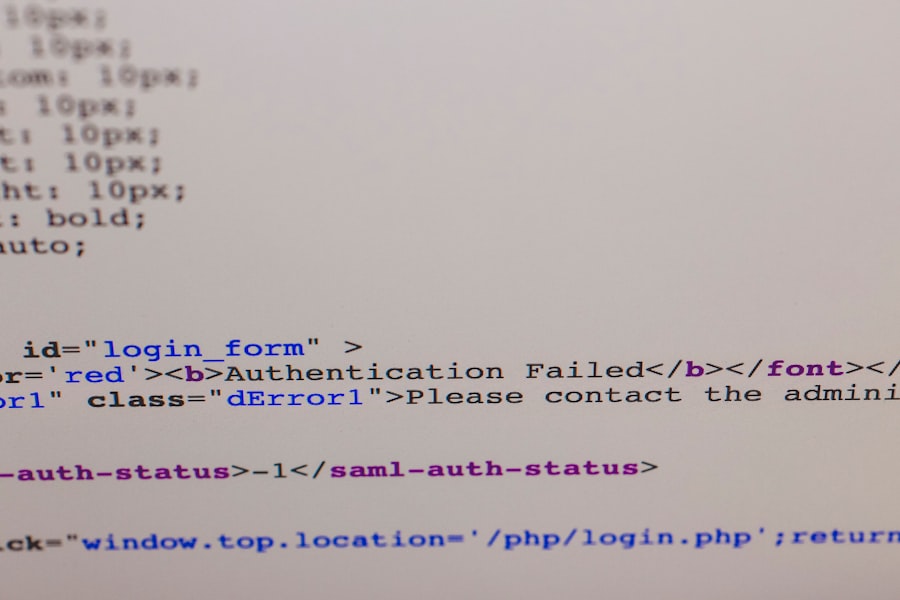

HTML Tags and Search Engine Understanding
Search engines rely on HTML tags—such as title tags, header tags (H1-H6), and alt attributes for images—to understand the context and relevance of web content. By utilizing these tags appropriately, content creators can enhance their chances of ranking higher in search engine results pages (SERPs), ultimately driving more traffic to their sites.
Accessibility Initiatives through Semantic Markup
In addition to SEO benefits, HTML also supports accessibility initiatives through semantic markup. By using appropriate HTML elements—such as