


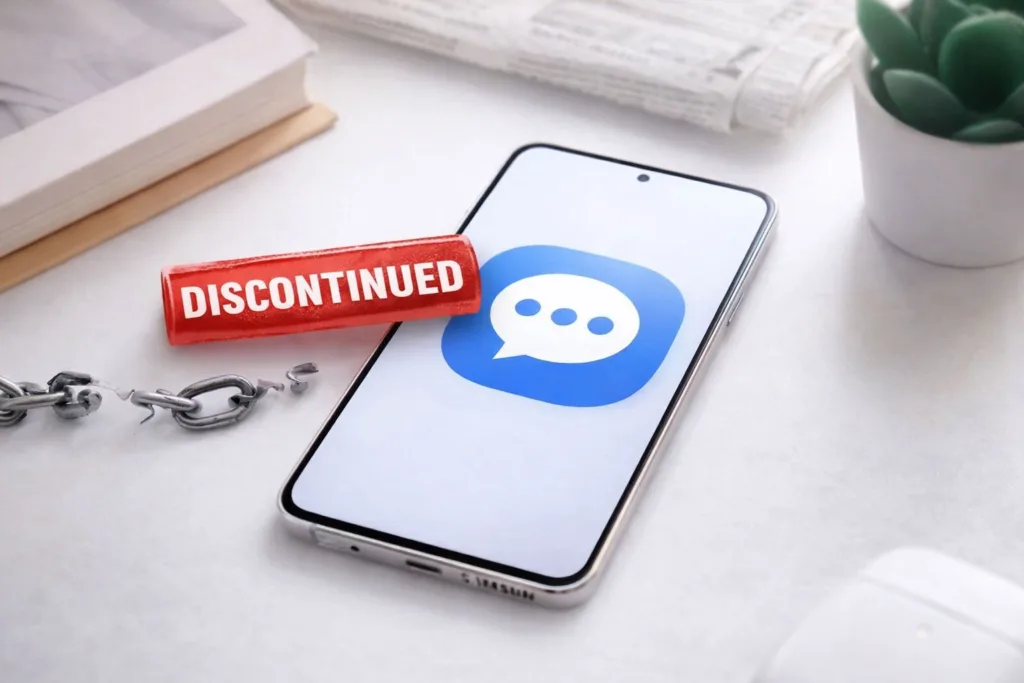
You open your phone, perhaps to respond to a text message, or maybe you’re just casually browsing. The familiar blue and white icon of the Samsung Messages app stares back at you. For years, perhaps since your very first Samsung device, this has been your go-to for communication. It’s a staple, a non-negotiable part of your mobile experience. But what if that familiar icon is slowly, or not so slowly, fading into obsolescence? What if the digital threads connecting you to countless conversations through this specific application are being quietly, but definitively, cut?
You’re about to explore the developing situation surrounding the Samsung Messages app and its impending discontinuation for many users. This isn’t a speculative piece; it reflects a tangible shift in Samsung’s strategy and a growing trend within the mobile industry. Your understanding of this change is crucial, as it directly impacts how you will communicate in the near future.
Before diving into the specifics of Samsung Messages, it’s important to grasp the broader context of mobile messaging. You’re not just using an app; you’re participating in a complex ecosystem.
The Evolution of SMS and RCS
You’ve likely used SMS for years. It’s the bedrock of mobile communication, simple yet effective. But SMS has its limitations: character limits, no read receipts, and rudimentary group chat functionalities. This is where RCS, or Rich Communication Services, enters the picture. Think of RCS as a significant upgrade to SMS, offering features like higher-quality media sharing, typing indicators, read receipts, and improved group messaging experiences. It’s designed to bring the functionality of internet-based messaging apps to your standard carrier messages.
The Rise of Over-the-Top Messaging Apps
Simultaneously, you’ve witnessed the explosive growth of “over-the-top” (OTT) messaging apps like WhatsApp, Telegram, Signal, and Facebook Messenger. These applications leverage your internet connection, offering a wealth of features that traditional SMS simply can’t match: end-to-end encryption, voice and video calls, extensive sticker libraries, and highly customizable group chats. For many, these apps have become the primary mode of communication, relegating SMS to verification codes and communication with those who haven’t adopted OTT services.
Samsung’s Position in the Messaging Sphere
Historically, Samsung, like many Android manufacturers, provided its own bundled messaging application. This was a logical move; it offered a unified experience within their ecosystem and allowed for some integration with other Samsung services. For years, you’ve likely relied on this proprietary app, perhaps unaware of its underlying technological framework. It served its purpose, facilitating your daily communications without much fanfare. However, the competitive landscape and the push for industry-wide standards have altered this trajectory.
As the fan-favorite Samsung Messages app faces discontinuation, users are left searching for alternatives that can meet their messaging needs. This transition highlights the importance of adapting to new technologies and exploring innovative solutions in the digital landscape. For those interested in enhancing their automation processes, a related article on creating a federated Center of Excellence (CoE) for automation can provide valuable insights. You can read more about it here: Creating a Federated Center of Excellence for Automation.
The Impending Shift: What You Need to Know
The core of this discussion centers on Samsung’s strategic decision to transition away from its proprietary messaging application for a significant portion of its user base. This isn’t a sudden, unannounced move, but rather a gradual recalibration that has been observed and reported on for some time.
The Google Messages Ascendancy
You may have already noticed a change, especially if you’ve recently acquired a new Samsung device or performed a major software update. The default messaging application on many new Samsung phones is increasingly Google Messages. This isn’t a coincidence; it’s a deliberate pivot. Google Messages, crucially, is Google’s official application for supporting RCS, and Google has been a relentless advocate for its widespread adoption. This integration means that when you use Google Messages on your Samsung device, you’re not just sending texts; you’re utilizing Google’s implementation of RCS, often referred to as “Chat features.”
Carrier and Regional Variations
The timeline and specifics of this transition are not entirely uniform. You might find that your carrier plays a role in how this plays out. Some carriers have been more proactive in pushing RCS, while others have been slower to adopt or have their own proprietary RCS solutions. Furthermore, regional differences can influence the pace of this shift. What happens in one market might not perfectly mirror the situation in another. Therefore, while the general direction is clear, your personal experience might vary based on your location and cellular provider.
The Phased Discontinuation
It’s important to understand that this isn’t necessarily an immediate, hard cut-off for everyone. Instead, it’s being implemented as a phased discontinuation. Newer devices are more likely to ship with Google Messages as the default. Older devices might continue to use the Samsung Messages app for a period, or you might be prompted to switch. Samsung is gradually migrating users, rather than forcing an abrupt change, likely to minimize disruption and allow for a smoother transition. However, continued support and development for Samsung Messages will undoubtedly decrease over time.
Why This Change Matters to You

You might be thinking, “It’s just a messaging app, what’s the big deal?” The “big deal” lies in several areas, from functionality to privacy, and even your overall user experience.
Feature Parity and Interoperability
One of the primary benefits of this transition, from an industry perspective and potentially from your perspective, is improved interoperability. With Google Messages, and its implementation of RCS, you gain access to a set of features that are intended to work seamlessly across different Android devices, regardless of manufacturer. This means that when you message someone with an Android phone using Google Messages, you can expect features like read receipts, typing indicators, and high-quality media sharing to function, just as they would in an OTT app. This wasn’t always guaranteed with proprietary OEM messaging apps.
Potential Loss of Unique Samsung Features
For some time, Samsung Messages offered some unique features that were integrated into the broader Samsung ecosystem. This could include specific theming options, integration with Samsung’s secure folder, or other proprietary functionalities. As you transition to Google Messages, you might find that some of these unique Samsung-centric features are no longer available. This trade-off, however, is often accepted for the broader benefits of standardized RCS.
Impact on Your Messaging History and Data
A key concern for many users is the fate of their existing message history. When you switch messaging apps, especially if it’s a complete app replacement, you need to consider how your old conversations will be handled. Generally, SMS and MMS messages are stored on your device and are accessible by any messaging app with the necessary permissions. However, proprietary features or advanced messaging data within Samsung Messages might require specific migration tools or could be lost if not handled correctly. It’s prudent to back up your messages before making any significant changes.
Preparing for the Transition

You have agency in this situation. Understanding the change allows you to prepare adequately and ensure your communication channels remain robust.
Understanding Your Current Default App
First, verify which messaging app is currently set as your default. Go to your phone’s settings, search for “Default apps,” and check “SMS app.” This will tell you if you’re using Samsung Messages, Google Messages, or something else. This knowledge is your starting point.
Exploring Google Messages
If you are currently using Samsung Messages, it’s highly recommended that you proactively download and explore Google Messages from the Google Play Store. Familiarize yourself with its interface, its features, and how it handles RCS “Chat features.” Enable these features if prompted, as they are central to the improved messaging experience. You’ll likely find it a familiar, intuitive experience, given its widespread use.
Backing Up Your Conversations
Regardless of which app you use, regularly backing up your conversations is a good practice. For SMS/MMS, various third-party apps can help you create local backups. If you’re concerned about specific data within Samsung Messages, check for any built-in backup options provided by Samsung Smart Switch, or consider screenshots of critical information if a direct transfer isn’t feasible. While SMS/MMS history should generally transfer, advanced features might not.
Adjusting Your Communication Habits
You might also consider adjusting your communication habits. If a significant portion of your contacts are also on Android devices and using Google Messages with RCS enabled, you’ll naturally transition to enjoying the richer messaging experience. For those who primarily use OTT apps, the default messaging app will continue to serve as a secondary communication channel, primarily for SMS/MMS or verification codes.
As the fan-favorite Samsung Messages app faces discontinuation, users are left searching for alternatives that can match its functionality and ease of use. This transition may prompt many to explore various options available in the market, ensuring they stay connected without losing the features they love. For those interested in enhancing their communication skills in a professional setting, you might find valuable insights in a related article about effective leadership training, which can be found here.
The Larger Implications for Android Messaging
| Metrics | Data |
|---|---|
| App Name | Samsung Messages |
| Status | Discontinued |
| Reason | Not specified |
| Replacement | Not specified |
This shift isn’t just about Samsung; it reflects a broader industry trend and strategic positioning by Google. You are witnessing a consolidation of messaging standards on the Android platform.
Standardizing RCS Across Android
Google’s long-term goal is to standardize RCS across the entire Android ecosystem, similar to how iMessage functions for Apple users. By having major OEMs like Samsung adopt Google Messages as the default RCS client, Google moves closer to achieving this vision. This standardization promises a more consistent and feature-rich messaging experience for you and other Android users, reducing fragmentation and improving cross-device communication.
Competition with Apple’s iMessage
You may be aware of the long-standing debate and some user frustration regarding the communication gap between Android and iOS users, particularly concerning iMessage bubbles. By strengthening RCS and making it the de facto standard for Android, Google aims to provide a more competitive alternative to iMessage. While it may not completely bridge the gap on features like end-to-end encryption for cross-platform messaging (a contentious issue), it significantly elevates the base messaging experience for Android users, moving beyond the limitations of SMS.
Samsung’s Focus on Other Software Areas
For Samsung, this decision allows them to streamline their software development efforts. Instead of maintaining a proprietary messaging app, they can dedicate resources to other areas of their software experience, such as their One UI interface, Bixby, or other unique services. This strategic refocusing enables them to concentrate on differentiators rather than replicating functionality that Google is already providing and standardizing.
In conclusion, the discontinuation of the Samsung Messages app for a growing number of users is a calculated move that reflects industry trends, technological advancements, and strategic realignment. While it marks the end of an era for a familiar application, it ushers in a new phase of standardized messaging on Android, primarily powered by Google Messages and its robust RCS implementation. Your awareness and preparation will ensure a smooth transition and allow you to continue enjoying effective and efficient mobile communication.
FAQs
What is the Samsung Messages app?
The Samsung Messages app is a pre-installed messaging app on Samsung smartphones, allowing users to send and receive text messages, multimedia messages, and chat with other users.
Why is the Samsung Messages app being discontinued?
Samsung has not provided an official reason for discontinuing the Samsung Messages app. However, it is likely that the company is focusing on other messaging platforms and apps to provide a better user experience.
When will the Samsung Messages app be discontinued?
Samsung has not announced an official date for the discontinuation of the Samsung Messages app. Users are advised to stay updated with official Samsung announcements for further information.
What are the alternatives to the Samsung Messages app?
Samsung users can explore alternative messaging apps such as Google Messages, WhatsApp, Facebook Messenger, or any other third-party messaging apps available on the Google Play Store.
Will the discontinuation of the Samsung Messages app affect my ability to send and receive text messages?
The discontinuation of the Samsung Messages app should not affect your ability to send and receive text messages, as there are numerous alternative messaging apps available for Samsung users to utilize.