


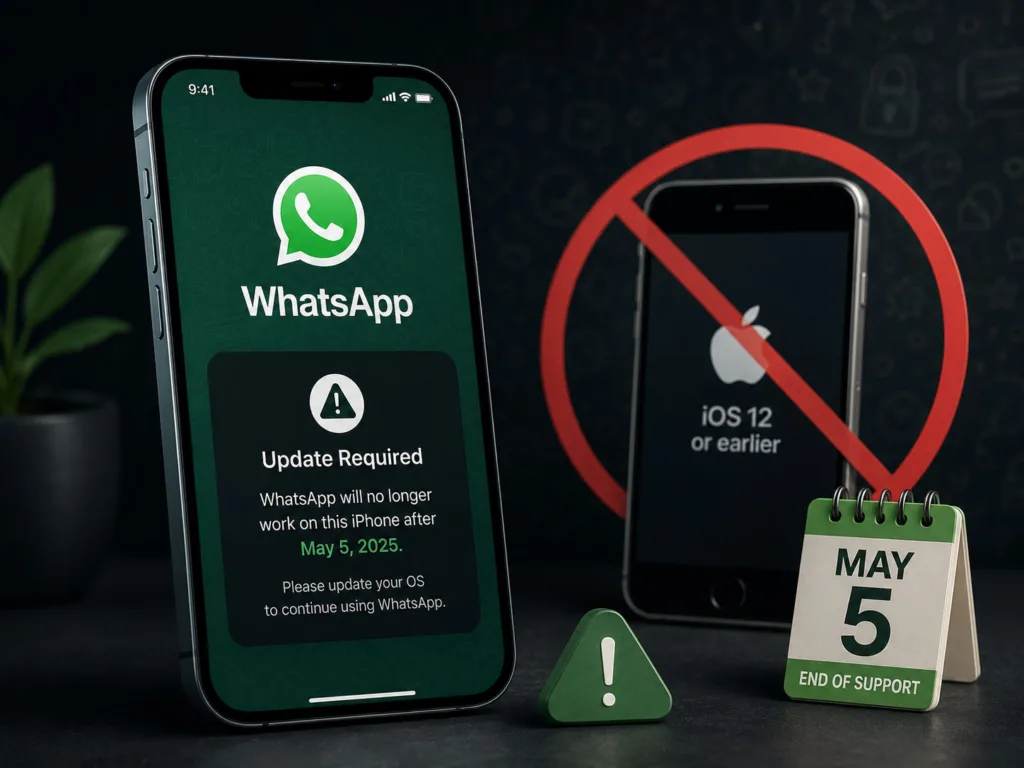
You’re about to delve into a significant development that will undoubtedly impact your digital life, particularly if you’re an iPhone user with an older model. WhatsApp, the ubiquitous messaging platform that has likely become an integral part of your daily communication, is making a pivotal change. Starting May 5th, you might find yourself in a situation where your beloved app no longer functions as expected. This isn’t just a minor update; it’s a strategic move by WhatsApp to maintain security, enhance features, and streamline its development efforts. So, let’s explore what this means for you, your device, and your future interactions within the WhatsApp ecosystem.
You might be asking yourself, “Why now?” or “Why my phone?” The answer lies in the complex interplay of software development, hardware capabilities, and cybersecurity. For any software developer, including the team at WhatsApp, maintaining compatibility across a vast array of devices and operating systems is a monumental task. As technology evolves at a dizzying pace, so too do the demands on applications.
The Evolution of iOS: A Continual Upgrade Cycle
You understand that Apple is known for its meticulous control over its ecosystem, and a core part of that control is its annual iOS update cycle. Each new iteration of iOS brings with it new features, improved security protocols, and often, significant changes to the underlying architecture of the operating system. When apps are developed, they’re designed to leverage these new functionalities and adhere to the latest security standards.
- Security Vulnerabilities: Older iOS versions often contain security vulnerabilities that have since been patched in newer releases. Continuing to support these older versions means WhatsApp would either have to invest significant resources in patching these vulnerabilities independently (which is inefficient) or knowingly expose its users to them (which is unacceptable). You wouldn’t want your private conversations exposed due to an outdated OS, would you?
- Feature Parity: Modern applications, especially messaging apps like WhatsApp, are constantly introducing new features – from enhanced privacy controls to richer media sharing options and advanced group functionalities. These new features often rely on capabilities present only in newer iOS versions. Maintaining backward compatibility for every new feature across every old OS version would stif
le innovation and hinder the app’s progress. You want the latest stickers and reaction features, right?
- Developer Efficiency: Supporting a wide range of operating systems, especially those that are no longer actively maintained by the original vendor (Apple, in this case), adds immense complexity to the development process. Testing, debugging, and optimizing the app for each legacy OS drains resources that could otherwise be used to improve the overall user experience for the majority. Think of it as trying to fix a leaky faucet in a house that’s about to be demolished – it’s not a sustainable effort.
Hardware Limitations: The Unspoken Bottleneck
It’s not just about the software; your iPhone’s hardware also plays a crucial role. Just as new software demands new capabilities from the operating system, it also implicitly demands more from the underlying hardware.
- Processing Power: Newer features often require more processing power to run smoothly. Older iPhone models, with their less powerful chips, might struggle to handle the more complex algorithms and real-time processing that modern WhatsApp features demand, leading to slow performance, crashes, or a degraded user experience. You’ve probably experienced apps lagging on older phones – that’s often a hardware limitation.
- Memory Constraints: Modern apps tend to be more memory-intensive. Picture yourself trying to juggle multiple tasks on a phone with limited RAM. It quickly becomes overwhelmed. Older iPhones often have less RAM, making it challenging for WhatsApp to operate optimally, especially when handling large media files or multiple group chats simultaneously.
- Battery Life: Optimizing an app for older hardware can also lead to increased battery drain. Companies like WhatsApp are keen to provide a good user experience, and a rapidly draining battery due to an inefficient app isn’t part of that.
WhatsApp has announced that it will cease support for older iPhones starting May 5, which has raised concerns among users relying on outdated devices. This decision is part of the app’s ongoing efforts to enhance security and performance by focusing on more recent operating systems. For those interested in exploring how technology, including apps like WhatsApp, can be optimized for better user experience, you might find this article insightful: The AI Content Workflow: Using AI for Ideation and Automation, Not Just Generation.
Which iPhones Are Affected: Identifying Your Device
This is probably the most pressing question on your mind: “Is my iPhone one of the affected models?” You need to know specifically which devices will lose WhatsApp support starting May 5th. The key here is the version of iOS your device can run.
The Critical iOS Version: iOS 10 and Earlier
WhatsApp’s decision draws a clear line in the sand. If your iPhone cannot run iOS 11 or a later version, you will lose WhatsApp support. This means that any iPhone model that is capped at iOS 10 or an earlier iteration will no longer be able to use the app effectively.
A List of Affected Models: Pinpointing the iPhones
To make it easier for you to identify if your device is on the chopping block, here’s a definitive list of iPhone models that cannot update beyond iOS 10 and therefore will lose WhatsApp support:
- iPhone 5: This device was released in 2012 and cannot update past iOS 10.3.4.
- iPhone 5C: Released alongside the iPhone 5S in 2013, the 5C also caps out at iOS 10.3.3/10.3.4.
- iPhone 4S: An even older model, released in 2011, capped at iOS 9.3.6. While it stopped being supported by many apps years ago, it’s worth noting if you happen to be holding onto one.
- Older iPod Touch Models: While primarily iPhone-focused, if you happen to use WhatsApp on an older iPod Touch that cannot run iOS 11 or later, you will also be affected.
Verifying Your iOS Version: A Quick Check
If you’re unsure which iOS version your iPhone is running, you can quickly check it yourself. This is a crucial step to confirm your status.
- Open Settings: Tap the “Settings” app icon on your home screen.
- Navigate to General: Scroll down and tap “General.”
- Tap About: Tap on “About.”
- Check Software Version: Look for the “Software Version” entry. It will display the exact iOS version currently installed on your device.
If the number you see is 10.x.x or lower, then congratulations (or condolences), your device is on the list. If it’s 11.x.x or higher, you’re in the clear for now.
What Happens on May 5th: The Immediate Impact on You

You’ve identified your phone, and alas, it’s one of the affected models. So, what exactly will happen when the clock strikes midnight on May 4th and May 5th dawns? It’s important to have a clear understanding of the immediate consequences.
No More Updates: The Beginning of the End
From May 5th, your WhatsApp application on your older iPhone will simply stop receiving updates. This is the first and most critical step.
- Missed Bug Fixes: You will no longer receive patches for bugs, security vulnerabilities, or performance issues. Over time, your app could become more unstable and less reliable.
- No New Features: Any exciting new functionalities WhatsApp rolls out after May 5th will not be available to you. You’ll be stuck in a time capsule, experiencing WhatsApp as it was on May 4th. This can be frustrating as your friends and family enjoy new ways to communicate while you’re left behind.
Gradual Loss of Functionality: A Slow Decline
While WhatsApp might not immediately cease to function entirely, you will very likely experience a gradual degradation of the app’s capabilities.
- Intermittent Performance Issues: The app might become sluggish, crash more frequently, or exhibit unexpected behaviors. As WhatsApp’s servers update and evolve to cater to newer app versions, your outdated app might struggle to communicate effectively. You’ll notice messages taking longer to send, media failing to load, or calls dropping.
- Security Risks Increase: Over time, the lack of security updates means your conversations and data become more vulnerable to potential exploits. While WhatsApp employs end-to-end encryption, the integrity of the application environment on your outdated OS could be compromised. This is a serious concern for your privacy.
- Eventual Complete Disconnect: Ultimately, WhatsApp will likely issue a hard cutoff. This means that at some point after May 5th, your app will simply stop connecting to WhatsApp’s servers. You won’t be able to send or receive messages, make calls, or access your chat history within the app. It will essentially become a defunct icon on your home screen. This isn’t an “if,” but a “when.”
No Customer Support: You’re on Your Own
If you encounter issues with WhatsApp on your unsupported device after May 5th, you will find yourself without recourse. WhatsApp’s customer support will be unable to assist you, as their troubleshooting protocols are designed for supported operating systems and app versions.
Your Options: Navigating the Change Proactively

This news might feel like a punch to the gut, especially if you’re not ready to upgrade your phone. However, you do have options, and understanding them now will help you make an informed decision. Proactivity is key here – waiting until May 5th to explore your choices could leave you scrambling.
Option 1: Upgrade Your iPhone to a Supported Model
This is WhatsApp’s preferred solution, and from a functionality and security standpoint, it’s the most straightforward path. Investing in a newer iPhone will ensure you continue to receive WhatsApp updates, security patches, and all the latest features.
- Consider Refurbished or Older New Models: You don’t necessarily need to buy the absolute latest iPhone model. An iPhone 6S, 7, 8, or even a first-generation SE (2016) can run iOS 15, 16, or even iOS 17 (depending on the model), which would place you well within WhatsApp’s supported range. Refurbished models often present excellent value.
- Check Carrier Deals: Your mobile carrier might offer attractive upgrade deals, especially if you’re due for a contract renewal. Explore financing options that could spread the cost over several months.
- The Benefits of Upgrading: Beyond WhatsApp, a newer iPhone will offer you a host of other advantages: improved performance across all apps, better camera quality, extended battery life, access to the latest security features, and a more robust overall smartphone experience. You’ll gain access to countless apps that have already dropped support for older iOS versions.
Option 2: Explore Alternative Messaging Platforms
If upgrading your phone isn’t an immediate possibility (due to budget, personal preference, or other reasons), you’ll need to consider moving your communications to a different platform. This requires coordinating with your contacts.
- iMessage: If most of your close contacts also use iPhones, iMessage is a natural alternative. It offers a seamless messaging experience (including group chats, media sharing, and read receipts) directly integrated into your device. However, it’s Apple-exclusive, so you won’t be able to communicate with Android users.
- Telegram: Telegram is a popular alternative known for its strong emphasis on privacy and a rich feature set. It’s available on iOS, Android, and desktop, making it highly cross-platform. It boasts features like secret chats with self-destructing messages, large group capacities, and channels.
- Signal: For the security-conscious, Signal is often lauded as the gold standard of encrypted messaging. It uses a robust open-source encryption protocol and is a favorite among privacy advocates. Like Telegram, it’s cross-platform.
- Other Options (Viber, Line, etc.): Depending on your region or social circle, other messaging apps like Viber or Line might be more prevalent. Research which platforms your primary contacts use.
- The Challenge of Transition: The biggest hurdle here is convincing your network to switch with you. This can be easier for close family and friends, but more challenging for larger group chats or more distant acquaintances. You’ll need to actively communicate your change and guide them to the new platform.
Option 3: Use WhatsApp on a Different Device (Temporarily or Permanently)
You might have access to another device that can run WhatsApp, allowing you to maintain your presence on the platform, even if it’s not your primary iPhone.
- Dedicated Old Android Phone: If you have an old Android phone lying around that can still run a supported Android OS version (Android 4.1 or later), you could potentially use that as your primary WhatsApp device. This might involve transferring your SIM card or using a secondary number.
- WhatsApp Web/Desktop (with limitations): While WhatsApp Web or the desktop app allows you to send and receive messages from your computer, it traditionally requires your phone to be connected to the internet to function. However, WhatsApp has been rolling out “multi-device” support, allowing you to use Web/Desktop independently for a limited period, even if your phone is offline. You’ll need to check if your older iPhone’s WhatsApp version supports the initiation of multi-device linked devices before May 5th to see if this is a viable continued option. Even then, its primary purpose is a companion, not a standalone solution for your phone.
- Borrowing or Shared Device: This is a less permanent solution, but in a pinch, you could temporarily use WhatsApp on a family member’s or friend’s device if they’re willing. Clearly, this is not sustainable for long-term communication.
WhatsApp has announced that it will end support for older iPhones starting May 5, a move that has raised concerns among users who rely on the app for communication. This decision is part of a broader trend where technology companies are phasing out support for outdated devices to ensure better security and performance. For those interested in the future of technology and its impact on everyday life, a related article discusses the top breakthrough technologies anticipated for 2025, which can be found here.
Preparing for the Change: Steps You Need to Take Now
| iPhone Model | iOS Version | Support End Date |
|---|---|---|
| iPhone 4 | iOS 7 | May 5, 2021 |
| iPhone 4S | iOS 9 | May 5, 2021 |
| iPhone 5 | iOS 10 | May 5, 2021 |
You’ve learned why this is happening, which devices are affected, what will happen, and what your options are. Now, it’s time to act. Don’t wait until May 5th to scramble; take these proactive steps to ensure a smooth transition.
Step 1: Back Up Your WhatsApp Chat History
This is paramount. Your conversations, photos, videos, and documents within WhatsApp hold immense sentimental and practical value. You must back them up if you want to retain them.
- iCloud Backup: On your current, soon-to-be-unsupported iPhone, go to WhatsApp Settings > Chats > Chat Backup. Ensure you have “Auto Backup” turned on and perform a manual backup by tapping “Back Up Now.” This will save your chat history to your iCloud account. You’ll need sufficient iCloud storage.
- Why Back Up? If you switch to a new iPhone, you can restore your entire chat history from this iCloud backup onto the new device, picking up exactly where you left off. Without a backup, your history is gone forever on that device.
Step 2: Inform Your Contacts
Regardless of whether you upgrade your phone or switch to an alternative messaging app, you need to inform your key contacts about the change.
- Broadcast Message: Send a broadcast message to your close friends and family on WhatsApp explaining the situation and what you plan to do (e.g., “Hey everyone, just a heads-up that WhatsApp will stop working on my current iPhone on May 5th. I’m planning to switch to a new phone / Telegram, so please add me there!”).
- Update Your Social Media Status: If you’re opting for an alternative app, consider updating your social media profiles or status messages to include your new preferred contact method.
- Group Chats: For essential group chats, actively discuss the transition with the members to decide on a new platform or a plan for moving forward.
Step 3: Explore New Device Options or Alternative Apps
Don’t procrastinate. Start researching new smartphone models or downloading and exploring alternative messaging applications now.
- Budgeting for a New Phone: If you plan to upgrade, start setting aside funds or investigating financing options. Compare models and prices.
- Testing Alternative Apps: Download Telegram or Signal, set up your profile, and try communicating with a few friends who also have the app. Familiarize yourself with their interfaces and features. This will make the eventual transition much smoother.
- Transferring Data (if possible): If you’re switching to an Android phone, you’ll need to investigate methods for transferring your WhatsApp chat history, as iCloud backups are specific to iOS. Third-party tools exist, but your mileage may vary.
WhatsApp has announced that it will end support for older iPhones starting May 5, which means users with outdated devices will need to upgrade to continue using the app. This decision highlights the ongoing trend of technology companies phasing out support for legacy systems to ensure optimal performance and security. For those interested in how technology is evolving in various sectors, you might find this article on features powering machine learning at enterprise scale insightful. You can read it here.
The Broader Context: A Trend of Obsolescence
You should recognize that WhatsApp’s decision isn’t an isolated incident. It’s part of a broader industry trend where older technology is progressively phased out. This ensures that software developers can focus their resources on providing the best possible experience on modern hardware and operating systems, which benefit the vast majority of users.
While it might be inconvenient or even frustrating for you if you’re clinging to an older iPhone, this strategic move by WhatsApp ultimately aims to deliver a more secure, feature-rich, and reliable messaging experience for its global user base. Embrace the change, plan proactively, and ensure your digital communication remains uninterrupted beyond May 5th. Your peace of mind and connectivity are worth the effort.
FAQs
1. What is the reason for WhatsApp ending support for older iPhones?
WhatsApp is ending support for older iPhones due to the inability of these devices to support the latest features and updates of the app.
2. Which iPhone models will no longer be supported by WhatsApp?
WhatsApp will no longer be supported on iPhone models running on iOS 9 or older, including the iPhone 4 and earlier models.
3. When will WhatsApp end support for older iPhones?
WhatsApp will end support for older iPhones from May 5, 2021. After this date, the app will no longer be available for use on these devices.
4. What should users with older iPhones do if they want to continue using WhatsApp?
Users with older iPhones can continue using WhatsApp by upgrading to a newer iPhone model that supports iOS 10 or later, or by switching to an Android device.
5. Will WhatsApp still work on older iPhones after May 5 if it is already installed?
Even if WhatsApp is already installed on older iPhones, it will no longer work after May 5, 2021, as the app will no longer receive updates and support for these devices.