


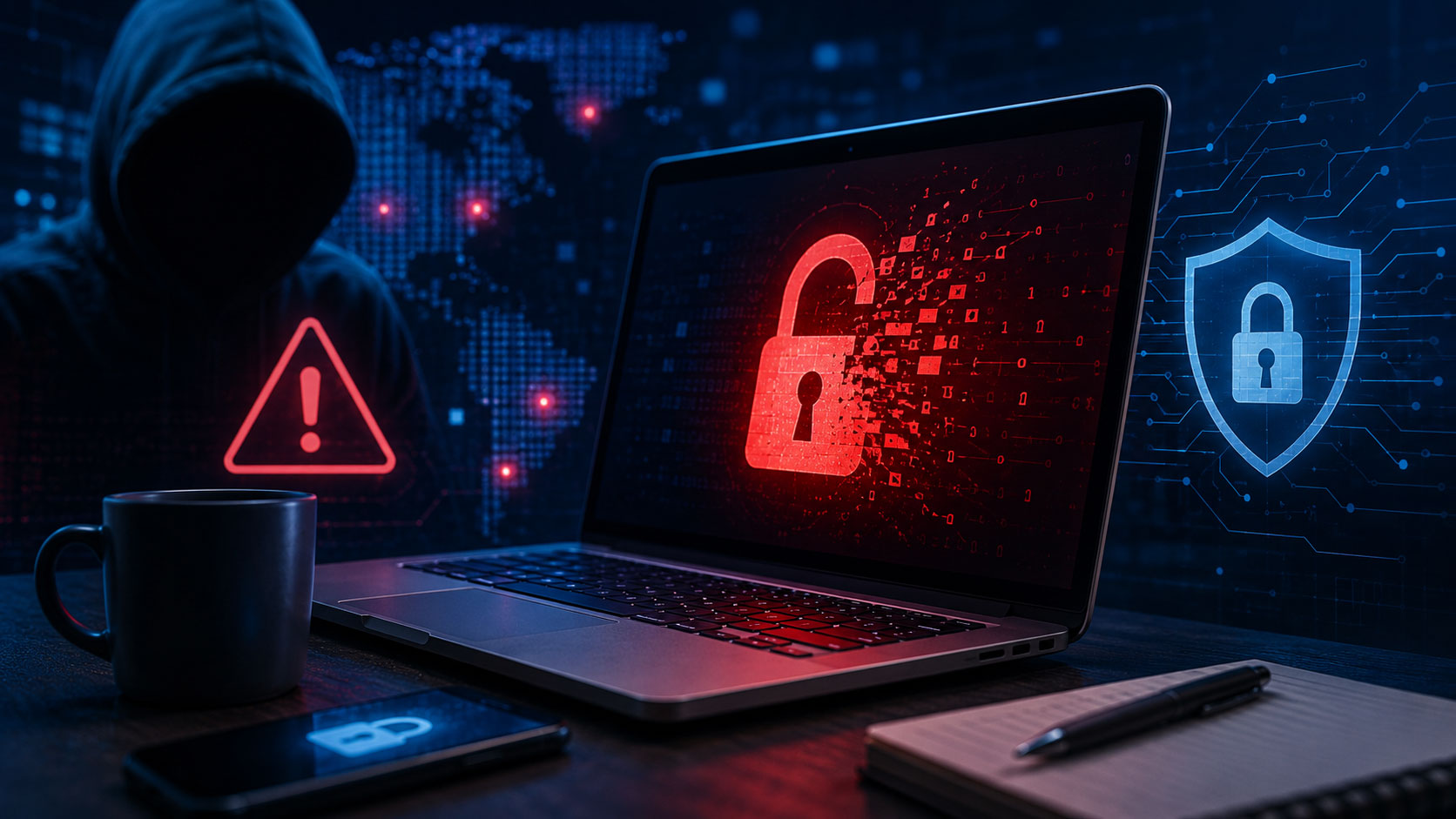
You’ve probably heard about data breaches on the news, seen alarming headlines, or perhaps even received a notice that your personal information was compromised. It’s a chilling thought, isn’t it? The idea that your most sensitive details – your name, address, social security number, financial particulars, even your health records – could be in the hands of criminals. This isn’t just a hypothetical scenario; it’s a stark reality in our hyper-connected world. Understanding data breaches isn’t about fueling paranoia; it’s about empowering yourself with knowledge so you can better protect your digital life.
When you hear “data breach,” it might conjure images of sophisticated hackers in dark rooms, but the reality is often more nuanced and, frankly, more mundane. At its core, a data breach is a security incident where sensitive, protected, or confidential data is copied, transmitted, viewed, stolen, or used by an unauthorized individual. It’s a violation of data security, a crack in the digital armor that’s supposed to safeguard your information.
Beyond the Headlines: Defining Sensitive Data
Not all data is created equal when it comes to a breach. For something to be considered a “data breach” in the most impactful sense, the compromised data usually needs to be sensitive. This often includes Personally Identifiable Information (PII), which is any data that can be used to identify a specific individual.
- Financial Details: This is often what immediately springs to mind. Think credit card numbers, bank account details, and investment portfolio information. Compromise here can lead directly to financial fraud.
- Health Information: Your medical records, diagnoses, and treatment plans are incredibly private. Health data breaches can not only be embarrassing but can also be used for insurance fraud or even identity theft to obtain medical services.
- Social Security Numbers (SSNs) and National Identification Numbers: These are often the keys to unlocking a vast amount of your personal information, making them prime targets for identity thieves.
- Login Credentials: Usernames and passwords for various online services are goldmines for attackers, allowing them to access your accounts directly.
- Contact Information: Names, addresses, phone numbers, and email addresses, while seemingly innocuous, can be used for targeted phishing attacks or to build more comprehensive profiles for further exploitation.
- Biometric Data: Fingerprints, facial scans, and voiceprints are increasingly used for authentication. If this data is breached, it poses unique and long-lasting security challenges.
- Confidential Business Information: While not directly about you as an individual, breaches of trade secrets or proprietary algorithms can have significant economic consequences for companies and indirectly affect customers and investors.
The Scope of a Breach: From Small to Catastrophic
A data breach isn’t always a massive, widely publicized event affecting millions. It can be a single employee losing an unencrypted laptop or a small business having its customer database accessed by an unauthorized party. The scale varies dramatically, but the impact on the individuals whose data is compromised remains significant regardless of the size. Small breaches can hurt fewer people but can still be devastating for those affected, while large-scale breaches affect vast numbers and often draw regulatory scrutiny and public outcry.
A data breach refers to the unauthorized access and retrieval of sensitive information, which can lead to significant consequences for individuals and organizations alike. Understanding the implications of data breaches is crucial in today’s digital landscape. For further insights on related topics, you may find the article on investment opportunities interesting, as it discusses how companies can be affected by cybersecurity issues, including data breaches. You can read more about it here: Investment Opportunity Article.
How Do Data Breaches Happen? Common Causes and Attack Vectors
Understanding why and how breaches occur is crucial for prevention and mitigation. It’s not always a supervillain in a movie; often, it’s a combination of human error, technical vulnerabilities, and malicious intent.
The Human Element: Often the Weakest Link
You, the user, are often the first line of defense, but also, unfortunately, the most susceptible to manipulation.
- Phishing and Social Engineering: These tactics involve tricking you into revealing sensitive information or granting access to systems. A fraudulent email that looks legitimate, a text message asking you to “verify” your bank details, or a phone call impersonating a trusted entity – these are all common social engineering techniques. They prey on your trust and lack of vigilance.
- Weak Passwords and Poor Password Hygiene: Reusing passwords across multiple sites, choosing easily guessable passwords (like “123456” or “password”), or not using strong, unique combinations makes it easy for attackers once they compromise one account or use automated tools.
- Insider Threats: Sometimes the threat comes from within. This could be a disgruntled employee intentionally stealing data, or it could be an accidental action, like an employee mistakenly exposing sensitive files.
- Lost or Stolen Devices: An unencrypted laptop, smartphone, or USB drive containing sensitive information can lead to a breach if it falls into the wrong hands.
Technical Vulnerabilities: Exploiting Software Flaws
Technology, despite its advancements, is rarely perfect. These imperfections can be exploited by attackers.
- Software Vulnerabilities and Exploits: Software, whether an operating system, a web browser, or a custom application, can have flaws (bugs) that create security holes. Attackers discover these vulnerabilities and develop “exploits” to take advantage of them, gaining unauthorized access or control. Regular patching and updates are critical to closing these windows of opportunity.
- Misconfigured Systems: Servers, databases, and cloud storage environments often require precise configuration to be secure. A single misstep – like leaving a database publicly accessible without a password – can expose vast amounts of sensitive data. This is a surprisingly common cause of large-scale breaches.
- Malware and Ransomware: Malicious software can infiltrate systems, steal data, spy on user activities, or encrypt files and demand a ransom for their release. Phishing emails are a common delivery mechanism for malware.
- Brute-Force Attacks: These automated attacks cycle through countless password combinations or encrypted keys until the correct one is found. While time-consuming, powerful computers can crack weaker passwords relatively quickly.
Physical Security Lapses: Old School, Still Effective
While much of the focus is on digital threats, physical security still plays a role.
- Unsecured Premises: If someone can physically walk into an office, plug in a device, or access servers, it’s a breach waiting to happen. Unauthorized physical access can bypass many digital defenses.
- Theft of Documents: Hard copies of sensitive information, if not properly secured or disposed of, can also constitute a data breach.
The Far-Reaching Consequences: What Happens After a Breach?
When your data is breached, the ramifications can be extensive and deeply unsettling, touching various aspects of your life. It’s not just a fleeting inconvenience.
Direct Impact on Individuals: Your Personal Nightmare
The immediate and personal effects are often the most distressing.
- Identity Theft and Fraud: This is arguably the most severe consequence. Criminals can use your stolen PII to open new credit accounts, file fraudulent tax returns, apply for loans, or even commit crimes in your name. Repairing your identity can be a lengthy, frustrating, and emotionally draining process.
- Financial Loss: Direct monetary theft from compromised bank accounts or credit cards is a clear and immediate threat.
- Reputational Damage: While more common for businesses, if personal accounts (like social media or email) are compromised, your reputation could be tarnished by malicious actors posting embarrassing or offensive content.
- Emotional Distress and Anxiety: The knowledge that your personal information is out there, combined with the effort required to secure your accounts, monitor your credit, and potentially fight identity theft, can cause significant stress, anxiety, and a feeling of vulnerability.
- Loss of Privacy: The feeling that your private life has been exposed and that you no longer have control over your personal narrative is a profound psychological impact.
Business and Organizational Impact: A Ripple Effect
For the organizations that suffer a breach, the consequences are often equally severe.
- Financial Penalties and Regulatory Fines: Governments worldwide are increasingly imposing hefty fines for data breaches, especially if they involve negligence or a failure to comply with data protection regulations like GDPR or CCPA.
- Reputational Damage and Loss of Customer Trust: A breach can severely erode customer confidence. People are less likely to do business with an organization they perceive as incapable of protecting their data. Recovering trust is a long and arduous journey.
- Legal Action and Lawsuits: Organizations frequently face class-action lawsuits from affected individuals seeking compensation for damages resulting from the breach.
- Operational Disruption and Remediation Costs: Investigating the breach, patching vulnerabilities, implementing new security measures, and notifying affected individuals are all costly and time-consuming endeavors that disrupt normal business operations.
- Increased Insurance Premiums: Cyber insurance, while helpful, can become significantly more expensive or even unavailable after a major breach.
How to Protect Yourself: Your Proactive Steps
While you can’t prevent every data breach, you can significantly reduce your risk and mitigate the damage if one occurs. This requires a proactive and vigilant approach to your online security.
Fortifying Your Digital Defenses
These are your primary weapons against compromise.
- Strong, Unique Passwords: This cannot be stressed enough. Use a combination of uppercase and lowercase letters, numbers, and symbols. Aim for at least 12-16 characters. Crucially, never reuse passwords.
- Password Managers: These tools (e.g., LastPass, 1Password, Bitwarden) generate and store complex, unique passwords for all your accounts, requiring you to remember only one master password. They are invaluable for maintaining good password hygiene.
- Enable Two-Factor Authentication (2FA) or Multi-Factor Authentication (MFA): This adds an extra layer of security. Even if a criminal has your password, they can’t access your account without a second verification method, such as a code sent to your phone, a fingerprint scan, or a hardware security key. Turn it on wherever it’s offered.
- Be Skeptical of Suspicious Emails and Messages (Phishing Awareness): Always exercise caution.
- Verify Senders: Check the sender’s email address carefully. Look for subtle misspellings or domains that don’t match the legitimate organization.
- Hover Before You Click: Before clicking a link, hover your mouse over it (without clicking) to see the actual destination URL. If it looks suspicious or redirects to an unfamiliar domain, don’t click.
- Look for Red Flags: Generic greetings (“Dear Customer”), urgent or threatening language, requests for personal information, and poor grammar are all signs of a phishing attempt.
- Don’t Download Unknown Attachments: Attachments from unknown or suspicious senders are prime vectors for malware.
- Keep Software and Operating Systems Updated: Software updates often include critical security patches that fix known vulnerabilities. Enable automatic updates whenever possible.
- Use Reputable Antivirus and Anti-Malware Software: Install and regularly update protective software on all your devices (computers, smartphones, tablets). Run regular scans.
- Backup Your Data Regularly: While backups don’t prevent a breach, they are crucial for recovery, especially in cases of ransomware attacks or data loss. Store backups securely, preferably offline and off-site.
- Protect Your Devices: Use strong passwords or biometrics to secure your phone and computer. Enable remote wiping capabilities in case your device is lost or stolen.
Limiting Your Digital Footprint
Less data out there means less to potentially compromise.
- Be Mindful of What You Share Online: Think twice before posting sensitive personal information on social media or public forums. Limit the amount of PII readily available about you.
- Review Privacy Settings: Regularly check and adjust the privacy settings on your social media accounts and other online services to control who can see your information.
- Consider a VPN (Virtual Private Network): When using public Wi-Fi, a VPN encrypts your internet traffic, protecting your data from eavesdropping by malicious actors on the same network.
A data breach refers to the unauthorized access and retrieval of sensitive information, which can have serious implications for individuals and organizations alike. Understanding the nuances of data security is crucial in today’s digital landscape. For further insights into the importance of safeguarding information, you can explore a related article on leadership and growth that discusses how effective management can mitigate risks associated with data breaches. Check it out here.
What to Do If You’re Affected by a Data Breach
| Data Breach Type | Definition |
|---|---|
| Unauthorized Access | When a person or entity gains access to sensitive data without permission. |
| Data Theft | The act of stealing sensitive information for malicious purposes. |
| Data Loss | The accidental or intentional loss of sensitive data, leading to its unavailability or compromise. |
| Data Exposure | When sensitive data is made visible to unauthorized individuals or entities. |
Despite your best efforts, you might still become a victim. Knowing how to react swiftly can minimize the damage.
Immediate Actions: Time is of the Essence
A quick response can make a significant difference.
- Change Passwords Immediately: If the breach involved an account you use, change the password for that account and any other account where you used the same or similar password. Use a strong, unique password.
- Enable Two-Factor Authentication: If you haven’t already, enable 2FA on the compromised account and all other critical accounts (email, banking, social media).
- Monitor Your Accounts: Keep a close eye on your bank statements, credit card statements, and other financial accounts for any suspicious activity or unauthorized transactions.
- Review Credit Reports: Obtain free copies of your credit report from all three major credit bureaus (Equifax, Experian, TransUnion) and check for any unfamiliar accounts or inquiries. You are entitled to a free report from each bureau annually.
- Place a Fraud Alert or Credit Freeze:
- Fraud Alert: This notifies creditors that you may be a victim of identity theft, making it harder for criminals to open new accounts in your name. It lasts for one year and requires creditors to verify your identity before opening new credit.
- Credit Freeze (Security Freeze): This is a more robust measure. It restricts access to your credit report, making it nearly impossible for new credit accounts to be opened in your name. You’ll need to “unfreeze” your credit temporarily when you apply for new credit yourself. This is generally the strongest protection against identity theft involving new accounts.
Reporting and Remediation: Seeking Help and Repairing Damage
Don’t deal with it alone.
- Notify Affected Institutions: If your bank account or credit card details were compromised, contact your bank or credit card company immediately to report the fraud and potentially cancel cards.
- Report Identity Theft: If you suspect identity theft, report it to the Federal Trade Commission (FTC) in the U.S. (or your country’s equivalent agency) and local law enforcement.
- Be Wary of Further Phishing: Criminals often follow up a breach with targeted phishing attempts, knowing that you might be looking for official communications. Be extra vigilant.
- Consider Identity Theft Protection Services: While not a substitute for active vigilance, these services can monitor your credit, provide alerts, and offer assistance if identity theft occurs.
Data breaches are an unfortunate facet of interconnected life. By understanding their nature, common causes, and severe consequences, you can empower yourself to build stronger digital defenses and react effectively if your personal information is ever compromised. Your digital security is a continuous process, not a one-time setup. Stay informed, stay vigilant, and take proactive steps to protect your valuable personal data.
FAQs
What is a data breach?
A data breach is a security incident where sensitive, protected, or confidential information is accessed or disclosed without authorization.
How do data breaches occur?
Data breaches can occur through various means, including hacking, malware, phishing, insider threats, and physical theft of devices or documents.
What are the potential consequences of a data breach?
The potential consequences of a data breach include financial losses, reputational damage, legal and regulatory penalties, identity theft, and fraud.
How can organizations prevent data breaches?
Organizations can prevent data breaches by implementing strong cybersecurity measures, conducting regular security assessments, providing employee training, and encrypting sensitive data.
What should individuals do if they are affected by a data breach?
If individuals are affected by a data breach, they should monitor their financial accounts, change their passwords, and consider placing a fraud alert on their credit reports. They should also be cautious of potential phishing attempts.
