


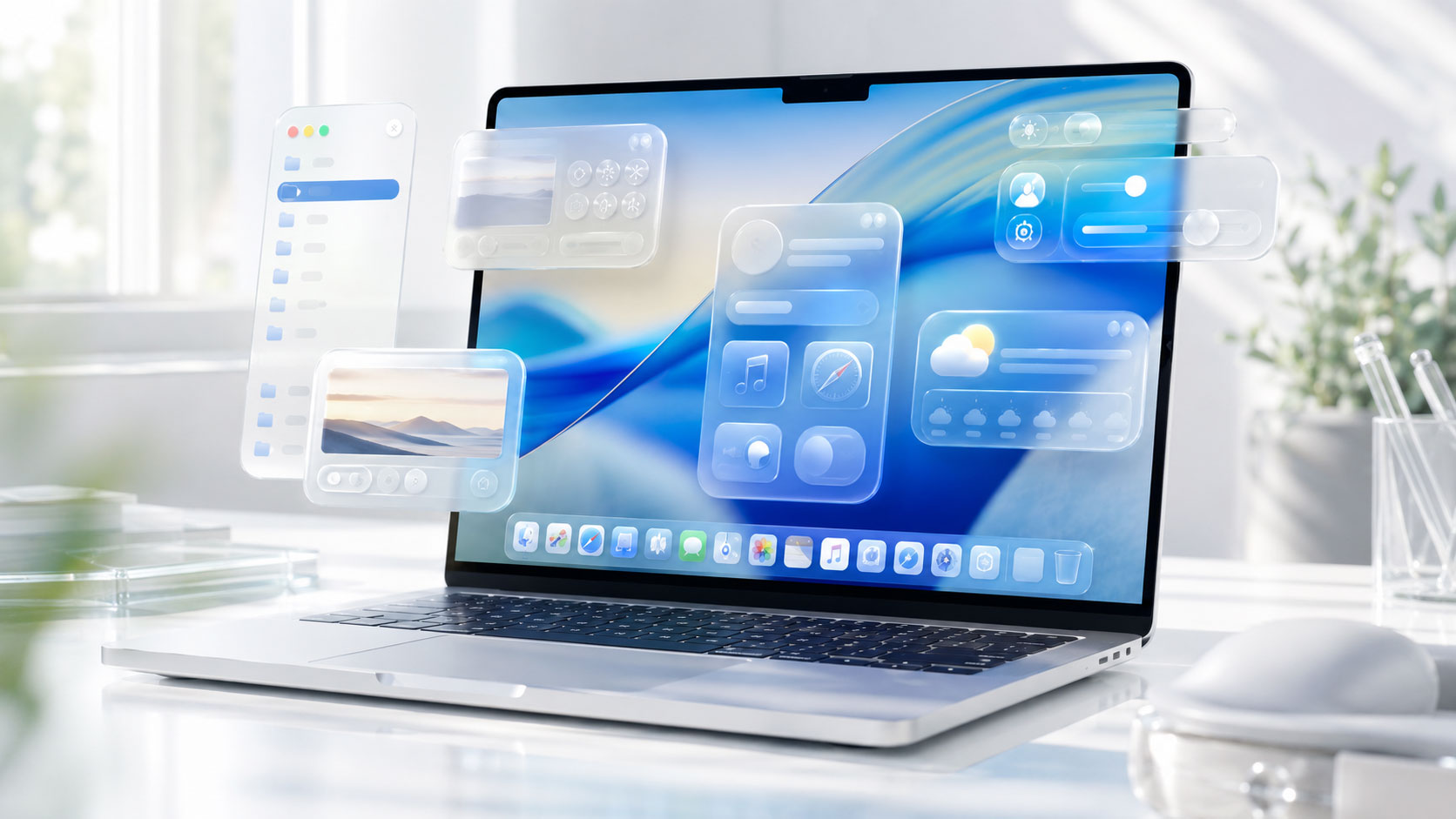
You’re probably sitting there, staring at your Mac screen, that familiar glow reflecting in your eyes. You’ve likely hit that little red “Update Now” button or at least glanced at the notification with a mix of anticipation and mild dread. This time, though, the update is more than just a tweak to your wallpaper or a few bug fixes. Apple’s latest macOS overhaul is ushering in a seismic shift, and the star of the show is what many are already calling “Liquid Glass.” You might be wondering, what exactly is this Liquid Glass, and how will it change the way you, yes you, interact with your Mac? Buckle up, because this isn’t just an upgrade; it’s a reinvention of your digital workspace.
Gone are the days of rigid, static interfaces. Liquid Glass represents a fundamental rethinking of how graphical user interfaces can behave, moving towards a more fluid, dynamic, and responsive experience. Think of it less like a collection of windows and icons sitting on a desktop, and more like a living, breathing canvas that subtly shifts and adapts to your actions. Apple has been quietly laying the groundwork for this for years, incorporating subtle animations and physics into macOS, but Liquid Glass is the apex of that philosophical journey. It’s not a single feature, but rather a pervasive design language that permeates every corner of the operating system.
The Physics of Interaction: Beyond Traditional UI
For decades, your computer screen has operated on a fundamentally two-dimensional plane. You click, and something happens. You drag, and something moves. It’s predictable, functional, but rarely awe-inspiring. Liquid Glass introduces a sense of real-world physics into this digital realm. Imagine a droplet of water hitting a surface; it ripples, it splashes, it settles. Liquid Glass aims to imbue your interactions with a similar natural grace. This means animations that don’t just play out, but react realistically.
Mimicking Real-World Phenomena
Apple’s engineers have delved deep into the principles of fluid dynamics and material science to inform Liquid Glass. When you dismiss a window, it won’t just instantly disappear. Instead, you might see it elegantly fold or gently flow off-screen, mirroring the way a liquid might recede. Dragging an icon might feel like pulling a slightly sticky, yet pliable, object. This isn’t mere eye candy; it’s about creating a more intuitive and visceral connection to your digital environment.
The Role of Advanced Rendering and Graphics
Achieving this level of fluidity requires substantial advancements in how your Mac renders graphics. Apple has invested heavily in optimizing its Metal graphics API, pushing the boundaries of what your hardware can achieve in real-time. Liquid Glass leverages this power to simulate complex physical behaviors with incredible fidelity. The processing power previously dedicated to static elements is now being redirected to create dynamic, flowing interfaces that respond to every subtle gesture.
Enhanced Animation Frameworks
The core animation frameworks within macOS have been rewritten from the ground up. Instead of relying on pre-programmed sequences, animations now often involve real-time calculations based on user input and system state. This allows for truly emergent behaviors, where the interface feels less like an obedient servant and more like an intelligent partner.
Apple’s ongoing innovation in materials science is highlighted by their recent exploration of liquid glass technology, which promises to enhance the durability and aesthetics of future macOS devices. This development aligns with the growing trend of companies seeking to empower their user base through community-led initiatives, as discussed in a related article on the importance of user engagement and content creation. For more insights on how businesses can leverage community-driven strategies, you can read the article here: Empower Your User Base: Community-Led Content.
Reshaping Your Desktop: A Fluid and Adaptive Environment
The most immediate and noticeable impact of Liquid Glass will be on your desktop itself. It’s no longer just a static background for your applications. It’s a dynamic entity that can subtly morph and rearrange itself, offering a more contextual and less cluttered experience.
Dynamic Icon Behavior
Your icons are no longer static squares. You might see them gently pulse with activity, subtly shift their position to indicate their relevance, or even group together organically based on usage patterns. Imagine opening a folder and seeing its contents not just appear, but gently spill out, with related items naturally clustering.
Intelligent Grouping and Sorting
Liquid Glass introduces more intelligent ways for your files and applications to be organized. Instead of rigid folders, you might see dynamic “clusters” of related items that appear when you need them and recede when you don’t. This could dramatically reduce the cognitive load of searching for what you need, as your Mac intelligently surfaces the most relevant content.
Adaptive Window Management
Window management, once a chore of clicking and dragging, is being transformed. Windows can now exhibit a subtle “stickiness” to each other, allowing for easier snapping and arrangement. Resizing a window might feel like stretching a pliable material, with the contents flowing naturally within its new boundaries. Even the act of minimizing or closing a window takes on a new grace.
Contextual Window Fading and Revealing
When you switch between applications, your inactive windows might not just shrink or disappear. Instead, they might gently fade into the background, becoming translucent, or subtly shift their position to indicate they are no longer the primary focus. When you return to them, they fluidly re-emerge, creating a seamless transition.
The “Living” Wallpaper
Even your wallpaper is getting an upgrade. Forget static images. Liquid Glass enables dynamic wallpapers that subtly react to your system activity, time of day, or even ambient conditions (if your Mac has the sensors). Imagine a waterfall wallpaper where the flow of water subtly quickens when your CPU is working hard, or a starry night that deepens and twinkens more intensely as evening approaches.
Personalized Environmental Reactions
These dynamic wallpapers can be incredibly personalized. You might choose a minimalist design that subtly illustrates your battery level, or a more abstract pattern that reacts to your network activity. This adds a touch of ambient intelligence to your workspace, making your Mac feel more integrated with your environment.
Transforming Application Interactions: A New Level of Responsiveness

The impact of Liquid Glass extends far beyond the desktop, fundamentally altering how you interact with individual applications. The entire concept of a button press or a menu selection can feel more nuanced and engaging.
Enhanced Button and Control Metaphors
Buttons are no longer flat, clickable areas. They can now have a subtle “give,” a pleasing physical resistance that confirms your press. Think of a soft-touch button on a high-end device, but digitally rendered and incredibly responsive. Slider controls might feel like they have a magnetic pull, making fine adjustments effortless.
Tactile Feedback Simulation
While your Mac doesn’t actually have physical buttons in the traditional sense, Liquid Glass, combined with advancements in haptic feedback (though this is more speculative for current hardware), aims to simulate a sense of tactile interaction. The visual cues are so compelling that they can create a psychological feeling of physical engagement.
Fluid Navigation and Gestures
Navigating within applications is also being revolutionized. Swiping gestures become more intuitive, with content flowing smoothly from one section to another. Pulling down to refresh might feel like physically tugging a curtain aside. The entire user flow is designed to be more fluid and less jarring.
Contextual Menus and Overlays
Menus and contextual overlays can now appear and disappear with a much more organic feel. Instead of a harsh pop-up, you might see them gently unfurl or dissolve, integrating seamlessly with the content you’re interacting with.
Data Visualization That Breathes
For those who work with data, Liquid Glass can transform how you understand complex information. Charts and graphs can now animate in more meaningful ways, showing the evolution of data over time with a captivating fluidity. Imagine a stock market graph where the lines ebb and flow like currents, or a population density map that subtly shifts as new data is added.
Real-time Data Flow Representation
This isn’t just about animated charts; it’s about representing the flow of data itself. Information can be visualized as particles or streams, conveying a dynamic understanding of how data is generated, processed, and analyzed.
Redefining System Feedback: Understanding Your Mac’s State

One of the often-overlooked aspects of a good operating system is how well it communicates its state to the user. Liquid Glass excels at providing clear, intuitive, and visually appealing feedback, making it easier for you to understand what your Mac is doing.
Progress Indicators That Tell a Story
Forget the sterile progress bars. Liquid Glass introduces dynamic progress indicators that are more engaging and informative. A download might be represented by a stream of data filling a container, or a system update by a series of interconnected nodes gradually illuminating. This makes waiting less tedious and more visually communicative.
Visualizing Computational Load
You might start to see subtle visual cues indicating your Mac’s current processing load. Perhaps a slightly darker or more vibrant hue on your dock icons when your CPU is working overtime, or a gentle shimmer on the menu bar when network activity is high. This provides an ambient awareness of your system’s performance.
Error and Alert Messages with Empathy
Even error messages are being re-imagined. Instead of stark, jarring alerts, you might see them presented in a more gentle, less alarming manner. An error might manifest as a subtle “tear” in the interface, or a gentle ripple of discontent, conveying the issue without causing undue alarm.
Graceful Degradation and Recovery Visualization
When something goes wrong, Liquid Glass aims to provide visual cues that help you understand the situation and the recovery process. This could involve subtle animations indicating a process is being restarted or a connection is being re-established.
Apple’s ongoing innovation in materials science is evident as the company is reportedly working on liquid glass changes for a future macOS update, which could enhance the durability and aesthetics of its devices. This development aligns with the growing trend of companies prioritizing security and resilience in their products. For insights on how technology companies are addressing security challenges, you can read about the new perimeter in cybersecurity in this article on API security. As Apple continues to push boundaries with its hardware, the integration of advanced materials like liquid glass may set new standards in both functionality and design.
The Future of User Experience: Seamlessness and Intuition
| Aspect | Details |
|---|---|
| Topic | Apple Working on Liquid Glass Changes for Future macOS Update |
| Company | Apple Inc. |
| Development | Future macOS Update |
| Material | Liquid Glass |
Ultimately, the goal of Liquid Glass is to create a user experience that is not only visually stunning but also profoundly intuitive and seamless. It’s about removing the friction points that have historically existed between you and your digital tools, and creating an environment where your actions feel natural and effortless.
Bridging the Gap Between Physical and Digital
Apple has always strived to make technology feel less like a machine and more like an extension of the user. Liquid Glass is arguably the most significant step yet in this direction. By incorporating principles from the physical world, it makes the digital realm feel more familiar, more approachable, and ultimately, more human.
Reducing Cognitive Load Through Visual Design
The intelligence behind Liquid Glass isn’t just about making things look pretty; it’s about making them easier to understand and interact with. By providing clear visual cues and anticipating your needs, it reduces the mental effort required to navigate and manage your digital workspace.
The Psychological Impact of Fluidity
There’s a demonstrable psychological impact to fluidity and responsiveness. When an interface flows and adapts, it creates a sense of control and satisfaction. Liquid Glass aims to tap into this by providing a user experience that is not only functional but also inherently pleasing to engage with.
A More Engaging and Creative Workflow
For creative professionals and everyday users alike, this enhanced fluidity can unlock new levels of engagement and productivity. When your tools feel less like obstacles and more like collaborators, your ability to focus on your creative or productive tasks can be significantly amplified. You’re not fighting the interface; you’re working with it.
Apple’s Liquid Glass represents a bold leap forward in operating system design. It’s a testament to their relentless pursuit of a more intuitive, responsive, and beautiful computing experience. As you update your Mac and experience these changes firsthand, you’ll likely find yourself marveling at the subtle yet profound ways your digital world has come alive. You are no longer just using a computer; you are interacting with a fluid, dynamic environment that anticipates, adapts, and ultimately, enriches your digital life.
FAQs
What is the liquid glass technology that Apple is working on for future macOS updates?
Liquid glass technology refers to a new type of display material that Apple is reportedly developing for future macOS updates. This material is said to be more durable and resistant to scratches and damage compared to traditional glass.
How will the liquid glass technology impact future macOS updates?
The liquid glass technology is expected to enhance the durability and longevity of Apple’s future macOS devices. It may also lead to improvements in display quality and overall user experience.
When can users expect to see the liquid glass technology implemented in macOS devices?
There is no official timeline for when the liquid glass technology will be implemented in macOS devices. However, reports suggest that Apple is actively working on this technology, indicating that it may be integrated into future macOS updates.
What are the potential benefits of liquid glass technology for macOS users?
The potential benefits of liquid glass technology for macOS users include increased durability, improved display quality, and a longer lifespan for their devices. This technology may also lead to a reduction in the need for screen repairs and replacements.
Will the liquid glass technology impact the design and aesthetics of future macOS devices?
While the specific impact on design and aesthetics is not yet known, the implementation of liquid glass technology could potentially lead to sleeker and more resilient designs for future macOS devices. Apple may also use this technology to further differentiate its products in the market.
