


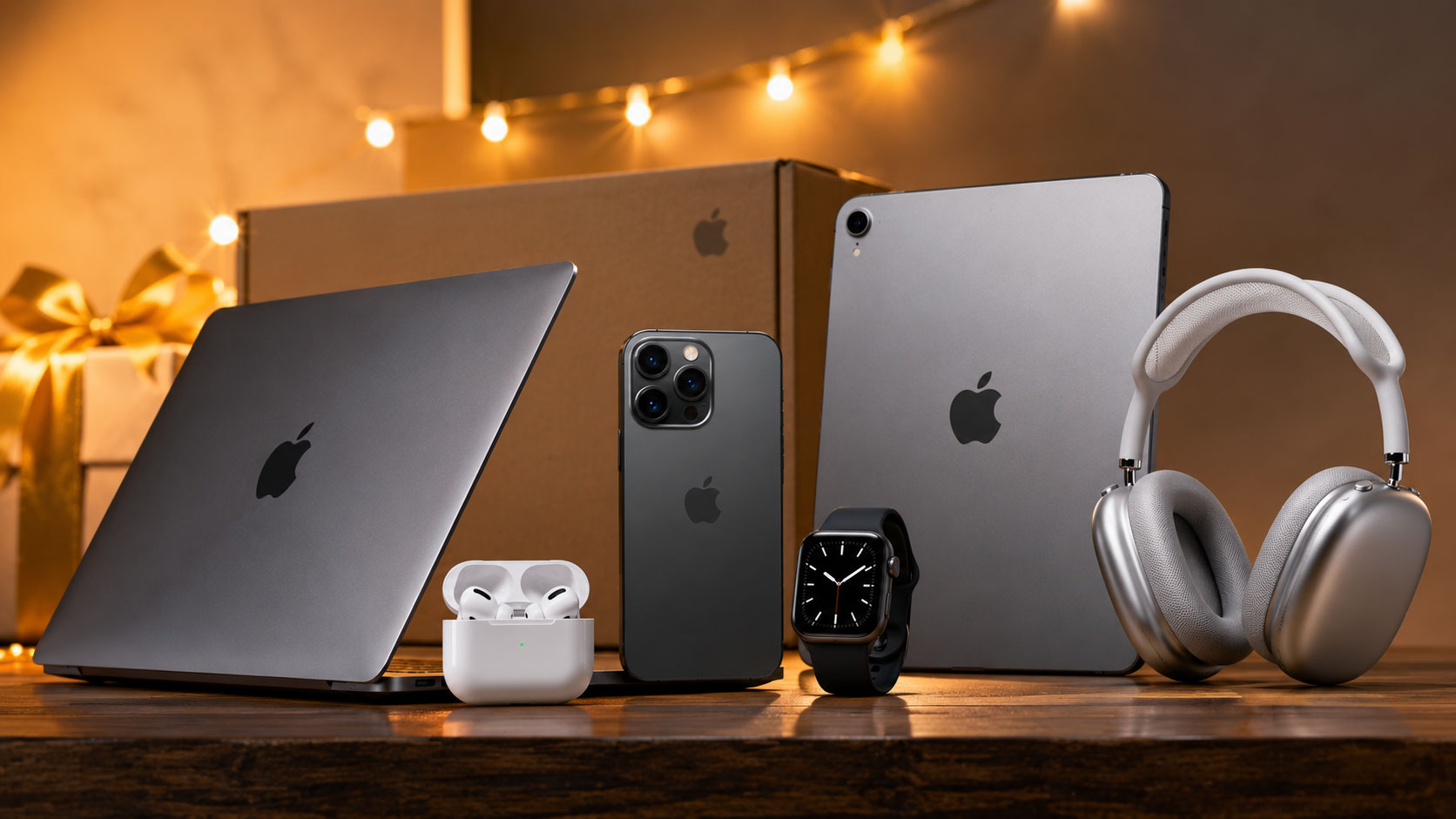
Prime Day is here, and if you’re an Apple enthusiast, you’re in for a treat! This annual shopping spectacular from Amazon is renowned for its incredible discounts, and this year is no exception, especially when it comes to coveted Apple products. Whether you’ve been eyeing that shiny new iPhone, a powerful MacBook, or a sleek Apple Watch to elevate your tech game, Prime Day presents the perfect opportunity to snag these premium devices at significantly reduced prices. This guide is your ultimate roadmap to navigating the sea of deals and securing the best Apple discounts available. Get ready to explore your options, arm yourself with insider knowledge, and prepare to click “add to cart” on those dream Apple gadgets you’ve been coveting.
Prime Day isn’t just about randomly browsing; it’s about strategic acquisition. Understanding where and when to look for Apple deals can make the difference between a bargain and a missed opportunity. This section will equip you with the knowledge to expertly navigate the often-overwhelming world of Prime Day Apple sales. You’ll learn how to prepare in advance, where the best deals typically surface, and how to avoid common pitfalls that can lead to disappointment.
Pre-Sale Strategies: Laying the Groundwork for Savings
The key to scoring top Apple deals on Prime Day starts long before the official sale begins. Proactive preparation is your superpower. This involves more than just clearing your schedule; it’s about understanding your needs, your budget, and the typical pricing patterns of Apple products.
Defining Your Apple Wishlist: What Do You Truly Need?
Before you even start browsing, take a moment to honestly assess what Apple products you genuinely need or desire. Are you overdue for a smartphone upgrade? Is your current laptop struggling to keep up with your workload? Perhaps you’re looking to enhance your smart home setup with Apple TV, or you’re keen to track your fitness with the latest Apple Watch. Creating a clear, prioritized wishlist will prevent impulse purchases of items you don’t really need and help you focus your search.
Prioritizing Your Purchases
Rank your desired items. For example, if both an iPhone and AirPods are on your list, which one takes precedence? This ranking is crucial because Prime Day deals can be lightning-fast, and you might have to make quick decisions. Knowing which item is your top priority ensures you focus your energy on securing that one first.
Researching Specific Models and Configurations
Once you know what you want, dive into specific models. Are you looking for the Pro version of the latest iPhone, or will the standard model suffice? For MacBooks, consider the processor, RAM, and storage you’ll need. Knowing the exact specifications you’re after will allow you to quickly identify if a deal matches your requirements, rather than having to decipher cryptic product descriptions during the sale.
Setting Your Budget: The Financial Compass of Prime Day
It’s incredibly easy to get swept up in the excitement of Prime Day discounts and overspend. Before the deals even drop, establish a firm budget for your Apple purchases. This financial compass will guide your decisions and prevent buyer’s remorse.
Allocating Funds for Each Item
If you have multiple items on your wishlist, allocate a specific portion of your budget to each. This prevents you from blowing your entire budget on one high-ticket item and leaving yourself unable to afford another, perhaps more essential, purchase.
Considering Refurbished and Open-Box Options
Don’t shy away from Amazon’s certified refurbished or open-box options. These can often provide significant savings, especially on Apple products, and are usually backed by Amazon’s return policy. These items are thoroughly inspected and restored to full working order, offering a nearly new experience at a fraction of the cost.
Understanding Historical Pricing Trends
While Amazon’s Prime Day deals are often unprecedented, understanding typical sale prices for Apple products throughout the year can give you a benchmark. Apple rarely discounts its latest products significantly, so Prime Day is usually the best time to find deals on products that are a generation or two old, or on accessories.
Identifying “Evergreen” Deals
Certain Apple accessories, like Apple Pencil or older AirPods models, frequently see price drops around major sale events like Black Friday and Prime Day. Knowing these patterns can help you anticipate potential discounts.
Recognizing Genuine Bargains
Use price-tracking websites or browser extensions in the weeks leading up to Prime Day to monitor the prices of your desired Apple products. This will help you distinguish real deals from minor markdowns. If a product’s price mysteriously inflates just before Prime Day and then drops back to its regular price with a superficial “discount,” you’ll be able to spot it.
Where to Find the Best Prime Day Apple Deals
While Amazon is undoubtedly the epicenter of Prime Day, knowing where to focus your attention within Amazon, and even looking at select external retailers who might mirror or compete with Amazon’s deals, is crucial for maximizing your savings.
Amazon’s Dedicated Apple Sections
Amazon usually curates specific sections for Prime Day, and you can bet there will be an “Apple Deals” or “Tech Deals” section. Make sure you bookmark these as they launch.
Prime Exclusive Deals
Keep a close eye on deals that are explicitly marked as “Prime Exclusive.” These are the core of Prime Day and will likely feature the most significant discounts on Apple products.
Lightning Deals and Doorbusters
These are time-sensitive and quantity-limited offers. Apple products, especially popular ones, can disappear from stock within minutes during Lightning Deals. You’ll need to be quick and decisive.
Third-Party Sellers on Amazon
While Amazon itself is a primary source, be aware that many third-party sellers also offer Apple products on Amazon. It’s essential to vet these sellers carefully.
Checking Seller Ratings and Reviews
Always examine the seller’s rating and read recent reviews. Look for sellers with consistently high ratings and positive feedback, especially regarding authenticity and customer service. Avoid sellers with a history of complaints or those who seem to be selling suspiciously cheap, brand-new iPhones.
Beware of Fakes and Counterfeits
Unfortunately, online marketplaces can sometimes attract counterfeit products. Stick with reputable sellers and if a deal seems too good to be true, it probably is. Buying directly from Amazon or from Apple’s official store on Amazon (if available) offers a layer of security.
Competitor Retailers: Prime Day Echoes
While Amazon reigns supreme on Prime Day, other major retailers often run competing sales events around the same time to capture some of the consumer spending.
Best Buy, Walmart, and Target
Keep an eye on the websites and apps of major electronics retailers. They might offer similar discounts on Apple products to compete with Amazon, sometimes even undercutting Amazon’s prices on specific items.
Apple’s Own Website (less likely for deep discounts)
Apple itself rarely participates in Prime Day with significant discounts on its current-generation products. However, they might offer modest deals on older models or refurbished units. It’s worth a quick check, but don’t expect the same level of savings you’ll find on Amazon or at competing retailers.
If you’re looking to maximize your savings during the Apple Prime Day event, you might also be interested in exploring how advanced technologies are being deployed for cybersecurity. A related article discusses the innovative use of AI in next-gen ransomware defense, which is crucial for protecting your devices as you shop for the latest Apple products. You can read more about it here: Deploying AI for Next-Gen Ransomware Defense.
Unpacking the Prime Day Apple Deal Categories
Prime Day offers discounts across the entire Apple ecosystem. To make the most of it, you need to know which product categories are most likely to see substantial price reductions and what to look for within each.
iPhones: The Ultimate Smartphone Upgrade
The iPhone is often the crown jewel of Apple’s product line, and Prime Day can present your best chance to get a current or recent model at a significant discount.
Older Generation iPhones: The Sweet Spot for Savings
While you’re unlikely to see massive discounts on the absolute latest iPhone model, older generations, such as the iPhone 13 or 14 series, often see substantial reductions. These phones are still incredibly capable and offer excellent performance and features.
Unlocked vs. Carrier-Locked
Decide whether you want an unlocked iPhone or one tied to a specific carrier. Unlocked iPhones offer more flexibility, allowing you to switch carriers freely, but they might have slightly higher upfront costs. Carrier-locked deals can sometimes include bill credits or monthly payment plans that make the initial purchase more affordable.
Storage Capacity Considerations
Don’t overspend on storage you don’t need. A 128GB or 256GB model is often sufficient for most users. If you extensively use cloud storage or primarily stream content, you might get away with even less. Factor in the cost difference per storage tier when comparing deals.
Refurbished iPhones: A Smart Financial Choice
As mentioned earlier, Amazon’s certified refurbished iPhones are an excellent way to save money. These devices are rigorously tested and come with a warranty, making them a low-risk, high-reward purchase for budget-conscious buyers.
What “Refurbished” Actually Means
Understand that refurbished doesn’t mean damaged. It often refers to devices that were returned due to a minor defect, were part of a display model, or had minor cosmetic blemishes. They are then repaired, cleaned, and restored to like-new condition.
Warranty and Return Policies
Always check the warranty period and return policy for refurbished iPhones. Amazon’s certified refurbished items typically come with a satisfactory warranty, giving you peace of mind.
MacBooks and iPads: Powering Your Productivity and Creativity
Whether you’re a student, a professional, or a creative, a MacBook or iPad can be a significant investment. Prime Day offers a great opportunity to save on these versatile devices.
MacBook Deals: Laptops for Every Need
Prime Day often features discounts on various MacBook models, from the lightweight MacBook Air to the powerful MacBook Pro.
MacBook Air vs. MacBook Pro: Choosing the Right Fit
The MacBook Air is perfect for everyday tasks, portability, and battery life. The MacBook Pro is geared towards more demanding applications like video editing, graphic design, and software development. Consider your typical usage to determine which model is best for you.
M1, M2, and M3 Chips: Understanding Performance
Apple’s silicon (M1, M2, M3 chips) has revolutionized Mac performance. Deals on older M1 or M2 models can offer incredible value, providing excellent speed and efficiency at a reduced price, especially if you don’t need the absolute cutting edge of M3 performance.
iPad Deals: Versatility at Your Fingertips
iPads are incredibly versatile, serving as tablets, entertainment devices, and even laptop replacements with the right accessories.
iPad, iPad Air, iPad Pro, and iPad Mini
Each iPad model serves a slightly different purpose. The standard iPad is great for general use, the Air offers a good balance of features and price, the Pro is for creative professionals, and the Mini is for ultimate portability.
Bundled Deals with Accessories
Sometimes, Prime Day deals might include bundled offers with essential accessories like the Apple Pencil or a Smart Keyboard. These bundles can offer even greater savings than purchasing items separately.
Refurbished iPads as a Budget-Friendly Option
Similar to iPhones, refurbished iPads are an excellent way to get a high-quality device at a discounted price.
Apple Watch and Wearables: Smart Health and Seamless Connectivity
The Apple Watch has become an indispensable tool for fitness tracking, health monitoring, and staying connected. Prime Day often brings discounts on various Apple Watch models.
Apple Watch Series: From Budget-Friendly to Feature-Rich
Prime Day deals can span across different Apple Watch series. You might find discounts on the latest Series 9, or more substantial savings on the slightly older Series 8 or SE models.
Choosing the Right Size and Material
Apple Watches come in different case sizes (e.g., 41mm, 45mm) and materials (e.g., aluminum, stainless steel). Consider your wrist size and personal preference. Aluminum models are more affordable, while stainless steel offers a more premium look and feel.
GPS vs. GPS + Cellular Models
Decide if you need GPS + Cellular connectivity. The cellular model allows you to make calls, send texts, and stream music directly from your watch without your iPhone nearby, but it typically comes at a higher price and requires a separate cellular plan.
AirPods and Audio Accessories: Immerse Yourself in Sound
Apple’s AirPods are incredibly popular, and Prime Day is a great time to upgrade your earbuds or headphones.
AirPods Pro vs. AirPods (3rd Gen) vs. AirPods Max
Each AirPods model offers a different feature set and price point. AirPods Pro are known for active noise cancellation, the 3rd Gen earbuds offer a comfortable fit and good sound quality, and the AirPods Max are premium over-ear headphones for audiophiles.
Deals on Older AirPods Models
Prime Day is often the best time to find discounts on previous generations of AirPods, which still offer excellent performance and sound quality at a more accessible price.
Beats by Dre Products
Don’t forget about other Apple-owned brands like Beats. You might find significant discounts on popular Beats headphones and earbuds during Prime Day as well. These often offer a different sound profile and design aesthetic that some users prefer.
Mastering the Art of the Deal: Tips and Tricks for Prime Day Success
Scoring the best Apple deals on Prime Day requires more than just showing up; it involves a degree of strategy and nimbleness. Here are some tried-and-true tips to help you maximize your savings and emerge victorious.
Activate Prime Membership: The Golden Ticket
This might seem obvious, but it’s worth reiterating: you must be an Amazon Prime member to access Prime Day deals.
Free Trials and Membership Benefits
If you’re not already a Prime member, Amazon often offers free trials. Take advantage of this, especially if you’re planning a significant shopping spree on Prime Day. Remember to cancel before the trial period ends if you don’t intend to continue the subscription.
Beyond Deals: Shipping and Streaming
Beyond just Prime Day access, a Prime membership unlocks a host of benefits, including free and fast shipping, Amazon Prime Video streaming, Amazon Music, and more, making the annual fee worthwhile for many.
Utilize Deal Alerts and Wishlists Effectively
Amazon’s platform offers tools to help you track deals and ensure you don’t miss out.
Setting Up Deal Notifications
Amazon allows you to set up deal notifications for specific products or wishlists. If a product you’re interested in goes on sale, you’ll receive an alert, giving you a crucial heads-up.
Building and Organizing Your Wishlist
Create a dedicated wishlist for your desired Apple products. This not only keeps your choices organized but also allows you to easily track price changes and set up notifications for items on your list.
Be Prepared for Lightning Fast Sales
Prime Day is known for its limited-time, limited-stock deals. This means you need to be ready to act quickly.
The Importance of Fast Internet and a Stable Connection
In the heat of Prime Day, a slow or unreliable internet connection can be your worst enemy. Ensure you have a robust and stable internet connection to navigate the Amazon site smoothly.
Having Payment Information Ready
Ensure your preferred payment method is up-to-date and readily available in your Amazon account. This will save you precious seconds during checkout, which can be the difference between securing a deal or watching it disappear.
Understanding “Add to Cart” vs. “Buy Now”
Sometimes, clicking “Add to Cart” is safer during high-demand periods, as it reserves the item in your cart for a limited time, allowing you to continue shopping. However, with Lightning Deals, “Buy Now” might be the quicker option if you’re only purchasing that one item.
Read the Fine Print: Essential for Avoiding Disappointment
It’s easy to skim product descriptions when you’re excited about a deal, but ignoring the fine print can lead to unwanted surprises.
Checking Product Condition: New, Used, or Refurbished
Always meticulously check the product condition. Is it brand new, open-box, or certified refurbished? Ensure it matches your expectations and budget.
Verifying Compatibility and Model Numbers
Double-check that the product is compatible with your existing devices or ecosystem. Verify the exact model number to confirm it’s the specification you’re looking for (e.g., storage capacity, processor, network compatibility).
Reviewing Return Policies
Familiarize yourself with Amazon’s return policy for the specific item. Most Prime Day deals are eligible for returns, but there can be exceptions, especially for refurbished or open-box items.
Beyond Prime Day: Maintaining Your Apple Investments
Once you’ve successfully scored some fantastic Apple deals, it’s essential to protect your investment and ensure your new gadgets serve you well for years to come. This section offers advice on keeping your Apple products in top condition.
Protecting Your New Apple Gear
Investing in protection for your new Apple devices is a smart move that can prevent costly repairs or replacements down the line.
Investing in Quality Cases and Screen Protectors
For iPhones, iPads, and even Apple Watches, good quality cases and screen protectors are a must. Look for durable materials that offer shock absorption and scratch resistance.
Exploring Official Apple Accessories vs. Third-Party Options
While Apple’s accessories are often premium, there are many excellent and more affordable third-party options available from reputable brands. Compare prices and reviews to find the best balance of protection and value.
AppleCare+: Extended Warranty and Accidental Damage Protection
Consider purchasing AppleCare+ for your new Apple devices. It extends your warranty beyond the standard one-year coverage and, crucially, provides accidental damage protection, which can be a lifesaver for expensive electronics.
Understanding What AppleCare+ Covers
Familiarize yourself with the terms of AppleCare+. It typically covers things like cracked screens, liquid damage, and other accidental impacts, usually with a service fee per incident. Assess if the cost of AppleCare+ is justified by your risk tolerance and the device’s value.
Software Updates and Ecosystem Integration
Keeping your Apple devices updated and integrated into the Apple ecosystem will enhance your user experience and prolong the life of your devices.
Staying Up-to-Date with Software
Regularly update your iOS, iPadOS, macOS, and watchOS. Apple frequently releases software updates that include new features, security enhancements, and performance improvements.
The Benefits of the Apple Ecosystem
If you own multiple Apple devices, leverage the power of the ecosystem. Features like Handoff, Continuity, and iCloud synchronization create a seamless experience between your iPhone, iPad, Mac, and Apple Watch. This integration can make your workflow more efficient and enjoyable.
Troubleshooting Common Issues
Even the best technology can sometimes encounter hiccups. Knowing how to troubleshoot common issues can save you time and frustration.
Utilizing Apple Support Resources
Apple’s official support website and the Apple Support app are invaluable resources for troubleshooting guides, FAQs, and contact options for professional assistance.
Community Forums and Online Resources
Online forums and tech communities can also be great places to find solutions to specific problems, as other users may have already encountered and solved them.
If you’re looking to enhance your tech setup during the Apple Prime Day sales, you might also find it interesting to explore the principles of designing maintainable APIs, which can greatly improve your software development process. For more insights on this topic, check out this informative article on the subject. It provides valuable tips that can complement your tech purchases and help you make the most of your new devices. You can read more about it here.
Planning for Future Apple Purchases: Learn from This Prime Day
| Product | Discount | Original Price | Prime Day Price |
|---|---|---|---|
| Apple Watch Series 6 | 20% | 399 | 319 |
| Apple AirPods Pro | 15% | 249 | 211 |
| Apple iPad Pro | 25% | 799 | 599 |
| Apple MacBook Air | 18% | 999 | 819 |
Prime Day is an excellent learning experience. The deals you see, the strategies you employ, and the products you acquire will all inform your purchasing decisions for future sales and Apple product releases.
Evaluating Your Prime Day Success
Take some time after Prime Day to reflect on your shopping experience. What worked well? What could you have done differently?
Did You Meet Your Goals?
Did you manage to secure the Apple products on your wishlist? Did you stay within your budget? Understanding your successes and areas for improvement will help you refine your approach for future events.
Analyzing Deal Effectiveness
Which types of deals provided the best savings for Apple products? Were they on older models, refurbished items, or specific accessories? This analysis will guide your focus in the future.
Anticipating Future Apple Releases and Sales Events
Apple operates on a predictable product release cycle, and other major sales events are just around the corner.
Keeping an Eye on Apple’s Product Roadmap
Follow tech news outlets and Apple’s official announcements to stay informed about upcoming product releases. Often, new products will drive down the prices of older, but still capable, models.
Black Friday and Holiday Sales
Prime Day is just one of many major sales events. Black Friday, Cyber Monday, and other holiday sales periods throughout the year offer similar opportunities for discounts on Apple products. Your Prime Day experience will give you valuable insight into how to approach these as well.
By following this comprehensive guide, you’ll not only be well-equipped to conquer Prime Day Apple deals but also to make informed and satisfying Apple purchases all year round. Happy shopping!
FAQs
1. What is Prime Day?
Prime Day is an annual event held by Amazon exclusively for Prime members, featuring discounts and deals on a wide range of products including electronics, home goods, and more.
2. What Apple products are included in the Prime Day deals?
The Prime Day deals for Apple products may include discounts on items such as iPhones, iPads, MacBooks, Apple Watches, AirPods, and other Apple accessories.
3. How long do the Prime Day deals last?
Prime Day typically lasts for 48 hours, offering Prime members a limited time to take advantage of the exclusive deals and discounts.
4. Are the Prime Day deals available internationally?
Prime Day is available in multiple countries where Amazon operates, including the United States, the United Kingdom, Canada, Australia, and various European countries.
5. How can I access the Prime Day deals for Apple products?
To access the Prime Day deals for Apple products, you must be a Prime member. Once you are a member, you can visit the Amazon website or app to browse and purchase the discounted Apple products during the Prime Day event.
