


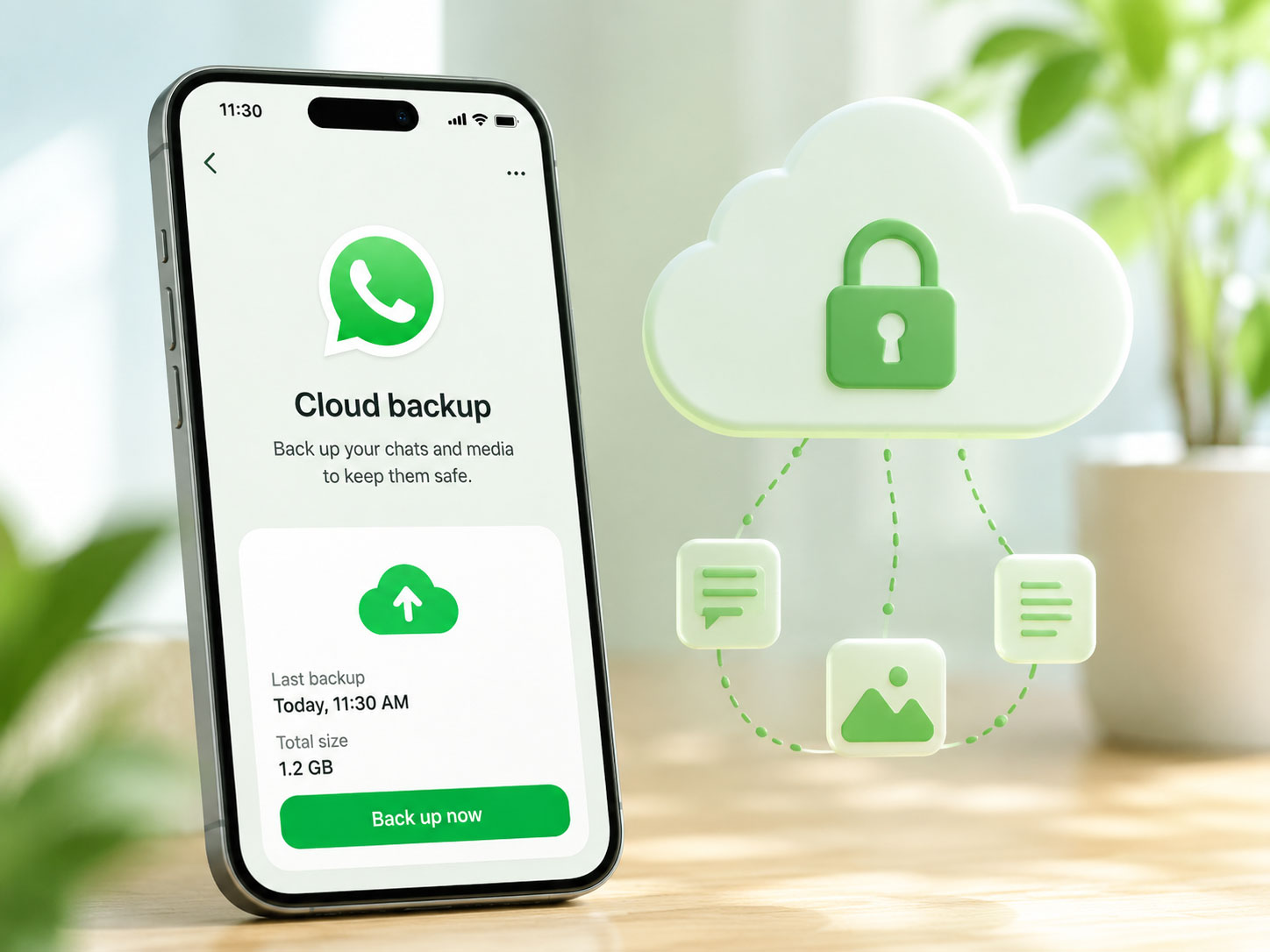
You’ve probably experienced the familiar dread of a phone upgrade gone wrong. That moment when you realize your precious WhatsApp chat history, brimming with irreplaceable memories, embarrassing confessions, and vital information, is teetering on the edge of oblivion. For years, you’ve relied on the pre-determined, manufacturer-specific cloud solutions – Google Drive for Android, iCloud for iOS. These integrated systems, while convenient, have always held you captive within their respective ecosystems. But now, a significant shift is underway, one that offers you unprecedented control and flexibility: WhatsApp is enabling independent cloud backup.
For too long, your WhatsApp data has been inextricably linked to the cloud provider dictated by your phone’s operating system. If you’re an Android user, your chats were automatically whisked away to Google Drive. Apple user? iCloud was your digital sanctuary. This seemingly seamless integration, while functional, lacked a crucial element: choice. You had no say in where your most personal communications resided, nor could you easily migrate them between different cloud platforms.
Now, WhatsApp is breaking free from these traditional constraints. You are no longer tethered to a single cloud provider. This newfound independence empowers you to decide precisely where your backup data lives, offering a level of control that was previously unimaginable. This isn’t just a minor technical update; it’s a fundamental reimagining of how you manage your digital life within the WhatsApp ecosystem.
The Limitations of Platform-Specific Backups
Think about the frustrations you’ve encountered. If you ever contemplated switching from an iPhone to an Android device, or vice versa, the migration of your WhatsApp chat history was a monumental headache, often involving third-party tools, convoluted steps, or, in the worst-case scenario, the complete loss of your historical conversations. These platform-specific backups, while efficient within their designated silos, created formidable barriers for cross-platform data transfer.
Moreover, imagine a scenario where you prefer a particular cloud provider for all your other data – photos, documents, and contacts – but are forced to use another solely for WhatsApp. This fragmentation not only added complexity to your digital life but also often meant extra subscriptions or a less unified approach to your data management. The old system, while convenient for the average user who never switched operating systems, was a straitjacket for those who valued flexibility and choice.
Why Independent Cloud Backup Matters to You
This shift is more than just a technical tweak; it’s about empowering you. With independent cloud backup, you gain a new level of autonomy over your digital footprint. You can now align your WhatsApp backup strategy with your overall cloud data management philosophy. Do you prioritize a specific provider for its enhanced security features? Or perhaps its larger free storage tiers? Now, you can direct your WhatsApp backups accordingly.
This newfound flexibility also has significant implications for your privacy and data sovereignty. By choosing your own cloud provider, you can potentially opt for services that align more closely with your personal preferences for data handling, geographic location of servers, and privacy policies. It’s a move away from a one-size-fits-all approach to a more personalized and controlled digital experience.
In light of WhatsApp’s recent announcement to allow independent cloud backups without relying on Google and Apple, it’s interesting to explore how technological advancements are reshaping various industries. For instance, the article on the agentic AI revolution discusses how autonomous agents are redefining business practices, which could have implications for data management and privacy in messaging applications. To read more about this transformative shift, you can visit the article here: The Agentic AI Revolution: Redefining Business with Autonomous Agents.
Unlocking a World of Cloud Storage Options
The true power of independent cloud backup lies in the expanded range of choices it presents to you. No longer are you restricted to Google Drive or iCloud. Imagine the possibilities! You can now consider a multitude of reputable cloud storage providers, each offering a unique set of features, pricing structures, and security protocols. This opens up a competitive landscape where you, the user, ultimately benefit from more tailored and robust solutions.
This isn’t about ditching your existing cloud provider if you’re happy with it. It’s about providing an alternative for those who desire more control, additional security, or simply a different storage solution. The market for cloud storage is vast and ever-evolving, and WhatsApp is finally allowing you to tap into that diversity.
Exploring Alternative Cloud Providers
Consider the sheer variety of cloud storage options available to you today. Providers like Dropbox, Microsoft OneDrive, Box, pCloud, Sync.com, and many others offer compelling alternatives to the traditional Google Drive/iCloud duo. Each of these services comes with its own unique selling points.
For instance, pCloud is renowned for its focus on security and lifetime plans, allowing you to pay once and enjoy storage indefinitely. Dropbox is a popular choice for its seamless integration with productivity tools and ease of file sharing. OneDrive integrates deeply with the Microsoft Office suite, making it ideal for those heavily invested in the Microsoft ecosystem. Now, these services, previously inaccessible for direct WhatsApp backups, become viable options for you.
Factors to Consider When Choosing Your Cloud
With this newfound freedom comes the responsibility of making an informed decision. When you’re choosing an independent cloud provider for your WhatsApp backups, several factors should weigh heavily on your mind.
Firstly, security and encryption are paramount. Your WhatsApp chats contain highly personal and sensitive information. Opt for providers that offer robust end-to-end encryption, two-factor authentication, and a strong track record of protecting user data. Understand their data breach history and their policies regarding third-party access.
Secondly, storage capacity and pricing will play a significant role. Do you have a large chat history with numerous media files? You’ll need a provider that offers ample storage at a competitive price point. Compare the different tiers and subscription models. Consider whether a free tier meets your needs or if a paid plan offers better value and features.
Thirdly, ease of use and integration are important. While WhatsApp is making it easier to integrate with various clouds, the overall user experience of the chosen provider still matters. How easy is it to upload, download, and manage your files? Does it integrate well with your other devices and workflows?
Finally, consider the privacy policy and data residency of the provider. Where are their servers located? What are their policies regarding data retention and sharing with governments or other entities? If data sovereignty is a concern for you, research providers that operate in jurisdictions with strong privacy laws.
Enhanced Security and Privacy Control
In an era where data breaches and privacy concerns constantly dominate headlines, the ability to choose your own cloud backup provider for WhatsApp represents a significant stride towards greater security and privacy control for you. While WhatsApp itself offers end-to-end encryption for your messages in transit, the security of your backups has always been a point of vulnerability when tied to platform-specific solutions.
Now, you have the power to select a cloud provider that aligns with your personal security and privacy standards. This means you can actively seek out services that offer superior encryption at rest, more transparent privacy policies, and a stronger commitment to user data protection. This isn’t just about convenience; it’s about safeguarding your most intimate digital conversations.
Stronger Encryption and Data Protection
While Google Drive and iCloud offer their own forms of encryption for your backups, they are not always as robust as what some independent cloud providers offer. With independent cloud backup, you can actively seek out providers that specialize in advanced encryption techniques, often including client-side encryption where your data is encrypted on your device before it even leaves your phone for the cloud. This means that even if the cloud provider’s servers are compromised, your data remains unreadable to unauthorized parties.
Furthermore, you can look for providers that are transparent about their encryption protocols and offer “zero-knowledge” encryption, meaning even the provider itself cannot access the contents of your files. This level of security goes beyond what is typically offered by default in platform-specific backups, providing you with an unparalleled sense of peace of mind.
Aligning with Your Privacy Preferences
Your privacy preferences are unique, and now your WhatsApp backup strategy can reflect that. Do you strongly prefer a cloud provider that does not scan your files for advertising purposes? Or one that has a strict policy against sharing user data with third parties? With independent cloud backup, you have the freedom to choose.
This also extends to data residency. For some, the geographical location of their data is a significant privacy concern. By selecting an independent cloud provider, you can often choose a service that stores your data in a jurisdiction with strong privacy laws, offering an additional layer of protection against government access or surveillance. This level of granular control over where your data resides is a powerful tool in your personal privacy arsenal.
Effortless Cross-Platform Data Migration

Perhaps one of the most compelling advantages of WhatsApp’s independent cloud backup feature is its profound impact on cross-platform data migration. For years, the idea of seamlessly moving your WhatsApp chat history from an iPhone to an Android device (or vice versa) was akin to technological alchemy – often fraught with peril, requiring complex third-party software, or simply resulting in data loss. This painful experience has been a significant deterrent for many contemplating an operating system switch.
With independent cloud backup, this headache becomes a thing of the past. Your WhatsApp data is no longer held hostage by the operating system’s native cloud. Instead, it resides in a neutral, third-party cloud environment, making it accessible regardless of your device’s operating system. This is a game-changer for flexibility and user choice in the mobile landscape.
A Seamless Transition Between OS Ecosystems
Imagine buying a new phone. In the past, if you switched from an iPhone to an Android, your WhatsApp chat history was effectively trapped on iCloud, making it incredibly difficult to transfer to your new Android device, which natively backs up to Google Drive. The same applied in reverse. This created significant friction and often forced users to make difficult compromises.
Now, with your WhatsApp data backed up to a provider like Dropbox or pCloud, the process becomes significantly smoother. When you set up WhatsApp on your new device – be it Android or iOS – you simply point it to your chosen independent cloud backup. The app retrieves your history from that central location, regardless of the underlying operating system. This eliminates the need for cumbersome workarounds and ensures a truly seamless transition. You retain all your conversations, photos, videos, and documents without a hitch.
Future-Proofing Your Digital Life
This independent backup strategy isn’t just about current convenience; it’s about future-proofing your digital life. Technology evolves at a relentless pace. Operating systems come and go, and your preferences might change over time. By detaching your WhatsApp backup from any single OS ecosystem, you protect your data from obsolescence or platform lock-in.
Should you decide to switch between Android and iOS multiple times over the years, your WhatsApp history remains consistently accessible. You effectively create a universal, platform-agnostic repository for your most important communications. This offers a level of digital resilience that was previously unavailable, ensuring your cherished memories and critical information are always within your reach, regardless of the device you choose to carry. It’s a proactive step towards greater control and longevity for your digital footprint.
WhatsApp’s recent announcement about allowing independent cloud backup without reliance on Google and Apple marks a significant shift in how users can manage their data. This move not only enhances user privacy but also opens up new possibilities for developers looking to create innovative solutions around data storage. For those interested in understanding the broader implications of such technological changes, you might find insights in this article on common pitfalls developers face when writing APIs and how to address them. Check it out here.
How You Can Set Up Independent Cloud Backup
| Data/Metric | Details |
|---|---|
| Feature Name | Independent Cloud Backup |
| Platform Independence | Not dependent on Google and Apple |
| Impact | Enhanced user control and privacy |
| Availability | For WhatsApp users on all platforms |
The prospect of independent cloud backup might sound complex, but WhatsApp is committed to making the setup process as user-friendly as possible for you. While the exact steps might vary slightly depending on the specific update build and your region, the general outline involves navigating WhatsApp’s settings and linking your desired cloud provider. This process is designed to be intuitive, ensuring that you can take advantage of this powerful new feature without needing to be a tech expert.
Taking control of your WhatsApp backups is now within your reach. No longer are you reliant on the default options; you can actively choose the platform that best suits your needs for security, storage, and cross-platform compatibility. Empowering you with this choice is a significant step forward for the popular messaging app.
A Step-by-Step Guide to Configuration
While the specific UI elements might be refined over time, here’s a general guide on how you can expect to set up your independent cloud backup in WhatsApp:
- Ensure WhatsApp is Updated: First and foremost, make sure your WhatsApp application is updated to the latest version available on your device’s app store (Google Play Store for Android, Apple App Store for iOS). This feature will likely be rolled out incrementally, so an update is crucial.
- Navigate to WhatsApp Settings: Open WhatsApp and tap on the
Settingsoption. On Android, this is usually accessed via the three-dot menu in the top right corner. On iOS, it’s typically found at the bottom right. - Access Chat Settings: Within the
Settingsmenu, locate and tap onChats. This section manages all your chat-related preferences. - Find Chat Backup: Inside the
Chatsmenu, you will see an option forChat backup. Tap on this. - Choose Your Cloud Service: This is where the magic happens. Instead of seeing only “Google Drive” or “iCloud,” you will now have an option to
Choose Cloud ServiceorBackup to external cloud(or similar wording). Tap on this new option. - Select Your Preferred Provider: A list of supported independent cloud providers will appear. These might include popular options like Dropbox, OneDrive, Box, or others. Select the cloud service you wish to use for your backups.
- Authorize the Connection: You will then be prompted to log in to your chosen cloud service using your credentials (username and password). WhatsApp will request your permission to access your cloud storage for the purpose of backing up your data. Carefully review the permissions requested and grant access.
- Configure Backup Frequency: Once authorized, you can configure your backup frequency – daily, weekly, monthly, or only when you manually trigger it. You can also choose whether to include videos in your backups, which can significantly impact storage usage.
- Initiate First Backup (Optional but Recommended): After configuring your settings, it’s a good idea to perform an immediate manual backup to ensure everything is working correctly. Tap on the
Back Upbutton.
Important Considerations and Best Practices
As you embrace independent cloud backup, there are a few important considerations and best practices you should keep in mind to ensure a smooth and secure experience:
- Reliable Internet Connection: Backing up large amounts of data, especially with videos, requires a stable and reasonably fast internet connection. Prefer Wi-Fi when initiating backups to avoid depleting your mobile data plan.
- Sufficient Cloud Storage: Before you begin, ensure your chosen cloud provider has enough free space to accommodate your entire WhatsApp chat history, including all media. If your cloud storage is full, your backups will fail.
- Keep Your Cloud Credentials Safe: The security of your WhatsApp backups then rests significantly on the security of your chosen cloud account. Use strong, unique passwords for your cloud service and enable two-factor authentication (2FA) wherever possible.
- Regularly Verify Backups: Occasionally, it’s a good practice to log into your chosen cloud service and confirm that your WhatsApp backup files are indeed present and up-to-date. This provides an extra layer of reassurance.
- Understand Data Recovery: Familiarize yourself with the data recovery process for your chosen cloud provider. In the event you need to restore your chats to a new device, knowing how to access and retrieve your backup from the cloud service will be crucial.
- Potential Data Charges: If you choose a cloud provider with limited free storage, be mindful of potential subscription costs. Also, if you use mobile data for backups, be aware of any data charges from your mobile carrier.
By following these steps and best practices, you can confidently leverage WhatsApp’s independent cloud backup feature to gain greater control, security, and flexibility over your invaluable chat history.
FAQs
What is the new feature being introduced by WhatsApp?
WhatsApp will now allow users to back up their chat history and media to a cloud storage service without relying on Google Drive or iCloud.
Which cloud storage services will WhatsApp support for independent backups?
WhatsApp will support independent backups to third-party cloud storage services such as Google Drive, iCloud, and now also to other cloud storage providers.
How will users benefit from this new feature?
Users will have more flexibility and control over their data as they can choose a cloud storage provider of their preference for backing up their WhatsApp data.
Will this new feature be available to all WhatsApp users?
Yes, the independent cloud backup feature will be available to all WhatsApp users on both Android and iOS platforms.
When will this feature be rolled out to WhatsApp users?
WhatsApp has not announced a specific timeline for the rollout of this feature, but it is expected to be available in the near future through an app update.
