


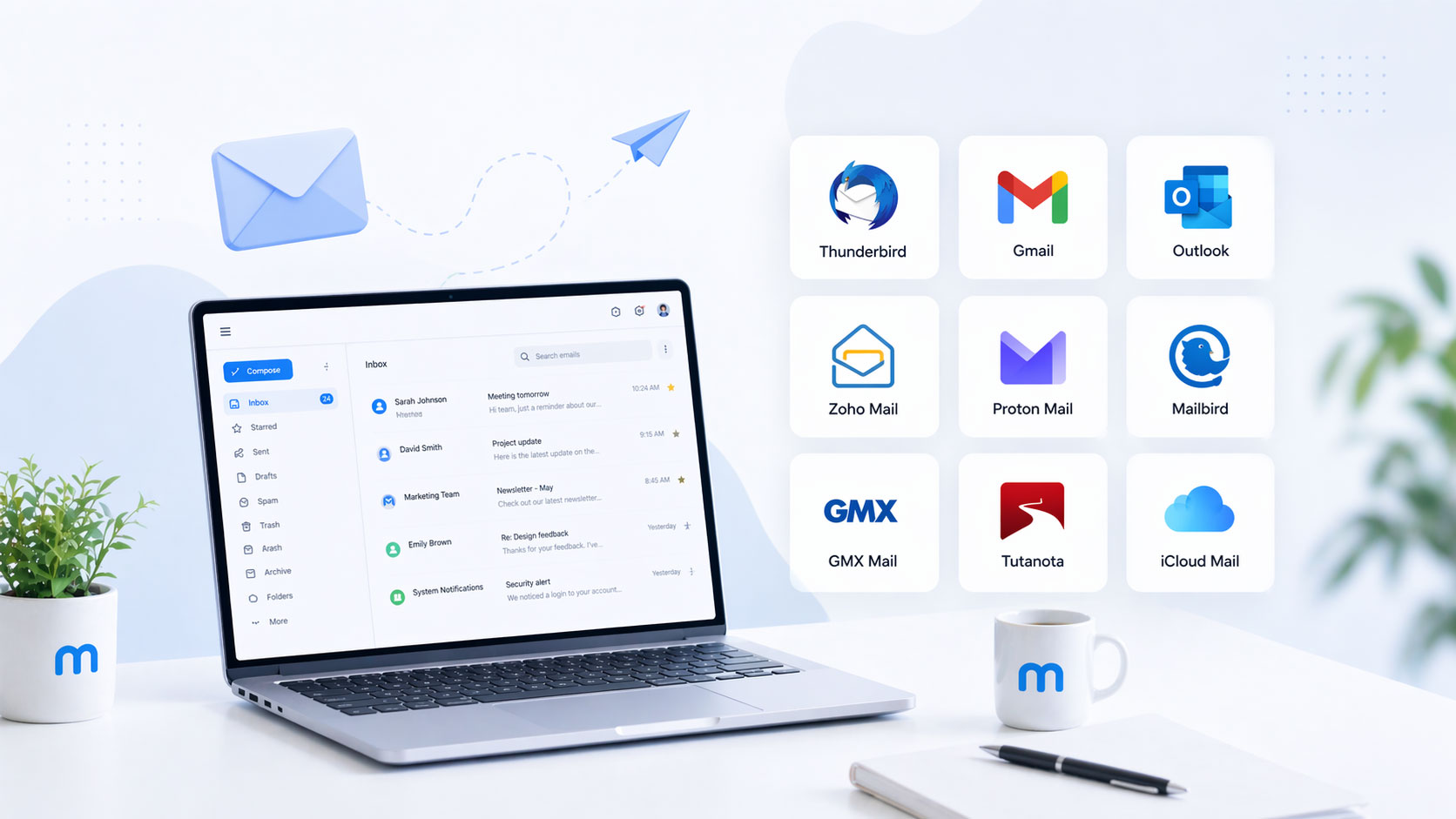
You’re looking for a way to manage your digital conversations efficiently and without breaking the bank. The good news is that a robust email client doesn’t have to cost you a dime. These free tools offer a surprising array of features designed to streamline your workflow, organize your thoughts, and ensure you never miss an important message. You don’t need to settle for the bare minimum; you can access powerful functionalities that enhance your communication.
Before diving into specific recommendations, it’s vital to grasp what an email client does and why choosing the right one matters for your productivity. You interact with your email through a client, which is essentially an application or web interface that connects to your email server. This connection allows you to send, receive, and organize emails. The interface you use significantly impacts how quickly you can process your inbox, find information, and maintain contact with others.
The Role of an Email Client in Your Digital Life
Your email client is more than just a mail checker; it’s a central hub for much of your digital interaction. You likely use it for professional correspondence, personal updates, managing subscriptions, and even as a gateway to other services. A well-chosen client can make this daily engagement a smooth, intuitive experience. Conversely, a clunky or feature-poor client can create a bottleneck, leading to frustration and lost time.
Key Features to Look For
As you evaluate free email clients, consider what functionalities will best serve your needs. Think about the volume of emails you receive, the types of communication you engage in, and your preferred organizational methods. The best free options often strike a balance between comprehensive features and user-friendliness.
Inbox Management Tools
These are the foundational elements of any email client. You’ll want features that help you clear your inbox and keep it organized.
Sorting and Filtering
The ability to automatically sort incoming emails into predefined categories or folders is crucial. Look for clients that offer customizable rules to achieve this. Filtering allows you to quickly find specific emails based on keywords, sender, or date.
Archiving and Deleting
Efficiently moving old, less relevant emails out of your primary inbox is essential for maintaining a clean workspace. Archiving keeps them accessible without cluttering your view, while deletion permanently removes them.
Search Capabilities
A powerful search function can be a lifesaver. You need to be able to locate past communications quickly and accurately, even if you only remember a few keywords.
Communication Enhancements
Beyond basic sending and receiving, effective email clients offer features that improve the quality of your interactions.
Rich Text Formatting
The ability to format your emails with different fonts, colors, and styles can help convey tone and improve readability.
Attachment Management
Seamlessly attaching files and managing incoming attachments is a standard but important feature. Some clients offer more advanced options like cloud storage integration.
Contact Management
A well-organized address book is vital for efficient communication. Your client should make it easy to add, edit, and group contacts.
Platform Availability
Consider where you’ll be using your email client. Will it be primarily on your desktop computer, your mobile device, or both? Many free options offer cross-platform compatibility, ensuring a consistent experience wherever you are.
If you’re looking for the best free email clients to enhance your productivity, you might find it helpful to check out a related article that explores various options available in the market. This article provides insights into features, usability, and performance of different email clients, making it easier for you to choose the right one for your needs. You can read more about it here: Best Free Email Clients.
Mozilla Thunderbird: A Powerful Desktop Companion
For users who prefer a dedicated desktop application, Mozilla Thunderbird stands out as a long-standing champion of free, open-source email management. It offers a wealth of customization options and a robust feature set that can handle even the most demanding inboxes.
Deep Customization and Extensibility
Thunderbird is renowned for its flexibility. You’re not limited to a predefined interface; you can tailor it to your precise workflow.
Add-ons and Extensions
The vast library of add-ons available for Thunderbird is its greatest strength. These enhancements can add functionalities like advanced calendar integration, improved task management, email tracking, and even more sophisticated spam filters. You can truly build the email client you need.
Interface Personalization
From the layout of your message list to the appearance of individual messages, Thunderbird offers extensive control over its visual presentation. This allows you to create an environment that minimizes distraction and maximizes your efficiency.
Robust Security and Privacy Features
Mozilla’s commitment to privacy is evident in Thunderbird’s design. You can be confident that your emails are handled with care.
Built-in Spam Filtering
Thunderbird includes intelligent spam filtering that learns from your actions, improving its accuracy over time. This helps keep your inbox free from unwanted messages without requiring constant manual intervention.
End-to-End Encryption Support
For sensitive communications, Thunderbird supports popular end-to-end encryption methods like Enigmail (though its successor is now integrated), allowing you to protect the content of your messages from prying eyes.
Regular Security Updates
As open-source software, Thunderbird benefits from a community of developers who are constantly working to identify and address security vulnerabilities. You can rely on regular updates to keep your client secure.
Advanced Features for Power Users
Thunderbird isn’t just for basic email; it’s equipped for more complex needs.
Multiple Account Management
Easily manage all your email accounts from different providers within a single, unified interface. This eliminates the need to switch between multiple browser tabs or applications.
Powerful Search and Tagging
Beyond simple keyword searches, Thunderbird offers advanced search operators and a robust tagging system. This allows you to categorize and retrieve emails with remarkable precision, even from massive archives.
Microsoft Outlook (Web Version): Feature-Rich and Accessible

While Outlook is often associated with its paid desktop counterpart, its free web version offers a powerful and familiar experience for many users. It provides a clean interface with excellent integration into the Microsoft ecosystem.
Seamless Integration with Microsoft Services
If you’re already a user of Microsoft 365 applications, Outlook Web provides a natural extension of your workflow.
OneDrive and Cloud Storage Synergy
Easily attach files from your OneDrive cloud storage, and receive links to shared files directly within your inbox. This streamlines document sharing and collaboration.
Calendar and To-Do List Integration
Outlook Web’s integrated calendar and to-do list features allow you to manage your schedule and tasks alongside your emails. You can create events from emails and set reminders for important actions.
User-Friendly Interface and Organization
Microsoft has refined the Outlook interface over the years, making it intuitive and easy to navigate.
Focused Inbox
This intelligent feature automatically separates important emails from less urgent ones, helping you prioritize your attention and avoid being overwhelmed.
Sweep and Rules Functions
Similar to other clients, Outlook Web allows you to create rules to automatically sort, move, or delete emails. The “Sweep” function offers quick actions for tidying up your inbox from specific senders.
Quick Steps
These customizable shortcuts allow you to perform common multi-step actions with a single click. For example, you could create a Quick Step to move an email to a specific folder and mark it as read.
Advanced Security Measures
Microsoft implements strong security protocols to protect your account and your messages.
Robust Spam and Malware Protection
Outlook Web benefits from Microsoft’s extensive security infrastructure, offering effective protection against phishing attempts, spam, and malicious attachments.
Two-Factor Authentication (2FA)
You can bolster your account security by enabling 2FA, which requires a second form of verification beyond your password when logging in.
Gmail: The Dominant Web-Based Powerhouse

Google’s Gmail is by far the most widely used free email service and client, and for good reason. Its minimalist interface, intelligent features, and tight integration with other Google services make it an incredibly efficient tool.
Intelligent Organization and Prioritization
Gmail excels at automatically categorizing your emails, making it easier to manage a high volume of communication.
Primary, Social, Promotions, and Updates Tabs
These automatically generated tabs help sort your inbox into digestible categories. You can train Gmail by dragging and dropping emails to further refine these classifications.
Smart Reply and Smart Compose
These AI-powered features offer quick, contextually relevant response suggestions and auto-complete your sentences as you type. They can significantly speed up your email composition.
Snooze and Scheduled Send
The “Snooze” feature allows you to temporarily hide an email and have it reappear at a time when you’re more likely to address it. “Scheduled Send” lets you compose an email now but send it at a future date and time.
Powerful Search and Labeling System
Gmail’s search engine is legendary, and its labeling system offers a flexible alternative to traditional folders.
Advanced Search Operators
You can use precise search queries to find almost any email, no matter how old, by incorporating keywords, sender, recipient, date ranges, and more.
Customizable Labels
Instead of rigid folders, Gmail uses labels that can be applied to multiple emails. This allows for a more flexible and nuanced organization system. You can also create nested labels for further structure.
Extensive Integration and Extensibility
Gmail’s strength lies not only in its email capabilities but also in its ecosystem.
Google Workspace Integration
Seamlessly work with Google Drive, Google Docs, Sheets, and Slides. You can attach files from Drive, create new documents directly from Gmail, and collaborate on shared content.
Gmail Add-ons
Similar to Thunderbird’s add-ons, Gmail offers a growing marketplace of add-ons that extend its functionality. These can include CRM integrations, project management tools, and more.
Third-Party App Connections
Gmail connects with a vast array of third-party applications, allowing you to manage tasks, scheduling, and other aspects of your workflow directly from your inbox.
If you’re exploring the best free email clients to enhance your communication experience, you might find it useful to read about effective design principles that can be applied in various contexts. A related article that discusses the importance of structured approaches is available at The Moist Principle for GraphQL Schema Design. This piece delves into how thoughtful design can lead to better functionality, which is a concept that resonates well with selecting the right tools for your email needs.
Apple Mail: The Integrated Choice for macOS and iOS Users
| Email Client | Platform | Storage | Attachment Limit | Security Features |
|---|---|---|---|---|
| Gmail | Web, Android, iOS | 15 GB | 25 MB | Two-factor authentication, spam filtering |
| Outlook | Web, Windows, Mac, Android, iOS | 15 GB | 20 MB | Advanced threat protection, encryption |
| Thunderbird | Windows, Mac, Linux | Depends on email provider | Depends on email provider | OpenPGP encryption, phishing protection |
If you are within the Apple ecosystem, Apple Mail offers a beautifully designed and tightly integrated email experience across your devices. It strikes a balance between simplicity and powerful features.
Polished Interface and User Experience
Apple is known for its intuitive design, and Mail is no exception. It provides a clean workspace that’s easy on the eyes and simple to navigate.
Unified Inbox
As with other clients, Apple Mail consolidates all your email accounts into a single stream, allowing for efficient management of multiple inboxes.
Smart Mailboxes
These are dynamic folders that automatically gather messages based on criteria you define. For example, you could create a Smart Mailbox for all emails from a specific sender or those containing attachments.
Effective Organization and Productivity Tools
While outwardly simple, Apple Mail offers robust features for managing your email effectively.
VIP Senders
Designate important contacts as VIPs, and all their emails will be grouped together, ensuring you don’t miss critical communications.
Markup and Signatures
You can directly annotate emails with text, drawings, and shapes using the Markup feature. Personalized signatures can be easily managed for different accounts.
Attachment Previews
Quickly preview attachments without needing to download them, saving time and conserving bandwidth.
Strong Security and Privacy Focus
Apple’s commitment to user privacy extends to its Mail application.
Mail Privacy Protection
This feature helps prevent email senders from tracking your email activity. It masks your IP address and hides when you open their emails.
Built-in Spam Filtering
Apple Mail employs effective spam filtering to keep your inbox clean. It learns from your actions to improve its accuracy over time.
If you’re exploring the best free email clients to enhance your productivity, you might find it useful to consider how systematic processes can improve your overall workflow. A related article discusses the three phases of systematic process improvement, providing a practical framework that can help you streamline your tasks. You can read more about it here. This approach can complement your choice of email client by ensuring that you manage your communications more effectively.
Zoho Mail: A Business-Oriented Free Option
For individuals or small teams looking for a professional email experience without the cost, Zoho Mail offers a compelling free tier. It prioritizes business-grade features and a clean, professional interface.
Professional Branding and Domain Support
Zoho Mail allows you to use your own domain name for your email address, providing a more professional image than generic free email services.
Custom Domain Emails
You can set up email addresses like [email protected], which is crucial for business credibility.
Branded Interface Options
While the free tier is limited, Zoho Mail offers a more professional interface compared to some consumer-focused free clients.
Comprehensive Business Features
Zoho Mail is built with productivity and collaboration in mind.
Integrated Calendar and Tasks
Manage your schedule and to-do lists directly within the Zoho Mail interface. This creates a centralized hub for your daily work.
Notes and Streams
The “Notes” feature allows you to jot down quick thoughts, while “Streams” offers a collaboration environment for team discussions, akin to a lightweight internal messaging system.
Offline Access
You can configure Zoho Mail for offline access, allowing you to continue working on your emails even when you don’t have an internet connection.
Security and Reliability
Zoho emphasizes security and uptime for its users.
Data Encryption
Zoho Mail employs encryption to protect your data both in transit and at rest.
Regular Backups
Your data is regularly backed up, providing an extra layer of security against data loss.
Choosing the right free email client depends entirely on your individual needs and preferences. Whether you prioritize deep customization, seamless integration with existing services, a minimalist interface, or professional branding, there is a powerful and free option available for you. Experiment with a few to see which one best fits your workflow and helps you communicate more efficiently.
FAQs
What are email clients?
Email clients are software applications that allow users to send, receive, and manage their email messages. They provide a user-friendly interface for accessing and organizing emails from various accounts.
What are the best free email clients available?
Some of the best free email clients available include Mozilla Thunderbird, Microsoft Outlook, Apple Mail, and eM Client. These clients offer a range of features such as email organization, calendar integration, and customizable settings.
What features should I look for in a free email client?
When choosing a free email client, it’s important to look for features such as a user-friendly interface, strong security measures, customizable settings, integration with other applications (such as calendars and contacts), and reliable customer support.
Are free email clients secure to use?
Free email clients can be secure to use if they offer strong encryption methods, two-factor authentication, and regular updates to address security vulnerabilities. It’s important to choose a reputable email client and follow best practices for email security.
Can I use a free email client for business purposes?
Yes, many free email clients offer features that are suitable for business use, such as the ability to manage multiple email accounts, organize emails into folders, and integrate with calendar and scheduling tools. However, it’s important to review the terms of use to ensure compliance with business regulations and data privacy laws.
