


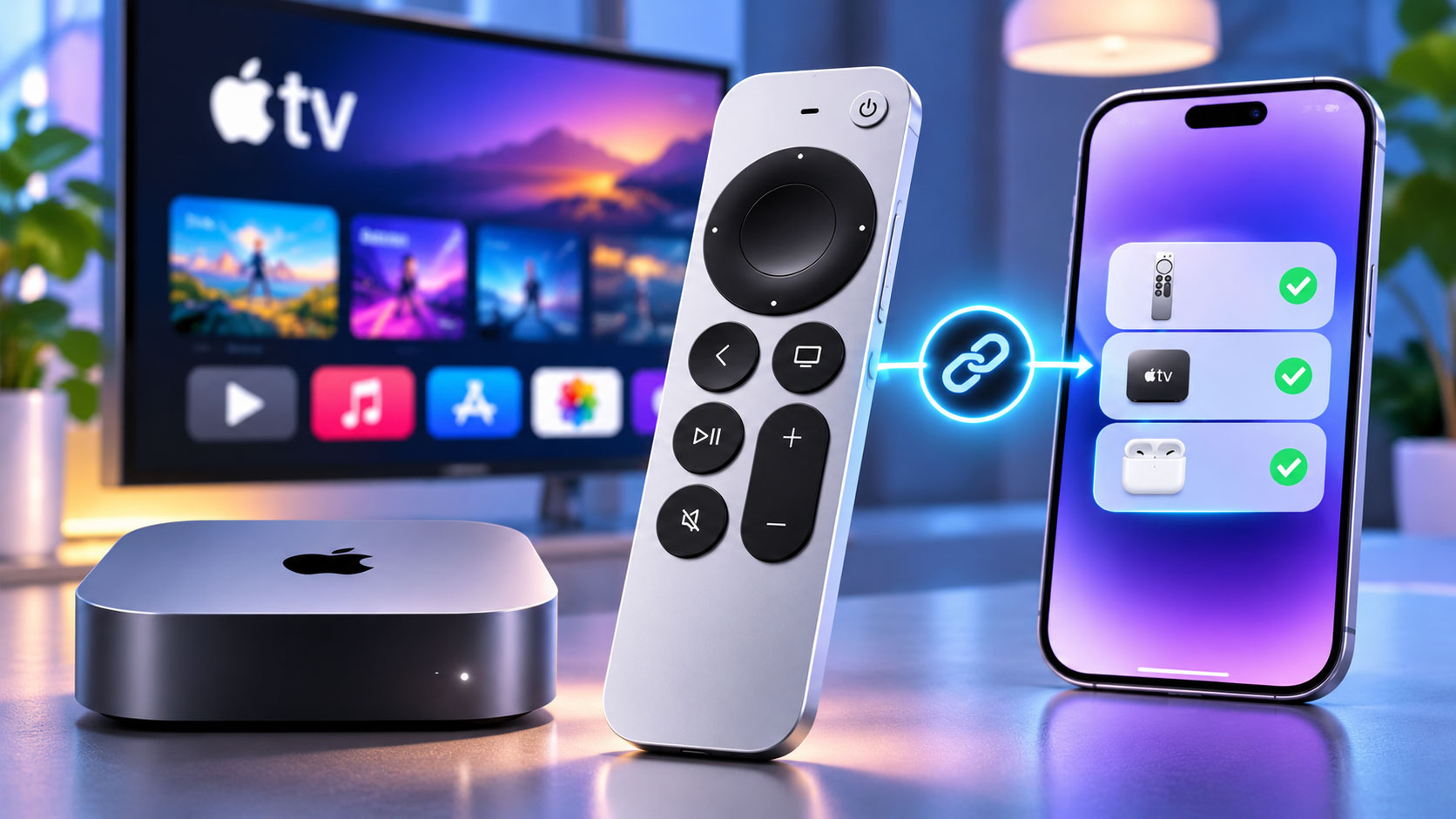
The Remote’s Hidden Gem: A Deep Dive into Precision Tracking
You’ve just unboxed your shiny new Apple TV 4K, eager to dive into your favorite shows and movies. Among the familiar sleek design and promise of stunning visuals, you’ll find the redesigned Siri Remote. It’s a significant improvement over its often-maligned predecessor, offering a more tactile experience, a dedicated power button, and a much-appreciated mute button. The click wheel is a triumph, providing intuitive navigation and precise scrubbing through content. Yet, there’s a feature lurking within this seemingly straightforward remote that elevates the user experience to an entirely new level, a feature that, unfortunately, requires you to own one of the latest iPhone models to truly unlock its full potential.
This isn’t about mere convenience; it’s about a paradigm shift in how you interact with your television. Imagine being able to fine-tune your TV’s picture and sound settings with a level of accuracy previously reserved for professional calibrators, all from the comfort of your couch. That’s precisely what this feature, known as “Color Balance,” offers. It leverages the advanced sensors of your iPhone to analyze and adjust your TV’s output, ensuring that you’re seeing content as the creators intended. But why is this so significant, and why is it tied to the latest iPhone models?
The traditional method of calibrating a TV involves specialized equipment, often costing hundreds or even thousands of dollars, and a considerable amount of technical know-how. Most consumers simply plug in their TV and accept the default settings, which are often oversaturated or inaccurate to make the TV stand out on a showroom floor. This means you’re likely not experiencing the true visual fidelity of your 4K HDR content. Apple’s Color Balance feature aims to democratize this process, making professional-grade calibration accessible to anyone with a compatible iPhone and an Apple TV 4K.
The core of this feature lies in the iPhone’s front-facing camera and its advanced light sensors. When you initiate the Color Balance process through your Apple TV, your TV displays a series of color patches. Your iPhone, held up to the TV screen, measures these colors, analyzes the discrepancies between what the TV is outputting and what it should be outputting according to industry standards, and then sends corrective data back to the Apple TV. The Apple TV then adjusts your TV’s picture settings – specifically color temperature, gamma, and color gamut – to achieve a more accurate and natural representation of colors. This process is remarkably quick and entirely automated, transforming a complex task into a simple, guided experience.
The Science Behind the Magic: iPhone Sensors at Work
You might wonder how your iPhone, a device primarily designed for communication and entertainment, can perform such a sophisticated calibration. The answer lies in the continuous advancements in smartphone camera technology and sensor integration. Modern iPhones, particularly the models released in recent years, feature highly sensitive ambient light sensors and advanced image processing capabilities. These aren’t just for adjusting screen brightness; they’re precise instruments capable of measuring light intensity and color temperature with remarkable accuracy.
When you hold your iPhone up to the TV screen during the Color Balance process, the front-facing camera and its associated sensors are actively engaged. They are not simply taking a photo; they are performing a detailed spectral analysis of the light emitted by your TV. This involves breaking down the light into its constituent colors and measuring their intensity. The iPhone’s powerful A-series chip then processes this data, comparing it against known color standards and the target color profile for your Apple TV. The intelligence isn’t just in the measurement; it’s in the real-time computation and the ability to translate those measurements into actionable adjustments for your TV. It’s a testament to the idea that the most powerful tools are often those that seamlessly integrate into our daily lives, making complex tasks feel effortless.
Why Latest iPhone Models are Crucial
You’re probably thinking, “Can’t any iPhone do this?” Unfortunately, no. The precision required for accurate color calibration demands specific hardware capabilities that are primarily found in newer iPhone models. Older iPhones might have cameras, but their sensors may not be sensitive enough or accurate enough for the demanding task of measuring subtle color variations.
Specifically, the advanced ambient light sensors found in recent iPhone models, combined with their improved image signal processors (ISPs), are key. These components work in tandem to provide the granular data needed for a successful calibration. Earlier models simply lack the sophistication in their sensor array and processing power to achieve the necessary level of accuracy. Think of it like trying to perform intricate surgery with a blunt instrument; while you might get some results, the precision and safety just aren’t there. Apple has carefully designed this feature to leverage the best available technology, ensuring that the calibration results are genuinely beneficial and not just a superficial adjustment. This focus on accuracy is why the feature is limited to certain iPhone models, ensuring a consistent and high-quality user experience.
The new Apple TV 4K remote boasts an impressive feature that enhances user experience, but it requires a newer iPhone model to fully utilize its capabilities. For those interested in the intersection of technology and healthcare, a related article discusses the integration of bio-tech in gene sequencing and personalized medicine, which showcases how advanced technology is transforming various fields. You can read more about it in this insightful piece: Bio-Tech Integration in Gene Sequencing and Personalized Medicine.
Unlocking True Visual Fidelity: Beyond Default Settings

You’ve spent good money on a 4K HDR TV, and you expect it to deliver stunning visuals. But what if you’re not seeing everything it’s capable of? The reality is, most TVs come with factory default settings that are optimized for bright showroom floors, not for your living room. These settings often prioritize vibrancy and brightness over accuracy, leading to colors that are oversaturated, whites that are too blue, and shadows that lack detail. This means you’re missing out on the true artistic intent of filmmakers and content creators.
This is where the Apple TV 4K Remote’s Color Balance feature, powered by your latest iPhone, steps in. It’s not about making your TV look “better” in a subjective sense; it’s about making it look accurate. By calibrating your TV, you’re ensuring that the colors you see on screen are as close as possible to the reference standards used in content creation. This translates to a more natural, realistic, and ultimately, more immersive viewing experience. Imagine a scene with a sunset: without proper calibration, the oranges and reds might be artificially pumped up, losing the subtle gradations of light. With calibration, you’ll see the full spectrum of those colors, just as the cinematographer intended.
The Impact on HDR and Dolby Vision Content
You know that buzz about HDR and Dolby Vision? It promises incredible contrast, vibrant colors, and brighter highlights. But to truly experience these benefits, your TV needs to be accurately displaying the content. Without proper calibration, the expanded color gamut and dynamic range of HDR and Dolby Vision can be undermined. Colors might still be off, and the impressive contrast ratios might not be fully realized.
The Color Balance feature is particularly beneficial for these advanced formats. HDR and Dolby Vision rely on precise color reproduction and luminance mapping to create their stunning effects. By adjusting your TV’s color temperature and gamma, the Apple TV, with your iPhone’s assistance, ensures that your TV is correctly interpreting and displaying the metadata embedded in HDR and Dolby Vision content. This means you’ll see those brilliant highlights without crushing details in the shadows, and colors will pop with accuracy, not just saturation. It transforms your viewing from merely “watching” to “experiencing” in a way that truly leverages the capabilities of your high-end display. You’ll finally see what all the hype about HDR is really about.
Enhanced Gaming and General Content Consumption
While the primary benefit is often discussed in terms of movies and TV shows, the impact extends to gaming and all other forms of content consumption. If you’re a gamer, accurate colors and proper contrast can significantly enhance your experience. Imagine a dark horror game where the subtle details in shadows are crucial for spotting enemies or clues; a calibrated TV will reveal those details rather than crushing them into an indistinguishable black blob. Vibrant game worlds will appear richer and more realistic, enhancing immersion.
Beyond entertainment, even casual browsing or viewing photos on your TV will benefit from accurate color reproduction. Your memories, captured on your iPhone, will be displayed with faithful colors on your big screen. This isn’t a niche feature; it’s a fundamental improvement to the entire visual output of your TV when paired with the Apple TV. You’re not just improving one aspect; you’re elevating the entire visual foundation upon which all your content rests. It’s a subtle but profound change that makes a noticeable difference across the board.
The Ease of Professional-Grade Calibration, Minus the Hassle

You might have heard about TV calibration before and dismissed it as something only for enthusiasts with expensive equipment. And for good reason – traditional calibration is a complex, time-consuming process that often requires specialized knowledge and tools. But Apple has a knack for taking complex technologies and making them accessible, and the Color Balance feature is a prime example of this.
Instead of needing a spectroradiometer or a colorimeter, and delving into arcane settings menus, you simply need your Apple TV 4K, its new remote, and a compatible iPhone. The entire process is guided step-by-step through the Apple TV interface. You hold your iPhone to the screen, and the magic happens. There’s no guesswork, no complicated charts to interpret, and no need to understand gamma curves or color spaces. It’s entirely automated, making professional-grade calibration a matter of minutes, not hours.
A Seamless User Experience: Typical Apple Fashion
You’ve come to expect a certain level of polish and simplicity from Apple products, and the Color Balance feature doesn’t disappoint. The process is initiated directly from the Apple TV settings menu. You navigate to “Video and Audio” and select “Color Balance.” The on-screen instructions are clear and concise, guiding you through each step. You’ll be prompted to hold your iPhone’s front camera facing the TV screen within a designated area.
The Apple TV then takes over, displaying a series of full-screen color swatches – white, red, green, blue, and various shades in between. As these colors flash, your iPhone’s sensors are diligently working, measuring the light output. You’ll see real-time feedback on your TV indicating that the measurements are being taken. Once complete, the Apple TV analyzes the data and applies the necessary adjustments to your TV’s picture settings. It’s a remarkably fluid and intuitive process, a testament to Apple’s design philosophy of making powerful technology approachable for everyone. You don’t need to be a tech expert; you just need to follow the prompts.
Before and After: A Noticeable Difference
You might be skeptical, thinking, “Can a phone really make that much of a difference?” The answer is a resounding yes. The impact of Color Balance is often immediately noticeable, especially if your TV’s default settings were significantly off. You’ll likely observe a more neutral white balance, meaning whites will appear pure white instead of having a blue or yellow tint. Skin tones will look more natural and lifelike, rather than overly orange or pink. The overall image will appear more balanced and less artificial.
Apple provides a convenient “Before and After” option, allowing you to quickly toggle between your TV’s original settings and the newly calibrated settings. This side-by-side comparison truly highlights the improvements, reinforcing the value of the feature. You’ll see how details in bright and dark areas become more pronounced, and how colors gain a subtle but significant level of accuracy. It’s a subtle refinement that transforms your viewing experience from good to truly excellent, all without any specialized tools or expertise on your part.
The Cost of Innovation: Why a Latest iPhone is Essential
You might feel a pang of frustration if you don’t own one of the latest iPhone models, wondering why this incredible feature is locked behind a hardware requirement. It’s a fair question. Apple’s decision to tie this feature to newer iPhones isn’t about arbitrary exclusion; it’s about leveraging cutting-edge sensor technology and processing power that simply isn’t present in older devices.
Think of it this way: to accurately measure and correct color, the iPhone needs highly sensitive and precise light sensors. These aren’t just your run-of-the-mill selfie camera components. They are engineered to detect subtle variations in light intensity and color temperature with a degree of accuracy required for calibration. As camera technology and sensor arrays advance with each iPhone generation, so does their capability to perform increasingly sophisticated tasks. The latest iPhones integrate these advanced sensors, along with more powerful image signal processors (ISPs), which are crucial for real-time analysis and computation of color data.
Beyond the Camera: Integrated Sensor Suites
You might initially think it’s just about the camera, but it’s more than that. Modern iPhones contain an intricate suite of sensors, including ambient light sensors that go beyond simple brightness detection. These sensors, combined with the computational power of the A-series chip, are what enable the iPhone to act as a sophisticated colorimeter. The integration of these sensors and the optimization of Apple’s software stack means that the iPhone isn’t just taking a picture of your TV; it’s performing a scientific measurement.
Older iPhones, while perfectly capable for their intended functions, simply don’t possess the same level of sensor precision or the raw processing power needed for this particular application. Attempting to implement Color Balance on older hardware would likely lead to inaccurate results, potentially making your TV’s picture worse rather than better. Apple’s approach ensures that when you use this feature, you’re getting a genuinely beneficial and accurate calibration. It’s a strategic decision to maintain a high standard of quality and effectiveness for the feature.
A Forward-Looking Feature: Future-Proofing Your Entertainment
You’re investing in an Apple TV 4K, a device designed to deliver premium entertainment for years to come. By integrating features that leverage the capabilities of the latest iPhones, Apple is essentially future-proofing your entertainment experience. As iPhone technology continues to evolve, it’s plausible that even more sophisticated calibration and display optimization features could emerge.
This approach encourages users to adopt newer iPhone models, not just for communication or photography, but as an integral part of their smart home and entertainment ecosystem. It creates a synergistic relationship between Apple’s various hardware platforms, where each device enhances the capabilities of the others. So, while it might feel like a limitation now, it’s also a glimpse into a future where our portable devices become increasingly powerful tools for optimizing our home entertainment setups, offering convenience and precision previously unattainable. You’re not just buying a remote; you’re buying into an ecosystem that constantly strives to improve your overall experience.
The New Apple TV 4K remote has garnered attention for its innovative features, but one standout aspect is its compatibility with newer iPhone models, which enhances the user experience significantly. For those interested in exploring how technology can unify various platforms, a related article discusses the benefits of data virtualization in modern enterprises. You can read more about it in this insightful piece on data virtualization. This connection between devices and data management highlights the importance of staying updated with the latest technology trends.
The Broader Implications: Apple’s Ecosystem Strategy
| Feature | Description | Requirement | Compatibility | Benefit |
|---|---|---|---|---|
| Precision Touchpad | Improved touch surface for easier navigation | None | All Apple TV 4K models | Smoother and more accurate control |
| Find My Integration | Use iPhone to locate the remote | iPhone with U1 chip (iPhone 11 or newer) | iPhone 11 and later models | Quickly find misplaced remote using iPhone |
| Rechargeable Battery | Built-in battery with USB-C charging | None | All Apple TV 4K models | Convenient and eco-friendly charging |
| Power Button | Controls TV power directly | TV must support HDMI-CEC | Most modern TVs | One remote controls both TV and Apple TV |
You’ve seen how a seemingly simple remote feature, powered by a specific iPhone model, can dramatically improve your TV’s picture quality. But this is more than just a convenient calibration tool; it’s a prime example of Apple’s broader ecosystem strategy at play. By creating features that seamlessly integrate across its devices, Apple strengthens the appeal and utility of its entire product line.
The Color Balance feature isn’t just about the Apple TV or the iPhone; it’s about making the Apple ecosystem more valuable as a whole. If you own an Apple TV and a compatible iPhone, you unlock a superior viewing experience that competitors struggle to match without specialized, often expensive, third-party solutions. This kind of synergistic functionality is a powerful incentive for users to remain within the Apple ecosystem or even to migrate to it.
A Differentiator in a Crowded Market
You know the streaming device market is fiercely competitive. From Roku to Fire TV to Google TV, there are numerous options available. Each platform offers access to similar content, but where Apple often differentiates itself is through unique features and a polished user experience. Color Balance is one such differentiator. It’s a compelling reason to choose an Apple TV 4K over other streaming boxes, especially if you’re already an iPhone user.
No other major streaming device offers this level of integrated, automated color calibration using a consumer device. This sets the Apple TV apart, providing a tangible benefit that directly impacts the quality of your viewing experience. You’re not just buying another box to stream content; you’re buying a device that actively works to optimize the output of your entire home entertainment system. This kind of value proposition is hard for competitors to replicate without similarly advanced and widely adopted mobile hardware.
The Future of Smart Home Integration
You’re seeing the early stages of deeper integration between our mobile devices and our home entertainment systems. Imagine a future where your iPhone can not only calibrate your TV’s colors but also intelligently adjust audio profiles based on your room’s acoustics, or even optimize your Wi-Fi settings for streaming performance. The advanced sensors and computational power of the iPhone make it a versatile tool for managing and optimizing various aspects of your smart home.
The Color Balance feature is a clear signal of Apple’s intent to leverage its mobile devices as intelligent hubs for home optimization. It’s a move that transcends simple remote control functionality, transforming your iPhone into a powerful instrument for enhancing your living space. This strategic direction not only adds value to existing Apple products but also lays the groundwork for future innovations in smart home integration, making your Apple devices even more indispensable to your daily life. You’re not just observing a feature; you’re witnessing a strategic move in the ongoing evolution of the connected home, with your iPhone at its very center.
FAQs
What is the best feature of the new Apple TV 4K remote?
The best feature of the new Apple TV 4K remote is its ability to use the iPhone as a remote control, which allows for more intuitive navigation and control over the Apple TV experience.
Which iPhone models are compatible with the new Apple TV 4K remote feature?
The feature that allows the iPhone to function as a remote control for the Apple TV 4K requires a newer iPhone model, specifically the iPhone 8 and later models, which support the necessary software and hardware capabilities.
How does the iPhone enhance the functionality of the Apple TV 4K remote?
The iPhone enhances the functionality of the Apple TV 4K remote by providing a touchscreen interface, voice control through Siri, and the ability to easily input text and search content, making the overall user experience more seamless and efficient.
Is the new Apple TV 4K remote compatible with older iPhone models?
No, the new Apple TV 4K remote’s feature that utilizes the iPhone as a remote control is not compatible with older iPhone models, such as the iPhone 7 and earlier, due to hardware limitations and lack of support for the required software features.
What other features does the new Apple TV 4K remote offer?
In addition to the iPhone integration, the new Apple TV 4K remote features a redesigned layout with a touch-enabled clickpad, dedicated buttons for Siri and power, and improved battery life, enhancing the overall user experience when navigating the Apple TV interface.
