


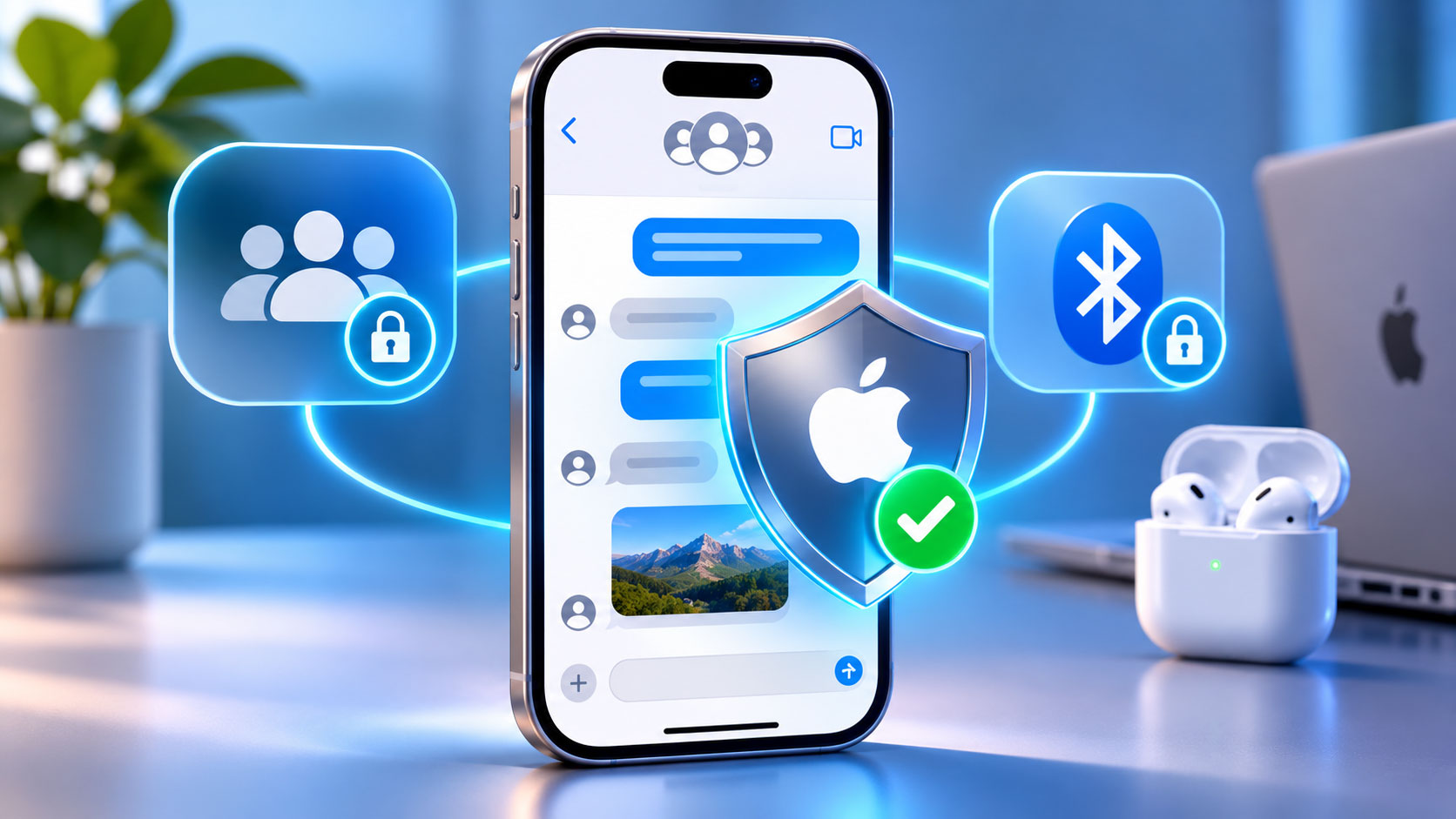
Addressing Critical Security Vulnerabilities
You’re likely an Apple user, and if you are, you’ve probably grown accustomed to a certain level of security and privacy with your devices. Apple consistently touts its commitment to these principles, and for the most part, they deliver. However, no system is impenetrable, and even the most meticulously designed software can harbor vulnerabilities waiting to be discovered. Recently, Apple released crucial patches to address significant security flaws that could have profoundly impacted your privacy and the integrity of your device usage. These aren’t minor glitches; they involve vulnerabilities that could have allowed malicious actors to access sensitive information or even take control of certain device functionalities without your explicit permission. Understanding the nature of these flaws, particularly those affecting iMessage group chats and Bluetooth pairing, is paramount to appreciating the importance of these recent updates and why you should ensure your devices are always running the latest software. This isn’t just about preventing a hypothetical attack; it’s about safeguarding your digital life in an increasingly interconnected and often perilous online world. You’re entrusting your communications, your personal data, and your device’s functionality to a complex system, and when weaknesses are exposed, a swift and comprehensive response is essential to maintain that trust and protect you from potential harm.
The iMessage Group Chat Vulnerability
You rely on iMessage for seamless communication with friends, family, and colleagues. Its end-to-end encryption is a major selling point, promising that only you and the intended recipient can read your messages. However, a recently discovered vulnerability in how iMessage handled group chats posed a serious threat to this promise. Imagine thinking your group conversations are private, only for a sophisticated attacker to potentially gain access to the content without your knowledge. This flaw wasn’t about breaking the core encryption itself, but rather exploiting a weakness in how messages were processed and validated within a group context.
Understanding the Group Chat Exploit
The specifics of the iMessage group chat vulnerability are complex, but you can understand the core concept. It revolved around a weakness in how iMessage handled certain types of maliciously crafted messages sent within a group. An attacker could potentially send a specially designed message that, instead of being displayed as a normal text, could trigger a buffer overflow or some other memory corruption issue on the receiving device. This isn’t about simply sending a bad link; it’s about exploiting fundamental programming errors that could allow an attacker to execute arbitrary code on your iPhone, iPad, or Mac without any interaction from you. The beauty of this exploit, from an attacker’s perspective, and its terrifying implication for you, is its potential for a “zero-click” attack. This means you wouldn’t need to click on a suspicious link, open an attachment, or even acknowledge a prompt. Simply receiving the malicious message in an iMessage group chat could be enough for your device to be compromised.
Implications for Your Privacy
The potential implications of such a vulnerability for your privacy are staggering. If an attacker could execute arbitrary code on your device, they could potentially:
- Read your messages: This extends beyond the compromised group chat. They could access all your iMessages, SMS, and even other messaging apps if they gain sufficient control.
- Access your photos and videos: Your personal media library could become an open book.
- Steal your contacts: Your entire address book, containing sensitive information about your network, could be exfiltrated.
- Monitor your location: Your movements could be tracked without your consent.
- Install additional malware: The initial exploit could be a gateway for further, more persistent surveillance or data theft.
Essentially, a successful exploitation of this vulnerability could have given an attacker a significant foothold into your digital life, compromising a vast array of your personal data and communications. The trust you place in end-to-end encryption would be undermined, and the privacy you expect from your Apple devices would be severely eroded. This is why Apple’s swift action to patch this vulnerability is so critical; it directly addresses a potential avenue for widespread privacy breaches.
In light of recent developments regarding Apple’s security measures, particularly the patches addressing iMessage group chat privacy flaws and Bluetooth pairing vulnerabilities, it is essential to consider the broader implications of technology on user experience. For instance, an insightful article titled “The Psychology of FOMO: Creating Can’t-Miss Moments in Experiential Marketing” explores how emotional triggers can influence consumer behavior in the digital age. Understanding these psychological aspects can help users navigate the complexities of privacy and security in their interactions. You can read more about this topic in the article here: The Psychology of FOMO.
Remedying Bluetooth Pairing Weaknesses

Beyond iMessage, another critical area of concern addressed by Apple’s recent patches involved vulnerabilities in Bluetooth pairing. While perhaps not as immediately dramatic as a zero-click iMessage exploit, weaknesses in Bluetooth pairing can still pose significant risks to your device security and data integrity. You often connect your iPhone to a multitude of Bluetooth devices – AirPods, smartwatches, car systems, smart home devices, and more. This ubiquitous connectivity, while convenient, introduces a complex attack surface that needs to be rigorously secured. The very process of connecting two devices wirelessly, often without explicit confirmation beyond the initial pairing, needs to be robust against manipulation.
The Bluetooth Pairing Flaws
The specific Bluetooth vulnerabilities addressed by Apple centered around weaknesses in the pairing process itself. You might not think much about what goes on under the hood when you connect your new AirPods, but a sophisticated cryptographic handshake and key exchange occurs to establish a secure, encrypted connection. The discovered flaws, however, could have potentially allowed an attacker to interfere with this process or exploit weaknesses in how temporary keys were generated or validated. This could manifest in several ways, each with its own set of potential dangers.
Man-in-the-Middle Attacks
One of the most concerning scenarios enabled by Bluetooth pairing vulnerabilities is the potential for a “man-in-the-middle” (MitM) attack. Imagine you’re trying to pair your iPhone with a trusted device, say your car’s infotainment system. A malicious actor, exploiting a flaw in the Bluetooth pairing protocol, could position themselves between your iPhone and the car. They could intercept the initial pairing handshake, impersonate both devices, and establish separate, compromised connections with each. From your iPhone’s perspective, you’re connected to your car. From your car’s perspective, it’s connected to your iPhone. In reality, all your Bluetooth traffic – audio, contacts syncing, location data (if permitted by the car) – is flowing through the attacker’s device, where it can be intercepted, read, or even modified.
This kind of attack is particularly insidious because it’s often invisible to the user. You would experience normal functionality, oblivious to the fact that your private communications and data are being siphoned off by an unseen adversary. The integrity of your Bluetooth connection, which you implicitly trust, would be completely undermined.
Impersonation and Session Hijacking
Beyond MitM attacks, other Bluetooth vulnerabilities could have allowed for impersonation or session hijacking. If an attacker could exploit weaknesses in how your device authenticates Bluetooth connections, they might be able to:
- Impersonate a trusted device: An attacker could pretend to be your trusted smartwatch or headphones, tricking your iPhone into connecting with their malicious device instead. Once connected, they could potentially inject commands, steal data, or simply eavesdrop on your device’s activities.
- Hijack an existing session: If an attacker could exploit flaws in how Bluetooth sessions are maintained, they might be able to take over an already established, legitimate connection. This means that even if you initially paired securely, a vulnerability could allow an attacker to later step in and control the connection, potentially streaming their own audio to your headphones or accessing data being exchanged.
The common thread here is the subversion of trust in the Bluetooth connection. You assume that when your devices pair, they establish a secure, private channel. These vulnerabilities challenged that fundamental assumption, opening the door for various forms of espionage and malicious control.
Why Bluetooth Security Matters
You might think of Bluetooth as just for playing music or taking calls, but its importance in the broader security landscape of your devices is significant. Many critical functions rely on it, and its compromise can have far-reaching effects.
- Data Exfiltration: Beyond audio, Bluetooth is used to transfer files, contacts, and other sensitive data between devices. A compromised connection means this data is at risk.
- Device Control: For devices like smartwatches or health monitors, Bluetooth connections often carry commands and sensitive biometric data. A vulnerability could allow an attacker to manipulate these devices or access their collected data.
- Entry Point to Your Device: For sophisticated attackers, a Bluetooth vulnerability could be a stepping stone. Gaining control over a Bluetooth connection might allow them to inject further exploits, potentially gaining deeper access to your operating system or installed applications.
- Location Tracking: Many devices use Bluetooth Low Energy (BLE) beacons for indoor positioning and tracking. If an attacker can manipulate or impersonate these, they could potentially track your movements or gather information about your environment.
Therefore, addressing these Bluetooth pairing flaws isn’t just about preventing minor inconveniences; it’s about shoring up a critical communication channel that could otherwise be leveraged for significant privacy invasions and security breaches. You rely on these connections daily, and their underlying security needs to be unimpeachable.
Apple’s Response and the Patching Process

When significant vulnerabilities are discovered, especially those with the potential for zero-click exploits or widespread impact, Apple’s response is typically swift and comprehensive. You’ve come to expect this from a company that prides itself on security. The recent patches for the iMessage and Bluetooth flaws are a testament to this commitment, demonstrating a rapid turnaround from discovery to deployment. However, understanding the process behind these patches and what you need to do is crucial. It’s not enough for Apple to release a fix; you, the user, play a vital role in ensuring your own protection.
The Role of Security Researchers
It’s important to acknowledge that Apple doesn’t discover all these vulnerabilities internally. A significant portion, especially the more complex and critical ones, are often found and reported by independent security researchers and ethical hackers. These individuals and teams dedicate their expertise to finding flaws, often through bug bounty programs, and responsibly disclosing them to vendors like Apple. This collaborative effort is a cornerstone of modern cybersecurity. For instance, the iMessage group chat vulnerability was reportedly discovered and disclosed by a reputable research firm, allowing Apple to work on a fix before it could be widely exploited by malicious actors. Without the tireless work of these researchers, you might remain unknowingly vulnerable for much longer.
How Patches Are Delivered
Apple delivers security patches primarily through software updates to its operating systems: iOS, iPadOS, watchOS, macOS, and tvOS. When a critical vulnerability is identified, Apple prioritizes the development and testing of a fix. This typically involves:
- Developing the Fix: Engineers identify the root cause of the vulnerability and write code to correct it, preventing the exploit from functioning.
- Extensive Testing: The fix undergoes rigorous internal testing to ensure it effectively addresses the vulnerability without introducing new bugs or negatively impacting system stability and performance. This is a crucial step; a poorly tested patch could create more problems than it solves.
- Rapid Deployment: Once confident in the fix, Apple pushes out an update. For critical vulnerabilities, these might be released as point updates (e.g., iOS 17.1.1) rather than waiting for the next major OS release.
For you, the user, this means that simply updating your device to the latest version of its operating system is the most effective way to apply these critical security patches. Apple designs its update process to be as seamless as possible, but it still requires your action.
Your Responsibility: Updating Your Devices
You are the final line of defense. Apple can build the most secure operating system in the world and release timely patches, but if you don’t install them, you remain vulnerable. Here’s why keeping your devices updated is so critical:
- Immediate Protection: Updates contain fixes for known vulnerabilities. By installing them, you immediately close the doors that attackers might exploit.
- Cumulative Security: Each update builds upon the last, incorporating previous fixes and adding new security enhancements. Falling behind means missing out on multiple layers of protection.
- Preventing Exploitation: Once a vulnerability is publicly known and patched, malicious actors often reverse-engineer the patch to understand the flaw. They then try to exploit users who haven’t updated their devices. This is often referred to as “N-day” exploitation (referring to the number of days after a patch is released).
You should make it a habit to regularly check for and install software updates on all your Apple devices. While automatic updates can be convenient, it’s always good practice to manually verify occasionally. Navigate to Settings > General > Software Update on your iPhone/iPad, or System Settings > General > Software Update on your Mac. Don’t delay; these updates are your shield against evolving threats.
Broader Implications for Digital Security
The discovery and subsequent patching of these iMessage and Bluetooth vulnerabilities extend beyond the immediate fixes for your Apple devices. They highlight crucial broader implications for digital security, reminding you that constant vigilance and a proactive approach are essential in an ever-evolving threat landscape. You live in a world where your digital footprint is vast, and every interaction, every device, and every piece of software you use contributes to your overall security posture.
The Zero-Click Threat
The iMessage group chat vulnerability particularly underscores the terrifying reality of “zero-click” exploits. For years, security advice often centered on being cautious about what you click, open, or download. While that advice remains valid, zero-click exploits remove even that barrier. They demonstrate that sophisticated attackers can compromise your device simply by sending you a message or a specially crafted data packet, without any interaction from you. This shifts the burden of defense primarily onto the operating system and application developers. For you, it means that even if you’re meticulously careful, you’re not entirely immune if your software isn’t up to date. It emphasizes the need for:
- Robust Sandboxing: Applications should be isolated from each other and the core operating system to limit the damage an exploit can inflict.
- Memory Safety: Programming languages and practices that prevent common memory corruption bugs (like buffer overflows) are crucial.
- Continuous Auditing: Code needs to be constantly reviewed and audited for potential vulnerabilities, both by developers and independent researchers.
The zero-click threat forces a re-evaluation of security paradigms, pushing developers to create even more resilient and impenetrable systems.
The Interconnectedness of Device Security
The Bluetooth vulnerabilities, on the other hand, highlight the interconnected nature of your digital ecosystem. You rarely use a single device in isolation. Your iPhone connects to your Apple Watch, your smart home hub, your car, your headphones, and often many other peripherals. Each of these connection points represents a potential vector for attack if not adequately secured. A weakness in one part of this chain can potentially compromise the entire system.
This emphasizes the concept of “supply chain security,” not just for hardware components, but also for software libraries, communication protocols, and even the operating systems that power these diverse devices. For you, it means that security isn’t just about your phone; it’s about every device you connect to it and the inherent security of those connections. It reinforces the need for:
- Standardized Security Protocols: Bluetooth, Wi-Fi, and other wireless protocols need to be designed with security as a foundational principle.
- End-to-End Encryption: Where possible, communications between devices should be end-to-end encrypted to protect against eavesdropping.
- Strong Authentication: Devices should rigorously authenticate each other before establishing connections and exchanging data.
The Perpetual Arms Race
Ultimately, these recent patches are a clear reminder that digital security is a perpetual arms race. As technology advances, so do the sophistication of attackers and their methods. Apple and other major tech companies are constantly working to build more secure systems, but vulnerabilities will always emerge. This dynamic means:
- Ongoing Research: Security researchers will continue to find new flaws.
- Regular Updates: Vendors will continuously release patches and security enhancements.
- User Vigilance: You, the end-user, must remain vigilant, prioritize updates, and cultivate good security hygiene.
You can’t afford to be complacent. The threats are real, and they are constantly evolving. Staying informed about these vulnerabilities and diligently applying updates are your best defenses in this ongoing battle for digital security and privacy.
In light of recent developments, Apple has taken significant steps to enhance user security by addressing privacy flaws in iMessage group chats and vulnerabilities related to Bluetooth pairing. These updates are crucial for maintaining user trust and safeguarding personal information. For those interested in exploring how companies can effectively communicate their security measures, a related article discusses the benefits of email marketing strategies that can help businesses convey important updates to their customers. You can read more about it in this insightful piece on email marketing agencies.
Best Practices for Maintaining Your Device Security
| Vulnerability | Description | Affected Systems | Patch Release Date | Severity Level | Impact |
|---|---|---|---|---|---|
| iMessage Group Chat Privacy Flaws | Issues allowing unauthorized access or exposure of group chat data in iMessage. | iOS, iPadOS, macOS | 2024-05-15 | High | Potential data leakage of group chat conversations |
| Bluetooth Pairing Vulnerabilities | Flaws in Bluetooth pairing process that could allow unauthorized device connections. | iOS, iPadOS, macOS, watchOS | 2024-05-15 | Critical | Unauthorized access to device via Bluetooth |
You’ve learned about specific vulnerabilities and the broader implications for digital security. Now, it’s time to solidify your understanding of practical steps you can take to maintain the highest possible level of security for your Apple devices. While Apple provides robust security features, your habits and choices play a crucial role in preventing potential breaches. Think of yourself as an active participant in your own digital defense.
Prioritize Software Updates
This cannot be stressed enough: always keep your devices updated to the latest software version. As discussed, updates contain critical security patches that close vulnerabilities before they can be exploited.
- Enable Automatic Updates: On your iPhone/iPad, go to
Settings > General > Software Update > Automatic Updatesand ensureDownload iOS UpdatesandInstall iOS Updatesare turned on. On your Mac, go toSystem Settings > General > Software Updateand click the(i)icon next toAutomatic Updatesto configure your preferences. - Manual Checks: Even with automatic updates enabled, periodically check for updates manually. Sometimes, critical updates might be pushed out that require a manual trigger, or you might have a setting that defers installation.
- Don’t Delay: When an update is available, install it as soon as is practical. Avoid putting it off for days or weeks. The longer you wait, the greater the window of opportunity for attackers to exploit known flaws.
Be Mindful of Bluetooth Connections
While Apple has patched the recent Bluetooth flaws, general best practices for Bluetooth usage are still important.
- Turn Off When Not In Use: If you’re not actively using Bluetooth, consider turning it off. This reduces the attack surface your device presents.
- Be Selective About Pairing: Only pair your device with trusted devices. Be cautious of public Bluetooth networks or unknown devices attempting to pair.
- Forget Old Devices: Periodically review your list of paired Bluetooth devices and “forget” any that you no longer use or recognize. This reduces the number of known connections your device maintains.
- Strong Passcodes/PINs: If a Bluetooth device requires a passcode or PIN for pairing, use a strong, unique one if you have the option.
Strengthen Your iMessage Security
Beyond the recent patch, general vigilance with iMessage (and any messaging app) is essential.
- Avoid Unknown Senders: Be wary of messages from unknown numbers or individuals, especially if they contain suspicious links or unexpected attachments.
- Don’t Click Suspicious Links: Even with robust sandboxing, exercise caution. Phishing attempts are still common. If a link seems out of place or too good to be true, don’t click it.
- Verify Information: If a message from a known contact seems unusual or requests sensitive information, verify it through another channel (e.g., call them directly) before responding.
- Report Spam/Phishing: Use the built-in reporting features in iMessage to flag suspicious messages.
General Device Security Habits
Your overall digital hygiene plays a significant role in protecting your devices.
- Use Strong, Unique Passcodes/Passwords: Your device passcode is the first line of defense. Use a strong, alphanumeric passcode. For accounts, use unique, complex passwords, ideally managed with a reputable password manager.
- Enable Two-Factor Authentication (2FA): For your Apple ID and any other sensitive accounts, enable 2FA. This adds a crucial layer of security, requiring a second verification factor (like a code from your device) even if your password is stolen.
- Regular Backups: Back up your device regularly to iCloud or a computer. In the worst-case scenario of a device compromise or data loss, you’ll be able to restore your information.
- Review App Permissions: Periodically check the permissions granted to apps on your device (
Settings > Privacy & Security). Revoke permissions that seem unnecessary or excessive for an app’s functionality. - Be Wary of Public Wi-Fi: Exercise caution when using public Wi-Fi networks. They are often unsecured and can be fertile ground for eavesdropping. Use a Virtual Private Network (VPN) if you must use public Wi-Fi.
- Stay Informed: Keep an eye on reputable technology news sources for information about new vulnerabilities and security advisories. Understanding the threats helps you prepare for them.
By actively implementing these best practices, you empower yourself to be more secure in the digital world. While Apple strives to provide a secure environment, your proactive engagement is the most effective safeguard against the myriad of evolving threats you face online.
FAQs
What privacy flaws were patched in iMessage group chats?
Apple addressed vulnerabilities that could allow unauthorized users to access group chat messages in iMessage. These flaws could potentially expose private conversations to unintended recipients, compromising user privacy.
How did the Bluetooth pairing vulnerabilities affect users?
The Bluetooth pairing vulnerabilities could allow attackers to intercept data during the pairing process, potentially leading to unauthorized access to devices and sensitive information. This could affect users’ security and privacy when connecting devices via Bluetooth.
When were these vulnerabilities discovered and patched?
The vulnerabilities were discovered prior to the release of Apple’s security updates in October 2023. Apple promptly released patches to address these issues, ensuring that users’ privacy and security were protected.
What devices are affected by these vulnerabilities?
The vulnerabilities impacted a range of Apple devices, including iPhones, iPads, and Macs that support iMessage and Bluetooth connectivity. Users of these devices were advised to update their software to the latest version to mitigate the risks.
How can users ensure their devices are protected after the patch?
Users can ensure their devices are protected by regularly checking for software updates in the settings menu and installing the latest updates provided by Apple. Additionally, enabling automatic updates can help maintain device security without manual intervention.
