


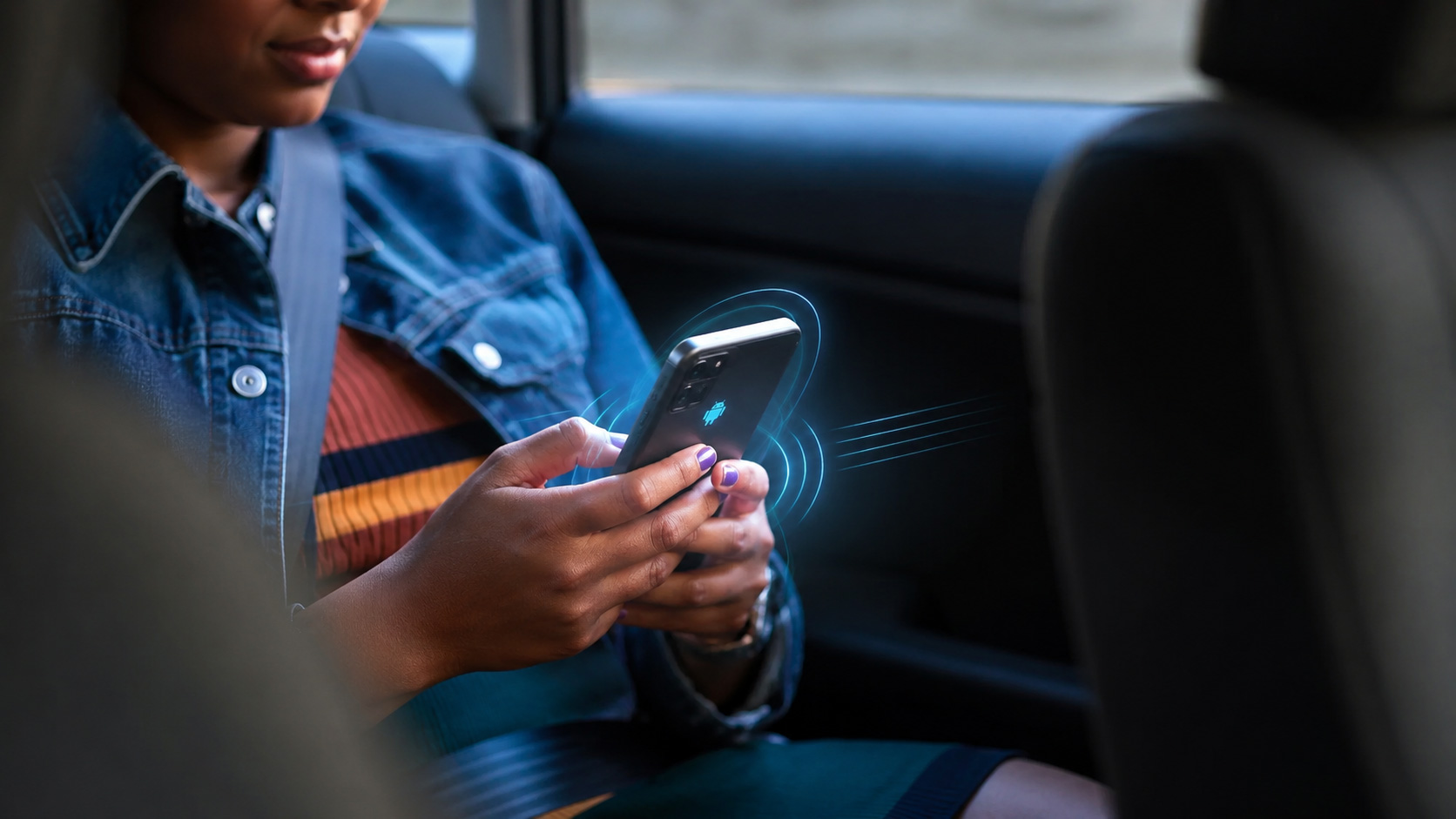
You’ve felt it, haven’t you? That unwelcome lurch in your stomach, the dull ache behind your eyes, the clammy sweat on your brow. Car sickness. It’s a primal, frustrating experience that can turn even the most scenic road trip into a misery marathon. You’ve tried everything: staring at the horizon, breathing deeply, popping motion sickness pills that leave you feeling groggy. But what if the very device you’re often holding, the one that distracts you with its glowing screen, could actually be the solution? Imagine your phone, your constant companion, becoming your ally against that queasy feeling. This isn’t science fiction; this is the promise of Android Motion Assist.
Before we delve into how Android Motion Assist can be your savior, it’s crucial to understand why car sickness happens. It’s a battle between your senses, a disconnect that your brain struggles to reconcile.
Sensory Mismatch: The Core of the Problem
You’re sitting in a car, and your inner ear, responsible for sensing balance and motion, is telling your brain you’re moving. You feel the bumps, the turns, the acceleration and deceleration. However, your eyes, fixed on your phone, are reporting that you’re stationary. This conflicting information creates a sensory mismatch, a neurological hiccup that can trigger the symptoms of motion sickness. Your brain, confused by these opposing signals, interprets it as a potential poisoning event and initiates a defense mechanism: nausea and vomiting to expel the supposed toxin.
The Vestibular System’s Role
Your vestibular system, located in your inner ear, is a marvel of biological engineering. It consists of the semicircular canals, which detect rotational movement, and the otolith organs, which sense linear acceleration and gravity. When you’re in a moving vehicle, fluid within these structures shifts, sending signals to your brain about your position and movement. This is why closing your eyes or focusing on a fixed point can sometimes alleviate sickness – it reduces the conflicting visual input.
Visual Input and its Impact
Our eyes are incredibly powerful sensors, and in the context of car sickness, they can be both the problem and, as we’ll see, part of the solution. When you’re looking at a static object, like your phone screen, your eyes are sending signals of stillness to your brain. This directly contradicts the signals from your vestibular system, which is actively experiencing the motion of the vehicle. This discrepancy is a primary trigger for motion sickness.
Why Some People Are More Susceptible
You might be wondering why some people seem immune to car sickness while others are plagued by it. It’s a combination of genetics, individual sensitivity, and even age.
Genetic Predisposition
There’s evidence to suggest that a predisposition to motion sickness can be inherited. If your parents or siblings experience car sickness, you’re more likely to do so as well. This might be due to differences in the sensitivity of your vestibular system or how your brain processes sensory information.
Age and Development
Children, particularly those between the ages of 2 and 12, are generally more susceptible to motion sickness than adults. This is likely because their sensory systems are still developing and may not be as adept at integrating conflicting information. As people age, their susceptibility often decreases.
Other Contributing Factors
Beyond genetics and age, other factors can influence your likelihood of experiencing car sickness. These include fatigue, anxiety, hormonal changes (like during pregnancy), and even certain medical conditions. If you’re already feeling unwell or stressed, you might be more prone to that queasy feeling.
Recent advancements in smartphone technology have led to innovative solutions aimed at improving user experience, particularly for those prone to car sickness. One such development is the Android Motion Assist feature, which utilizes motion sensors to help mitigate symptoms of motion sickness while traveling. For more insights on how this technology can enhance your journey, you can read a related article on the topic here.
Enter Android Motion Assist: A Digital Antidote
Now, let’s talk about the game-changer. Android Motion Assist isn’t just another app; it’s a feature integrated into the Android operating system, designed to proactively tackle the root cause of motion sickness. It leverages your phone’s sensors to understand your environment and actively work to mitigate that sensory conflict.
How it Works: Harnessing Your Phone’s Capabilities
At its core, Android Motion Assist utilizes your phone’s accelerometer and gyroscope to detect motion. It then uses this information to adjust how you interact with your phone, aiming to synchronize your visual experience with the physical motion you’re undergoing.
Sensor Fusion for Motion Detection
Your smartphone is equipped with a suite of sensors, including the accelerometer (which measures linear acceleration) and the gyroscope (which measures rotational velocity). Android Motion Assist intelligently combines the data from these sensors to create a comprehensive understanding of your phone’s movement. This allows it to accurately gauge whether your phone is moving, how fast it’s moving, and in what direction.
Predictive Algorithms for Proactive Intervention
It’s not just about detecting motion; it’s about predicting it. Android Motion Assist employs sophisticated algorithms to anticipate changes in motion, such as when the car is about to turn or brake. This allows it to make subtle, real-time adjustments to the display before the sensory mismatch becomes overwhelming.
Visual Cues and Dynamic Adjustments
The magic of Android Motion Assist lies in its ability to subtly manipulate the visual interface of your phone to better align with your perceived motion. This isn’t about jarring changes, but rather gentle, almost imperceptible adjustments.
Simulated Horizon Line
One of the key techniques employed is the creation of a simulated horizon line. This visual element moves with the perceived motion of the vehicle, providing your eyes with a reference point that aligns with your body’s experience of movement. Think of it as a digital anchor, helping to ground your visual perception.
Gentle Screen Tilting and Panning
Android Motion Assist can also introduce subtle tilting or panning of the screen content. These movements are designed to mimic the natural sway and motion you’d experience if you were looking around your environment. This helps to bridge the gap between what your inner ear is sensing and what your eyes are seeing.
Adaptive Brightness and Contrast
In some instances, the app might also adjust screen brightness and contrast to reduce eye strain and improve visual comfort. While not directly related to motion, a more comfortable visual experience can contribute to an overall reduction in sickness.
Putting Android Motion Assist to the Test: Practical Applications

The theoretical underpinnings are fascinating, but what does this actually look like in practice? How can you, as a passenger in a car, benefit from this technology?
Navigating with Navigation Apps
For many, navigation apps are the primary culprits for car sickness. Staring at a map that seems to be moving independently of your vehicle can be a recipe for disaster.
Real-Time Map Adjustments
When using compatible navigation apps, Android Motion Assist can dynamically adjust the map display. Instead of a static, scrolling map, you might see subtle shifts in perspective that better reflect the car’s movement. This can make following directions feel more intuitive and less disorienting.
Enhanced Visual Flow
The goal is to create a more fluid visual experience. The map won’t suddenly jump or snap to a new position. Instead, it will appear to naturally follow the road, providing a sense of continuous movement that aligns with your physical sensations.
Social Media and Browsing on the Go
Even if you’re not navigating, scrolling through social media feeds or browsing websites can trigger motion sickness. Android Motion Assist aims to make these activities more tolerable.
Smoother Scrolling Experience
Imagine scrolling through Instagram or a news website. Instead of a jarring up-and-down motion, Android Motion Assist might introduce a gentle sway to the content as you scroll, mirroring the natural rocking motion of a vehicle. This subtle buffering can significantly reduce the sensory conflict.
Content Adaptation for Motion
While still evolving, future iterations could see content itself adapting. For example, videos might be subtly stabilized to reduce perceived jerky movements, or text elements might have a slight parallax effect that mimics depth perception in a moving environment.
Gaming and Entertainment in Motion
For those who dare to game or watch videos while on the move, car sickness can be a major deterrent. Android Motion Assist offers a glimmer of hope.
Immersive Gaming Experiences
If you’re playing a game that involves camera movement, Android Motion Assist could help smooth out those transitions. It can work to synchronize the on-screen action with the actual motion of the vehicle, making the game feel less disorienting and more immersive.
Reduced Eye Strain During Video Playback
Watching movies or shows in a car can be particularly problematic. Motion Assist can help by introducing subtle visual cues that align with the vehicle’s motion, reducing the disconnect between what your eyes see and what your body feels. This can lead to a more comfortable viewing experience.
Configuring and Maximizing Android Motion Assist

Like any powerful tool, Android Motion Assist works best when you understand how to configure and use it effectively. It’s not a set-it-and-forget-it feature; some customization can go a long way.
Finding the Settings: Where to Look
The exact location of Motion Assist settings might vary slightly depending on your Android version and device manufacturer. However, it’s generally found within your phone’s Accessibility settings or, in some cases, within Display or Advanced Features.
Navigating Accessibility Menus
Open your phone’s “Settings” app. Scroll down and tap on “Accessibility.” Look for an option related to “Motion,” “Motion Control,” or specifically “Motion Assist.” You might need to delve into submenus like “Interaction controls” or “Physical and motor.”
Manufacturer-Specific Locations
Some manufacturers, like Samsung or Google Pixel, may integrate these features under slightly different headings. For instance, on a Pixel, you might find it under “System” > “Gestures” > “Motion Gestures.” Always explore the “Display” and “Advanced features” sections if you can’t find it in Accessibility.
Customizing Your Experience: Tailoring to Your Needs
Once you’ve found the Motion Assist settings, you’ll likely have a few options to tweak. These adjustments allow you to fine-tune the feature to your personal sensitivity and preferences.
Intensity Levels
Many implementations of Motion Assist will offer different intensity levels. You might see options like “Low,” “Medium,” and “High.” Start with a lower intensity and gradually increase it if you find you still experience symptoms. Too much intensity can sometimes be distracting.
Specific Motion Cues
Some settings might allow you to enable or disable specific visual cues. For example, you might be able to turn on or off the simulated horizon line or adjust the degree of screen tilting. Experiment with these to see what works best for you.
App-Specific Preferences
In some advanced scenarios, you might even find app-specific settings. This means you could have Motion Assist enabled with a higher intensity for navigation apps but a lower intensity for social media browsing. This granular control allows for a truly personalized experience.
Best Practices for Optimal Results
Beyond just adjusting settings, certain habits can enhance the effectiveness of Android Motion Assist.
Keep Your Phone Updated
Ensure your Android operating system and any compatible apps are up to date. Developers are continuously refining these features, and updates often bring performance improvements and bug fixes.
Use it Consistently
The more you use Motion Assist, the more your brain will adapt to its subtle cues. Consistent use can help train your brain to better integrate the visual and vestibular information, leading to a more lasting reduction in sickness.
Combine with Other Strategies
While Motion Assist is powerful, it’s not a magic bullet for everyone. For severe motion sickness, consider combining its use with other proven strategies, such as sitting in the front seat, keeping windows open for fresh air, and avoiding heavy meals before travel.
Recent advancements in mobile technology have led to innovative solutions for common issues, such as car sickness. A related article discusses how Android Motion Assist could ease car sickness on your phone, providing users with tools to mitigate discomfort during travel. By utilizing motion sensors and adaptive algorithms, this feature aims to create a smoother experience for passengers. For more insights on this topic, you can read the full article here.
The Future of Motion Sickness Relief: What’s Next?
| Feature | Details |
|---|---|
| Technology | Android Motion Assist |
| Benefit | Eases car sickness on your phone |
Android Motion Assist is a significant step forward, but the world of technology and its application to human well-being is constantly evolving. What could the future hold for alleviating car sickness through your smartphone?
Deeper Integration and AI Learning
The current iteration of Motion Assist relies on pre-programmed algorithms and sensor data. The future could see even deeper integration with AI that learns your individual patterns of motion sickness.
Personalized Motion Profiles
Imagine your phone learning your specific triggers and sensitivities. Over time, it could develop a personalized “motion profile” that automatically adjusts its behavior to provide the most effective relief for you, without you needing to manually tweak settings.
Predictive AI for Pre-emptive Action
Future AI could become even more proactive. It might analyze your typical travel routes and times, and if it detects you’re in a vehicle known to cause you discomfort, it could automatically activate Motion Assist with your optimal settings before you even feel a twinge of nausea.
Beyond Visual Cues: Haptic Feedback and Soundscapes
While visual adjustments are the current focus, the future might explore other sensory inputs to combat motion sickness.
Targeted Haptic Feedback
Your phone’s vibration motor could be used in more sophisticated ways. Instead of just generic vibrations, imagine subtle haptic pulses that mimic the gentle sway of a vehicle or provide rhythmic cues that help synchronize your senses.
Auditory Augmentation
Certain sound frequencies or white noise patterns have been shown to have calming effects. Future Motion Assist features could integrate carefully curated soundscapes designed to reduce anxiety and distract from the onset of sickness.
Collaborative Development with Vehicle Manufacturers
As cars become more technologically advanced, with integrated infotainment systems and sensors, there’s a huge potential for collaboration between phone manufacturers and car makers.
Seamless In-Car Integration
Picture a future where your phone seamlessly communicates with your car’s sensors. The car could tell your phone about upcoming turns, braking, and acceleration, allowing for an even more precise and anticipatory application of Motion Assist.
Shared Motion Data for Enhanced Accuracy
If you opt-in, anonymized motion data from your phone and vehicle could be used to collectively improve motion sickness algorithms for everyone, creating a powerful feedback loop for innovation.
Android Motion Assist represents a paradigm shift in how we approach car sickness. Instead of passively enduring the discomfort, you now have a powerful, intelligent tool right in your pocket that can actively work to make your journeys more pleasant. By understanding the science behind motion sickness and leveraging the capabilities of your smartphone, you can transform those dreaded road trips from a test of endurance into an opportunity to enjoy the ride. The next time you feel that familiar queasy sensation creeping in, remember that your Android device might just be the key to a smoother, more comfortable journey.
FAQs
What is Android Motion Assist?
Android Motion Assist is a feature developed by Google that aims to reduce motion sickness while using mobile devices in a moving vehicle. It uses the phone’s sensors to detect when a user is in a moving vehicle and adjusts the display and user interface to minimize motion sickness.
How does Android Motion Assist work?
Android Motion Assist uses the phone’s sensors, such as the accelerometer and gyroscope, to detect the motion and vibrations of the vehicle. It then adjusts the display and user interface to reduce motion sickness by minimizing unnecessary movements and animations.
Can Android Motion Assist completely eliminate car sickness?
While Android Motion Assist aims to reduce motion sickness, it may not completely eliminate it for all users. The effectiveness of the feature may vary depending on individual sensitivity to motion and other factors. It is designed to provide relief for some users, but may not work for everyone.
Is Android Motion Assist available on all Android devices?
Android Motion Assist is a feature developed by Google and is expected to be available on devices running the Android operating system. However, its availability may depend on the device’s hardware capabilities and software updates. Users should check their device’s settings or consult the manufacturer for specific information.
Can Android Motion Assist be disabled if not needed?
Android Motion Assist is designed to automatically detect when a user is in a moving vehicle and adjust the display and user interface accordingly. However, users may have the option to disable or customize this feature in their device settings, depending on the implementation by the device manufacturer.
