


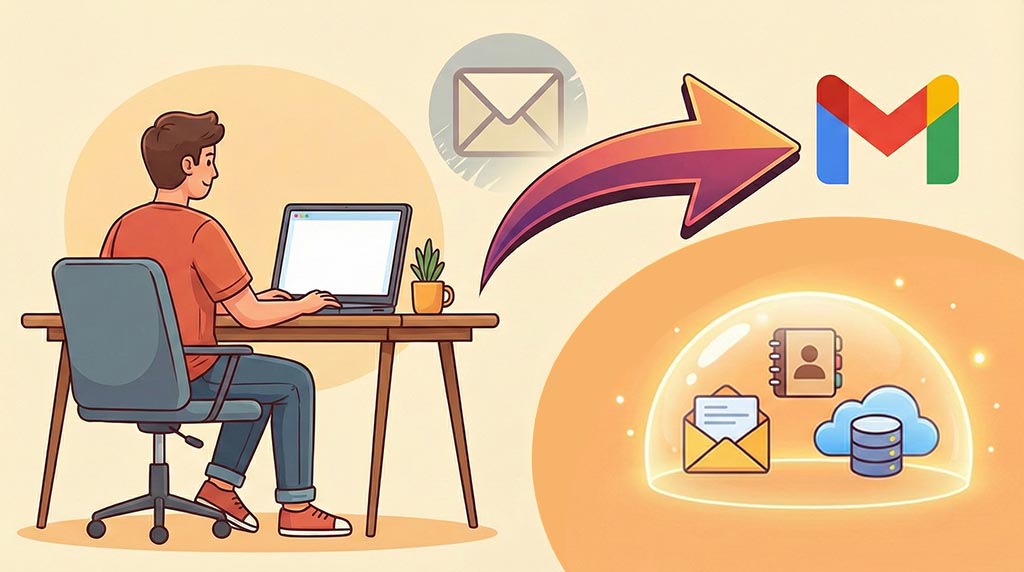
Gmail has introduced a feature that enables users to modify their email addresses while preserving existing data and contacts. This functionality addresses the growing demand for email address changes due to personal, professional, or preference-related reasons. The feature is designed to provide a seamless transition process for users who need to update their email addresses.
It maintains continuity of existing email data, contact lists, and account information during the address change process. This development responds to common user needs in managing digital identity and online presence. Users can now adapt their email addresses to changing circumstances without the traditional complications of losing stored emails, contacts, or account settings.
The implementation focuses on user-friendly processes that minimize disruption to ongoing email communication and account management. This capability represents Gmail’s response to user feedback regarding the challenges of changing email addresses while maintaining account continuity. The feature aims to simplify what has historically been a complex process requiring manual data transfer and contact notification procedures.
Key Takeaways
- Gmail introduces a new feature allowing users to change their email addresses easily.
- The feature addresses common needs like rebranding or correcting email errors.
- Users can update their email without losing data or contacts.
- Enhanced security measures are in place to protect privacy during the change.
- The update improves compatibility with third-party apps and is positively received by users and experts.
The Need for Changing Email Addresses
There are numerous reasons why you might find yourself in need of a new email address. Perhaps you’ve changed your name due to marriage or personal preference, or maybe your current address no longer reflects your professional identity. In some cases, individuals may wish to create a more memorable or professional-sounding email address to enhance their credibility in business communications.
Whatever the reason, the ability to change your email address without losing access to your existing data is a game-changer. Moreover, as you navigate through various stages of life—be it transitioning from school to the workforce or starting a new venture—your email address can become a reflection of your evolving identity. The traditional process of creating a new email account often involves the cumbersome task of notifying contacts, transferring important messages, and updating subscriptions.
With Gmail’s new feature, you can sidestep these challenges and maintain continuity in your digital communications while embracing a fresh start.
How the Feature Works

Understanding how this new feature operates is crucial for maximizing its potential.
When you decide to change your email address within Gmail, the process is designed to be straightforward and intuitive.
You will have the option to select a new address while retaining your existing account settings, including your contacts, emails, and calendar events.
This means that all your previous correspondence remains intact, allowing you to transition smoothly without losing any vital information. The feature leverages Google’s robust infrastructure to ensure that all your data is preserved during the transition. Once you initiate the change, Gmail will automatically redirect any emails sent to your old address to your new one.
This means that you won’t miss out on important messages while informing your contacts about your new email address. Additionally, Gmail provides tools to help you notify your contacts about the change, making it easier for you to maintain your network without unnecessary disruptions.
Steps to Change Email Address
Changing your email address in Gmail is a simple process that can be completed in just a few steps. First, you will need to log into your Gmail account and navigate to the settings menu. From there, look for the “Accounts and Import” tab, where you will find the option to change your email address.
Once you select this option, you will be prompted to enter your desired new email address. After entering your new address, Gmail will guide you through a verification process to ensure that you have access to the new account. This step is crucial for maintaining security and preventing unauthorized changes.
Once verified, you can finalize the change and begin using your new email address immediately. It’s advisable to take some time to inform your contacts about the update and update any subscriptions or accounts linked to your old email address.
Impact on Data and Contacts
| Address Change Capability | Allows users to change their Gmail address without losing existing data. | Improves user flexibility and account management. | Planned for 2024 Q3 |
| Data Retention | All emails, contacts, and settings are preserved during address change. | Ensures seamless transition and user satisfaction. | Included in initial rollout |
| Security Measures | Verification steps to prevent unauthorized address changes. | Maintains account security and integrity. | Implemented alongside feature launch |
| User Interface Update | New settings option to initiate address change process. | Enhances usability and accessibility. | 2024 Q3 |
| Support and Documentation | Help articles and customer support for address change process. | Reduces user confusion and support tickets. | Available at launch |
One of the most significant advantages of Gmail’s new feature is its impact on data retention and contact management. When you change your email address, all of your existing data—including emails, attachments, and calendar events—remains accessible under your new address. This continuity is essential for maintaining productivity and ensuring that you do not lose any important information during the transition.
Furthermore, Gmail’s system automatically updates your contacts with your new email address when they receive an email from you after the change. This feature minimizes the hassle of manually notifying everyone in your network about your new contact information. You can continue engaging with colleagues, friends, and family without interruption, allowing for a seamless transition that keeps your communication channels open.
Benefits of the New Feature

The introduction of the ability to change email addresses brings numerous benefits that enhance user experience. First and foremost, it provides flexibility in managing your online identity. Whether you’re looking to rebrand yourself professionally or simply want an email address that better reflects who you are today, this feature allows for easy adaptation without the stress of losing important data.
Additionally, this feature promotes better organization in your digital life. By enabling users to select an email address that aligns with their current needs or aspirations, Gmail helps reduce clutter and confusion associated with outdated or irrelevant addresses.
You can create a more streamlined communication experience that resonates with both personal and professional contexts.
Security and Privacy Concerns
While Gmail’s new feature offers many advantages, it also raises important questions regarding security and privacy. Changing an email address can potentially expose users to risks if not handled carefully. For instance, if someone else gains access to your old email address before you make the switch, they could intercept sensitive information or impersonate you during the transition period.
To mitigate these risks, it’s essential to follow best practices when changing your email address. Ensure that you have strong security measures in place for both your old and new accounts, such as two-factor authentication and strong passwords. Additionally, be cautious about sharing your new email address until you’re confident that all necessary security protocols are in place.
Compatibility with Third-Party Apps
Another critical aspect of changing your email address is its compatibility with third-party applications and services. Many users rely on various apps for productivity, communication, and organization that are linked to their email accounts. When changing your Gmail address, it’s vital to consider how this transition will affect these integrations.
Fortunately, Gmail’s new feature is designed with compatibility in mind. Most third-party applications will automatically update with your new email address when you send emails from it. However, it’s still advisable to manually check each app or service linked to your old account to ensure everything functions smoothly after the change.
This proactive approach will help prevent any disruptions in service or communication.
Feedback from Users and Experts
As with any new feature, user feedback plays a crucial role in shaping its future development and refinement. Early adopters of Gmail’s ability to change their email addresses have generally expressed positive sentiments about its ease of use and practicality. Many users appreciate the seamless transition process and the retention of their existing data, which alleviates much of the stress typically associated with changing email addresses.
Experts in digital communication have also weighed in on this feature’s potential impact on user behavior. They suggest that by simplifying the process of changing email addresses, Google may encourage more users to take control of their online identities proactively. This shift could lead to a more organized digital landscape where individuals feel empowered to adapt their communication tools as needed.
Comparison with Other Email Providers
When evaluating Gmail’s new feature in context, it’s essential to consider how it stacks up against offerings from other email providers. Many platforms have historically made changing email addresses a cumbersome process that often results in data loss or significant downtime during transitions. In contrast, Gmail’s approach prioritizes user experience by ensuring that all data remains intact throughout the process.
While some competitors have begun implementing similar features, Gmail’s established reputation for reliability and user-friendly design gives it an edge in this area. The ability to maintain continuity while changing an email address sets Gmail apart as a leader in innovation within the realm of digital communication.
Future Developments and Updates
As technology continues to advance at a rapid pace, it’s likely that Gmail will further refine its features related to changing email addresses based on user feedback and emerging trends in digital communication. Future updates may include enhanced security measures or additional tools for managing contacts during transitions. Moreover, as more users embrace remote work and digital collaboration tools, Gmail may expand its offerings to integrate even more seamlessly with other platforms and applications.
By staying attuned to user needs and industry developments, Google can ensure that its services remain relevant and valuable in an ever-changing digital landscape. In conclusion, Gmail’s new feature allowing users to change their email addresses represents a significant advancement in how we manage our online identities. By providing a seamless transition process while retaining essential data and contacts, this feature empowers users like you to adapt as needed without sacrificing productivity or security.
As you explore this innovative capability, consider how it can enhance your digital communication experience and help you maintain control over your online presence.
In a recent development, Gmail announced that it will allow users to change their email addresses while retaining their data, a feature that many have been eagerly anticipating. This change aims to enhance user flexibility and privacy, making it easier for individuals to manage their online identities. For those interested in understanding the broader implications of digital security, you might find it insightful to read about the vulnerabilities of online systems in the article on why your VPN and firewall are the new top targets for attackers, which can be found here.
FAQs
Can Gmail users change their email addresses?
Yes, Gmail is introducing a feature that allows users to change their email addresses while retaining their existing data.
Will changing the Gmail address affect my emails and contacts?
No, users will be able to keep all their emails, contacts, and other data intact even after changing their Gmail address.
Is this feature available to all Gmail users?
The feature is being rolled out gradually, so availability may vary. Users should check their Gmail settings or official announcements for updates.
Does changing the Gmail address create a new account?
No, changing the address updates the existing account’s email address without creating a new account.
Can I revert back to my old Gmail address after changing it?
Details about reverting to a previous address have not been specified; users should consult Gmail support for guidance.
Will my new Gmail address be recognized by all Google services?
Yes, the new email address will be linked to your Google account and recognized across all Google services.
Are there any limitations on how often I can change my Gmail address?
Specific limitations on the frequency of address changes have not been disclosed yet.
Do I need to notify my contacts about my new Gmail address?
While Gmail retains your data, it is advisable to inform your contacts about your new email address to ensure smooth communication.
Is there a cost associated with changing my Gmail address?
No, changing your Gmail address through this feature is expected to be free of charge.
Where can I find more information about changing my Gmail address?
More information will be available on the official Gmail Help Center and Google support pages as the feature becomes widely available.
